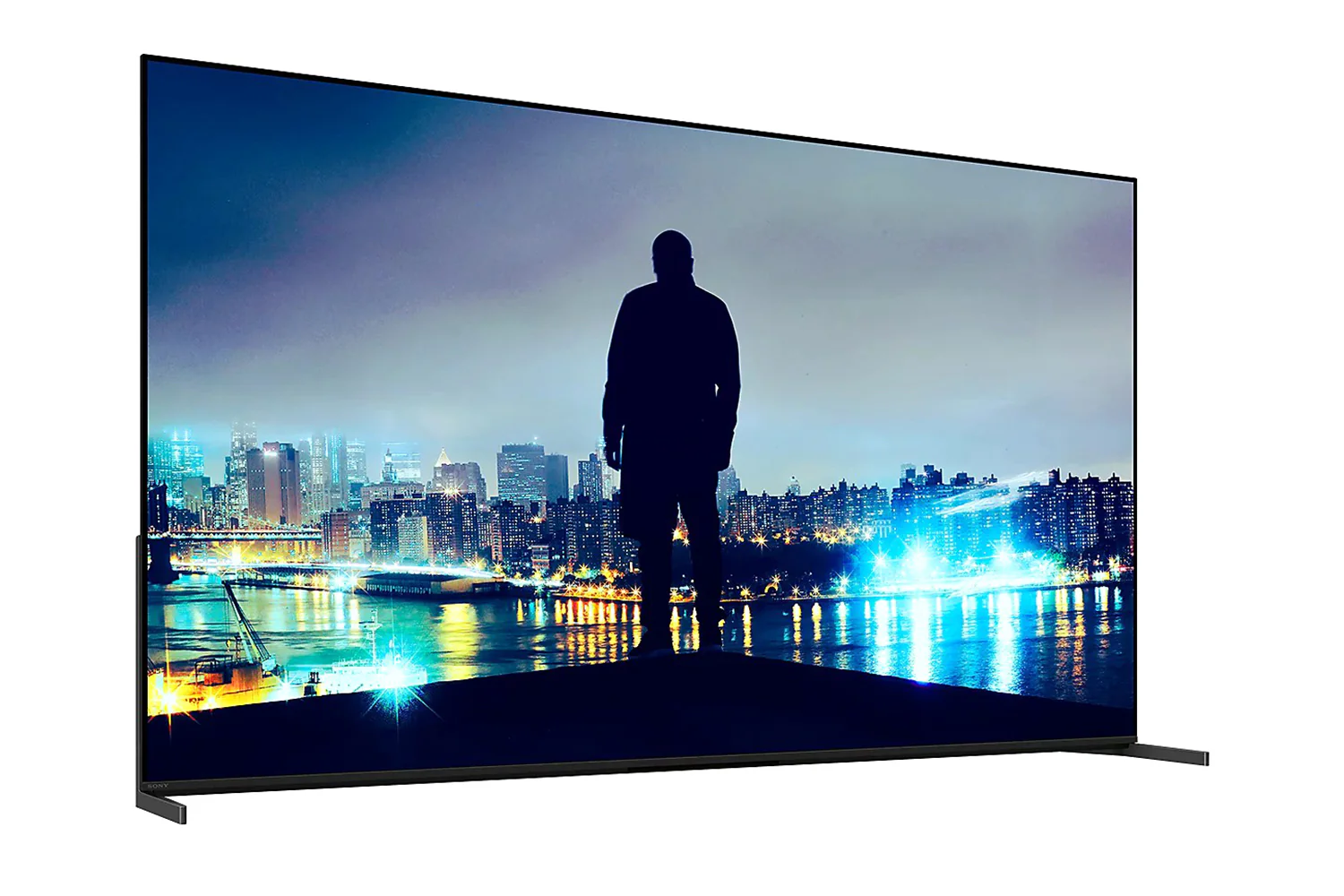
Sony Bravia 8 II 65" OLED HDR 4K Smart TV 2025 | K65XR8M25B.UKA
Find Your Perfect TV Mount
Use Sanus MountFinderto find the right TV mount for you.
Click here to start

Check out the video:
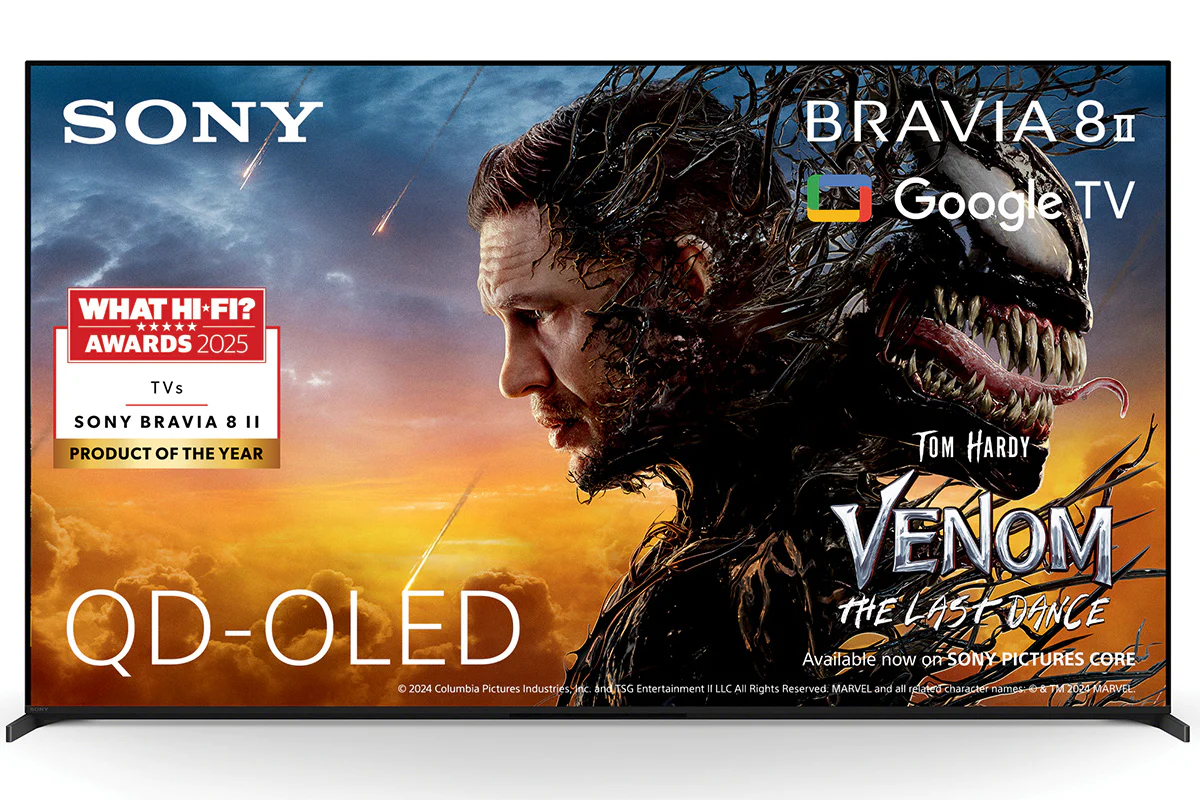
The Centrepiece Ultimate Visuals and Slimness
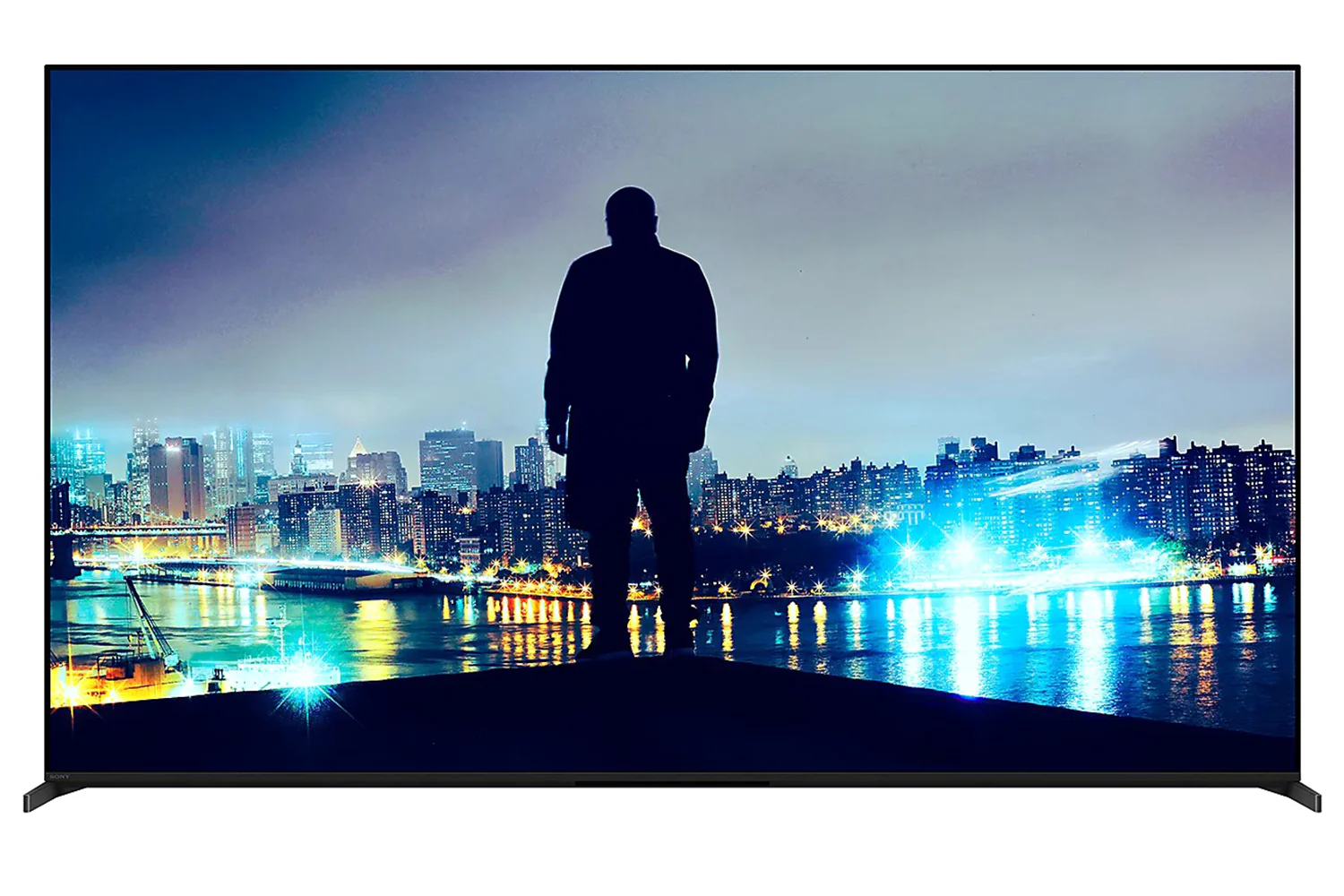
Beauty and brilliance. with its refined design, stunning contrast, and vibrant colour, illuminated by QD-OLED, every moment at home feels like a special occasion.
Cinema Your Home Your Cinema
Every detail, every colour, exactly as the creator intended. BRAVIA captures the full depth of the story, delivering rich, authentic visuals that pull you deeper into every scene.
From the Studio to Your Screen
Dive into cinema-like visuals at home. Our home entertainment picture quality expertise helps us faithfully reproduce the creator’s vision with Studio Calibrated modes developed through collaboration with Sony and the world’s top streaming services.
Bring the Cinematic Experience Home, Enjoy Movies Included With BRAVIA
A huge number of movies are waiting for you. With BRAVIA technology, Pure Stream and IMAX Enhanced, everything you watch is delivered with stunning visuals and expressive sound quality.[1][2][3][4][5]
Instantly Enjoy Today’s Top Movies
Your new BRAVIA TV comes with movie credits included so you can immediately watch the latest releases and popular classics, including 4K HDR and IMAXEnhanced movies on SONY PICTURES CORE. Redeem your 5, 10 or 15 movies to add to your library. Plus, enjoy 12- or 24-month access to a curated selection of up to 100 movies to watch as many times as you like.[3][4]
Check out the video:
Sony Pictures Core
Enjoy movies included with BRAVIA

Be One of the First to Experience Sony Movies in IMAX Enhanced
BRAVIA TVs support stunning IMAX Enhanced content with richer visuals, immersive sound by DTS, and unparalleled quality. SONY PICTURES CORE has the largest IMAX Enhanced catalog, available here first. Plus, with SONY PICTURES CORE Calibrated Mode, IMAX Enhanced movies are automatically optimized with the best picture settings – bringing studio-quality mastering to your living room.[5][2]
Sony pictures core and bravia technology delivers the highest quality content with stunning visuals and expressive sound
Use Your Included Credits to Watch the Latest Releases
Watch Kraven the Hunter on SONY PICTURES CORE.[2]
Experience Pure Stream the Highest in Streaming Picture Quality
SONY PICTURES CORE features Pure Stream which can stream HDR movies at up to 80Mbps — similar to 4K UHD Blu-ray on a wide range of content. This means significantly more detail, colour and contrast than conventional 15-25Mbps streaming content.[6][7]
Room-filling Immersive Sound
Experience your favorite movies with immersive sound from the comfort of your home. SONY PICTURES CORE supports DTS:X and Dolby Aos for an amazing surround sound experience. [8][7]
Build Your Library with Movie Credits
5, 10, or 15 credits are included with the purchase of your BRAVIA TV. Credits let you redeem movies from a huge selection of blockbusters and popular classics, instantly adding them to your library where you can watch as many times as you'd like.[9][4]
Watch Instantly Across Your Sony Devices
Using one Sony account, watch instantly on your eligible BRAVIA TV or PlayStation console with SONY PICTURES CORE.[10][2]
SONY PICTURES CORE Brings the Cinematic Experience Home
This is how you were meant to enjoy movies. SONY PICTURES CORE Calibrated Mode has been jointly developed by our TV engineers and Sony Pictures specialists to bring studio-quality picture mastering to your living room.[5]
Watch Netflix in Studio Quality, Automatically Optimised
See Netflix in a whole new light. Our Netflix Adaptive Calibrated Mode, designed by Sony and Netflix, brings studio-quality mastering home with brightness automatically adjusted to your ambient room conditions.[6]
Sony and Prime Video Bring the Movie Theatre Experience to Your Home
See movies, shows, and even live sports the way the filmmakers and broadcasters intended. With Prime Video Calibrated Mode, picture settings are auto calibrated to what you’re watching including live sports for studio-quality Prime Video at home.[7][6]

Immersive Movie Experience
Experience truly unforgettable movies at home. Sony TV supports the rigorous standards of IMAXEnhanced, DTS:X, Dolby Visionand Dolby Aosfor an unbelievably aospheric and immersive viewing experience.
IMAX Enhanced Sound with DTS:X
You can enjoy a truly cinematic experience with select Disney+ titles on BRAVIA and BRAVIA Theatre, powered by IMAXEnhanced technology.[8][9][6]
Design
Harmonic Presence a Slimmer Singular Elegance for Your Living Space
Takes centre stage in any room. Our new slim and thin TV design graces your living space with shapes, materials, colours and surface treaents that blend beautifully with interior décor, walls and home theatre products.
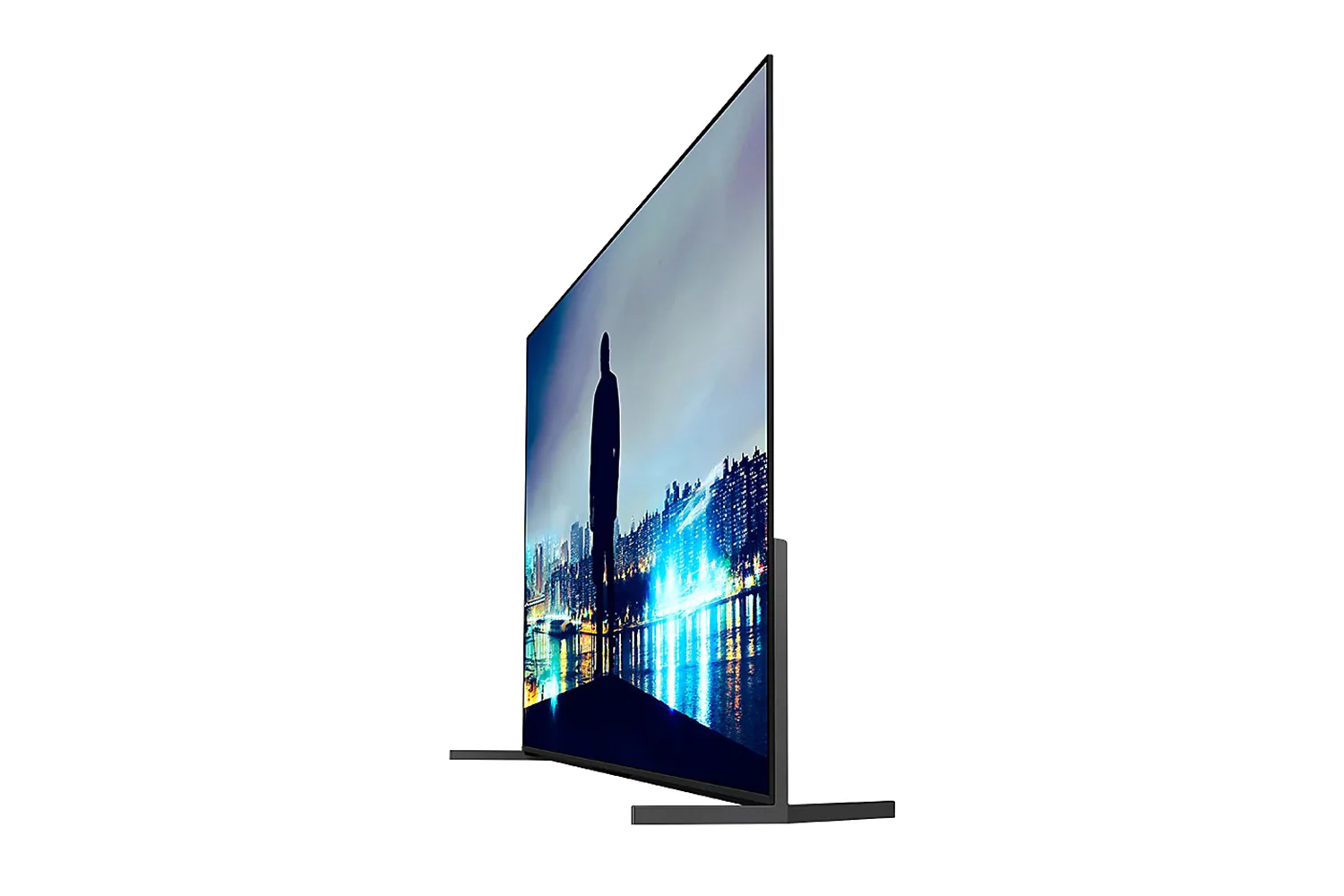
Slim One Slate Beautiful From Everywhere
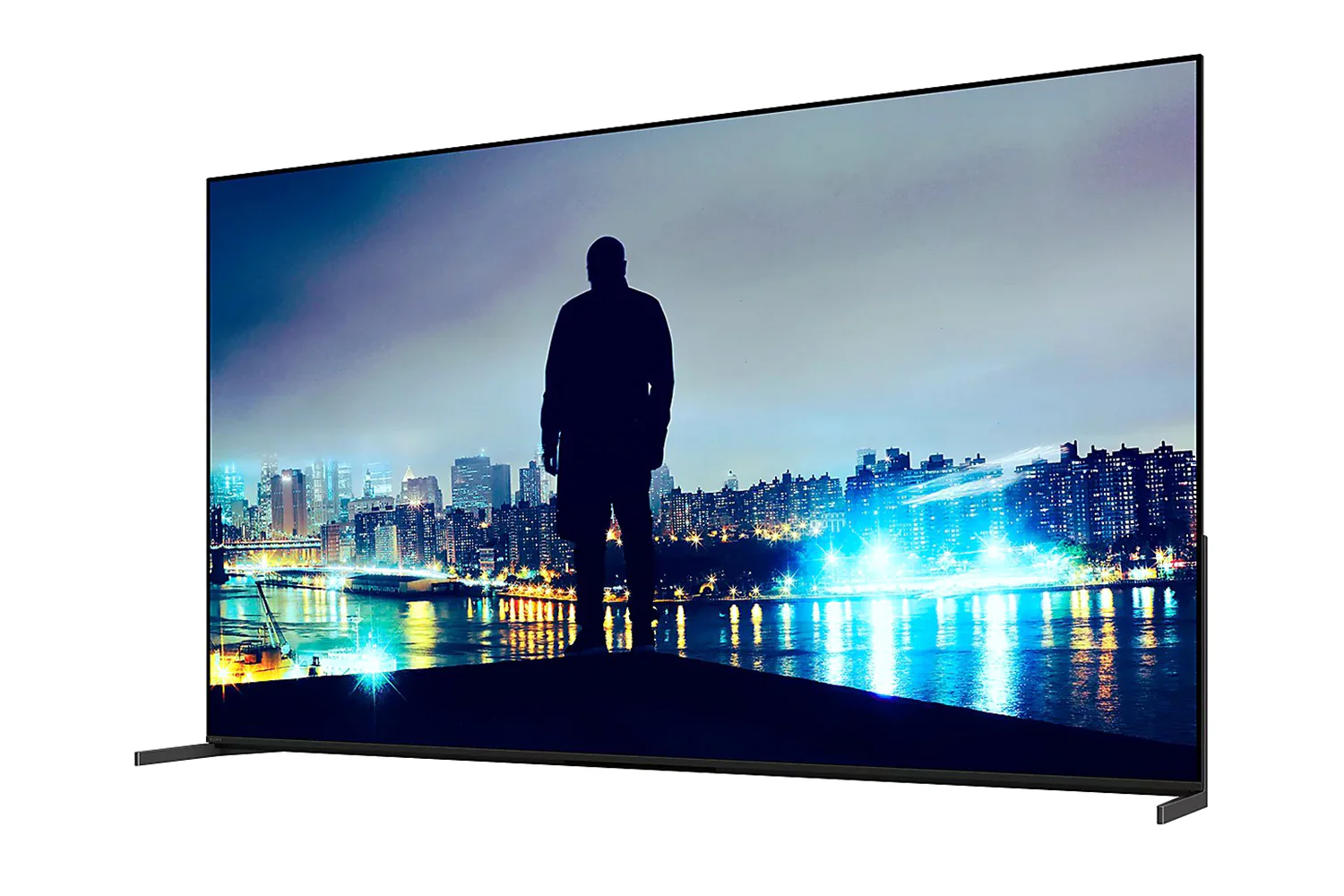
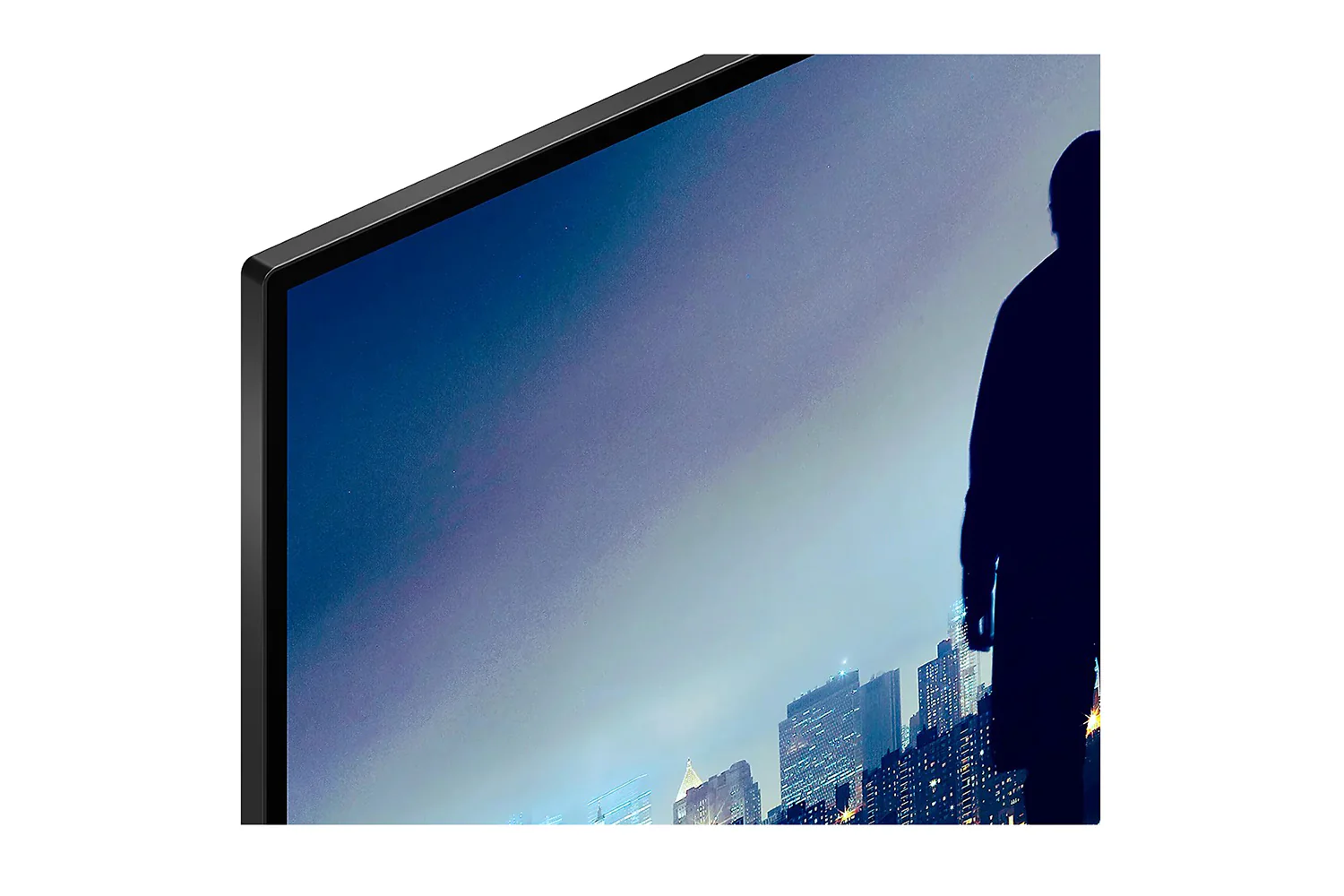
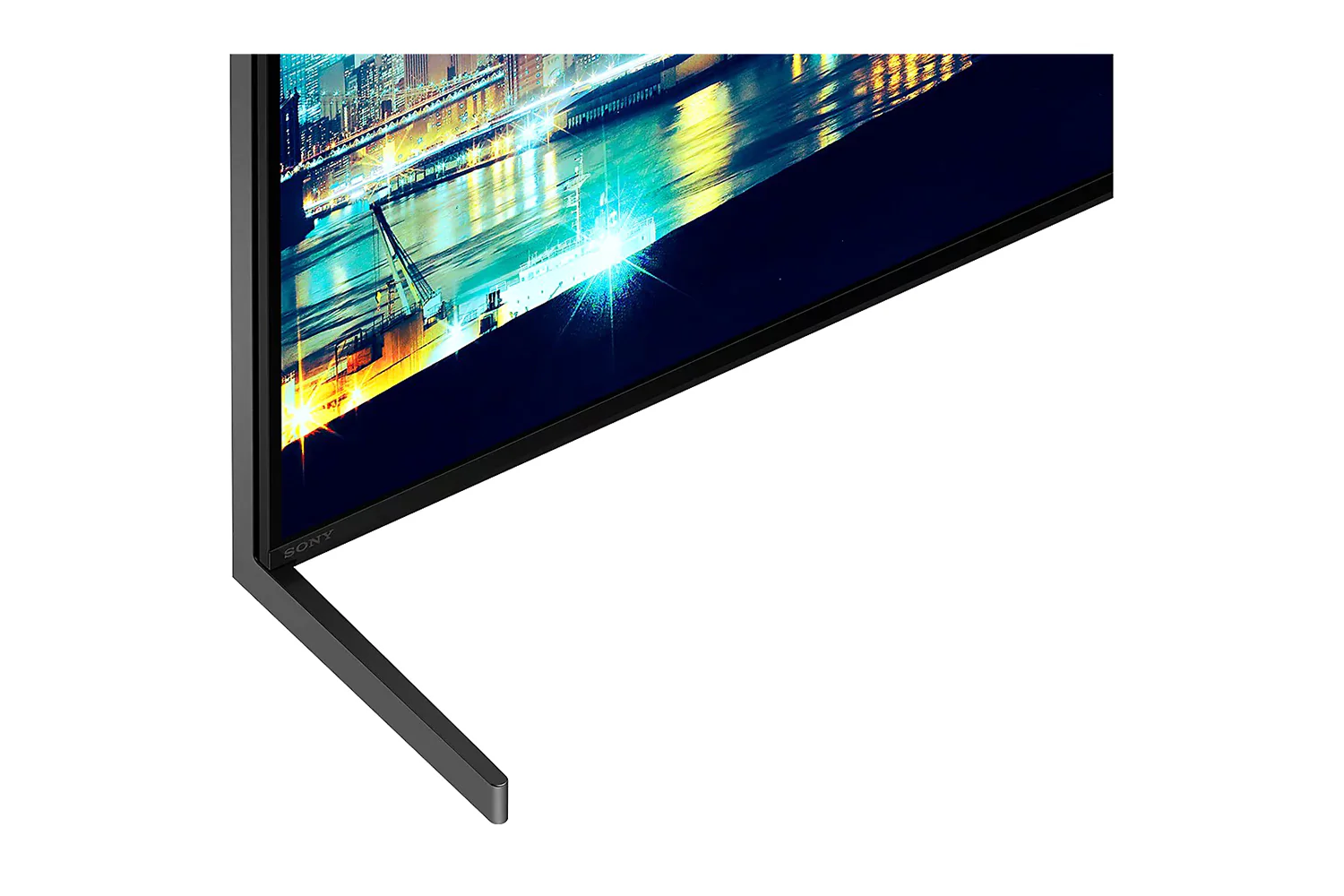
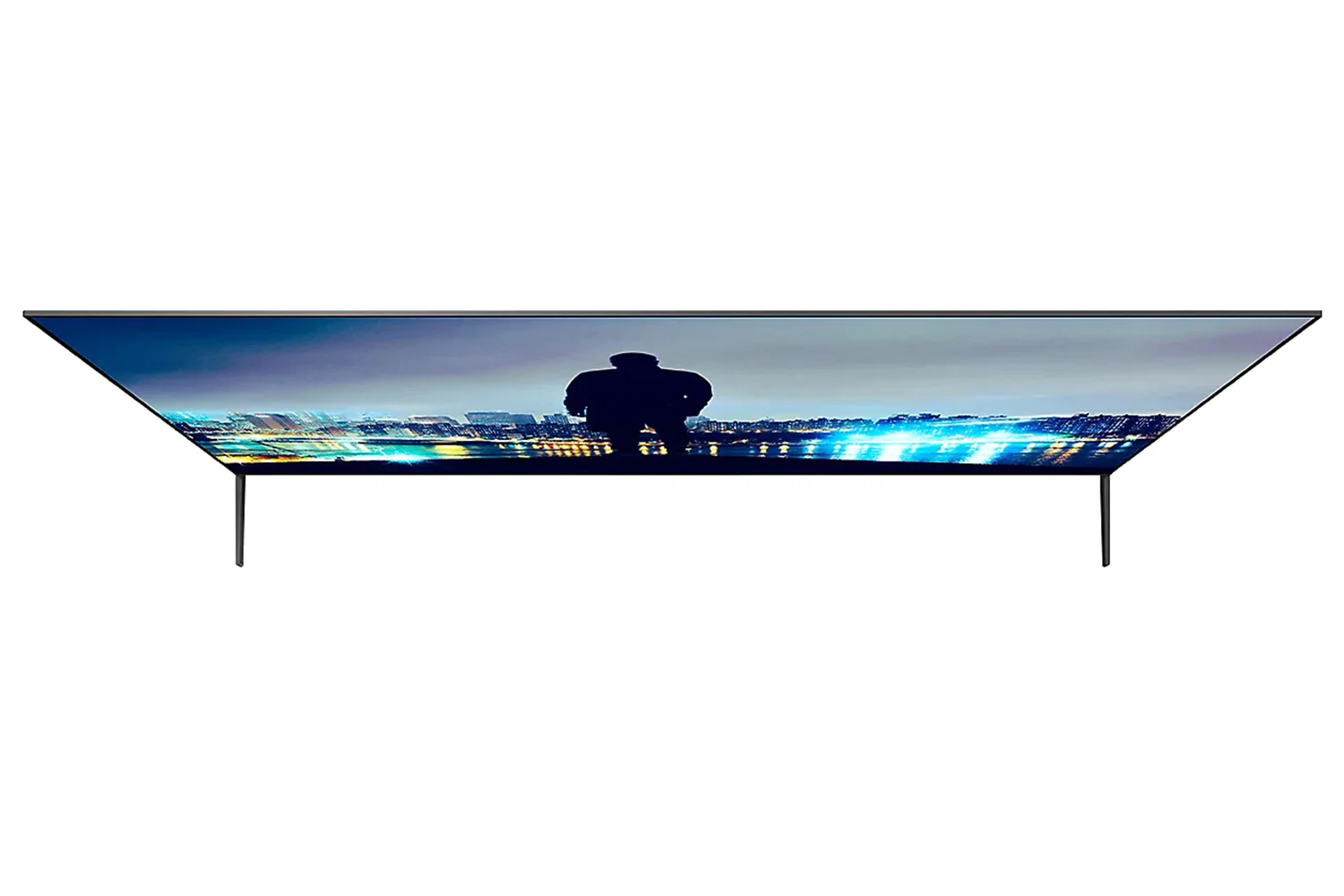
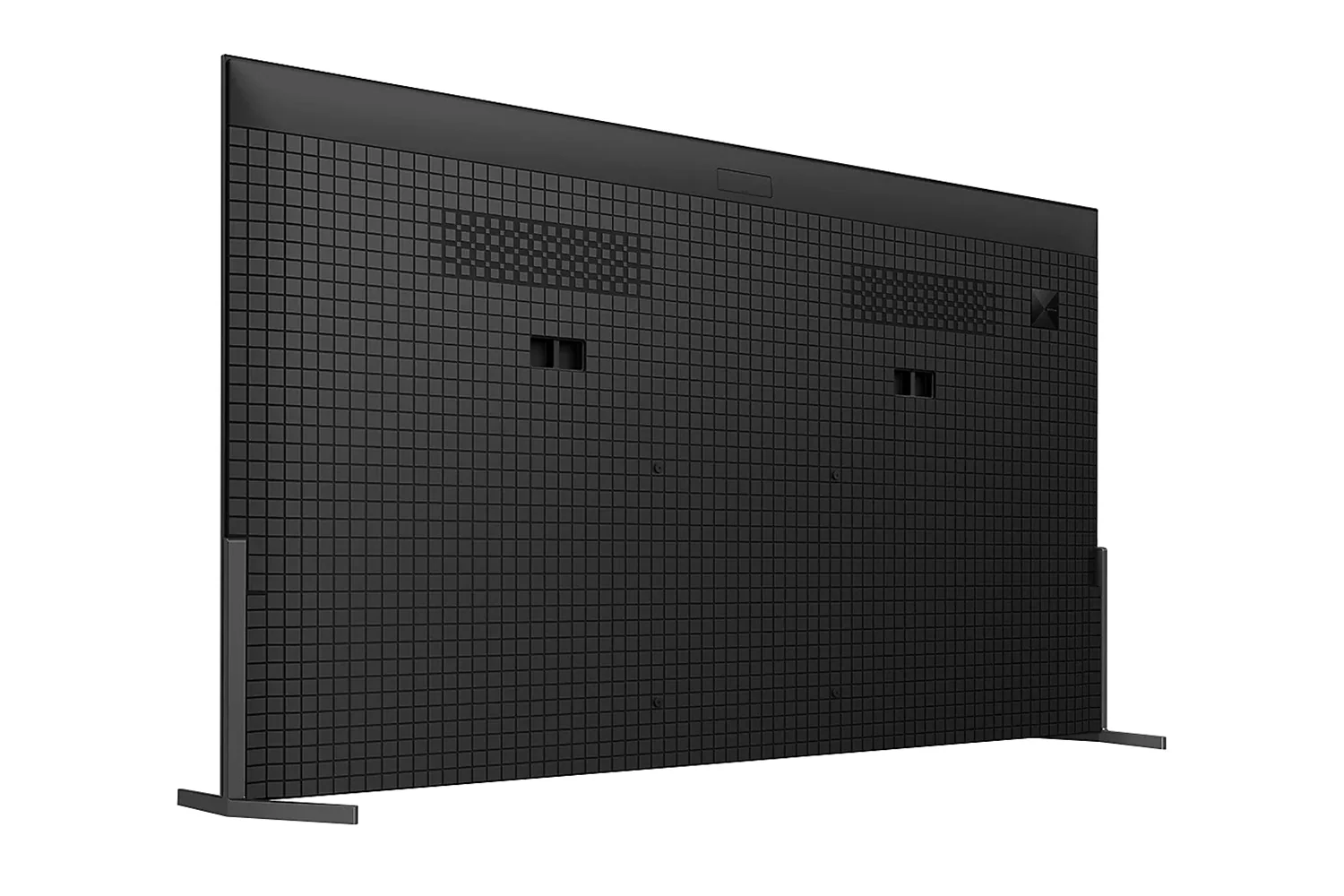
Sleek and seamless. Sony Slim One Slate concept fuses screen and bezel into a single slate, maximising your experience. The rear of the aluminium stand vanishes from view when seen from an angle.

Seamless Edge Almost No Bezel
Designed virtually frameless, this TV focuses your eyes on what’s important—the picture.
2-way Stand—adaptable and Versatile
Suits your space. Sony 2-way stand gives you the choice of a standard setting that focuses you on the picture, or a soundbar-friendly setup—no need to compromise on style.

Picture: The Beauty of Contrast, the Brilliance of Colours
The beauty of contrast meets the brilliance of colours with Sony unique technologies and QD-OLED. Deep blacks and vibrant hues come together, filling the screen with lifelike detail that brings every scene to life with stunning clarity.
Check out the video:
Over 8 Million Self-lit Pixels Intense Brightness and Contrast
The pinnacle of precision. Our QD-OLED screen individually and expertly controls 8 million self-illuminating pixels, turning each one on or off to dark and light for deeper blacks and more dazzling colours.
Check out the video:
Every Scene Brighter with Brilliant Colour and Contrast
More colour and contrast in highlights. With a high luminance panel (1) and temperature sensor (2), this TV with XR Contrast Booster precisely controls light for brighter pure black pictures.
Check out the video:
Billions of Colours, Vivid and Real
With XR Triluminos Max, experience billions of vivid, lifelike colours powered by millions of self-illuminating pixels. From deep shades to brilliant hues, enjoy extended colour volume and true-to-life textures, even in the brightest scenes.
Check out the video:
Crystal Clear Pictures with AI Technology
Rediscover detail. XR Clear Image uses a custom database to intelligently convert your favourites to near 4K. Noise is minimised through zone division and dynamic frame analysis for sharper, more refined images.[1]
Check out the video:
Even Fast-moving Action Stays Clear and Blur-free
All the action, free of blur and judder. XR OLED Motion detects and analyses visual elements on successive frames, then creates and inserts extra frames between the originals for smoother scenes.
Check out the video:
Unmatched Realism with XR Processor and AI Technology
Powered for precision. Our XR Processor features an AI scene recognition system that detects and analyses data with flawless accuracy, then optimises the picture for ultimate realism.
Beautiful Colours Any Angle
Watching TV from the sides is truly satisfying. Our QD-OLED panel keeps luminance constant for consistent colours across all viewing angles.
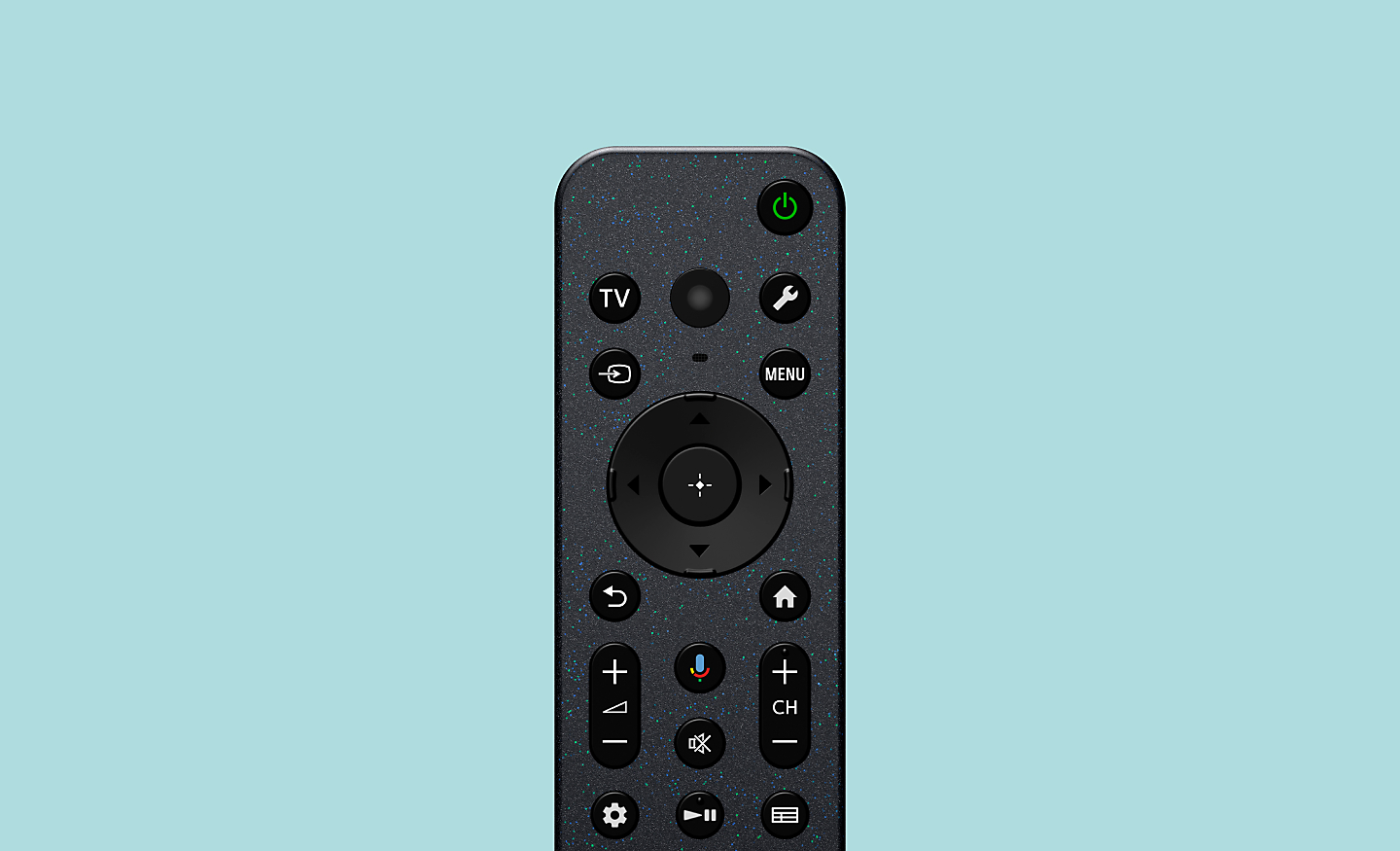
Less Glare Less Reflection That’s Immersion
Sony QD-OLED panel reduces the effects of glare and reflection from daylight and room light so you can see images clearly in even dark scenes.
Check out the video:
Sound
Screen Speaker Always Cinematic
Your screen becomes a speaker with BRAVIA 8 II. Actuators vibrate behind the screen, delivering crisp, immersive sound straight from the action, just like in the cinema.
Check out the video:
Sound From the Screen Precisely Matching Action
Sound and pictures, perfectly in sync. Acoustic Surface Audio Plus with actuator turns every part of the screen into a powerful speaker that emits sound from exactly the right place in the scene. Hear dialogue straight from the actor and bring the theatre-like experience to your home.
Check out the video:
Crystal Clear Voice with AI Technology
No more muffled voices. Our Voice Zoom 3recognises human dialogue through AI machine learning and amplifies or reduces its volume so even small dialogue sounds loud and clear. Works with our home theatre products too.[2]
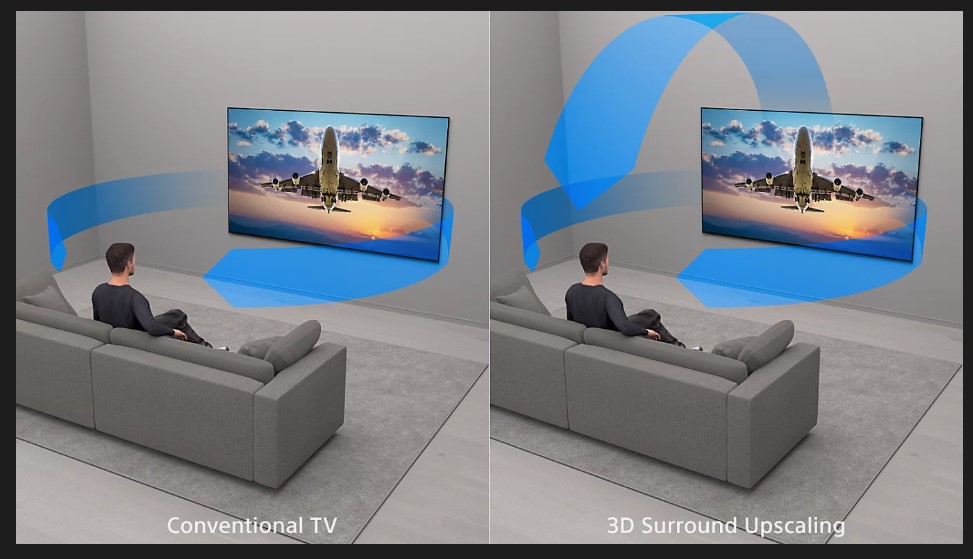
Intelligent Processing Upscales Ordinary Stereo Sound to Extraordinary 3D Surround
Be immersed. Our 3D Surround Upscaling creates virtual surround from above and the sides using just the TV speakers. Even 2ch and 5.1ch audio is upscaled to immersive 5.1.2ch sound. Moreover, Dolby Aosand DTS:Xsupport provides unforgettable spatial sound.
Home Entertainment with BRAVIA Theatre Home Becomes Cinema
Fill every corner of your room with soul-stirring cinematic sound. Pairing BRAVIA with BRAVIA Theatre brings the emotion and excitement of the movie theatre, home, an unmatched audio-visual experience.[3][4][5]
Check out the video:
Sound Precisely Matches What’s On Screen
Sound is calibrated as one integrated speaker system. Acoustic Center Sync enables our home theatre equipment to use BRAVIA as a centre speaker so that sound comes from the screen rather than just the soundbar.

Sony BRAVIA Connect app
Control BRAVIA and BRAVIA Theatre from your smartphone. With the BRAVIA Connect app, you can adjust volume and settings and even check your set up without using the remote or on screen menu.[9][10]

Take Control From Your Smartphone
You can set up the app to work both with TV and Home Audio devices. So there’s no more searching for the right remote – just do it from your smartphone. Change volume, adjust settings and more.[1][2][3]
Instruction Manual-free Setup
Forget about the instruction manual – just follow the animated steps shown by the app to set up. And when you’re setting up subsequent devices, the app will automatically share the Wi-Fi information, so you won’t need to type a password. The app also lets you optimise the sound field to adapt to the position where you usually sit.[4][2][3]
Your Home Theatre Technician
With our app you’ll have a free in-home technician. Get technical recommendations, discover useful features, and learn about the latest software updates to make your private theatre even better.[2][3]
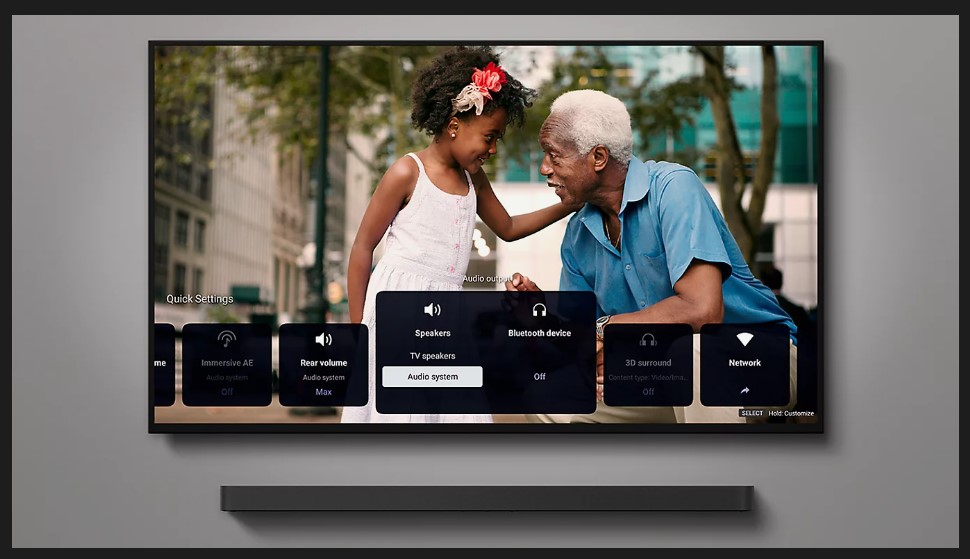
Control Your BRAVIA Theatre Effortlessly
Easily control features such as sound field and volume using just the TV remote. With an integrated UI, soundbar sound settings automatically appear on the BRAVIA Quick Settings menu.[11][12]
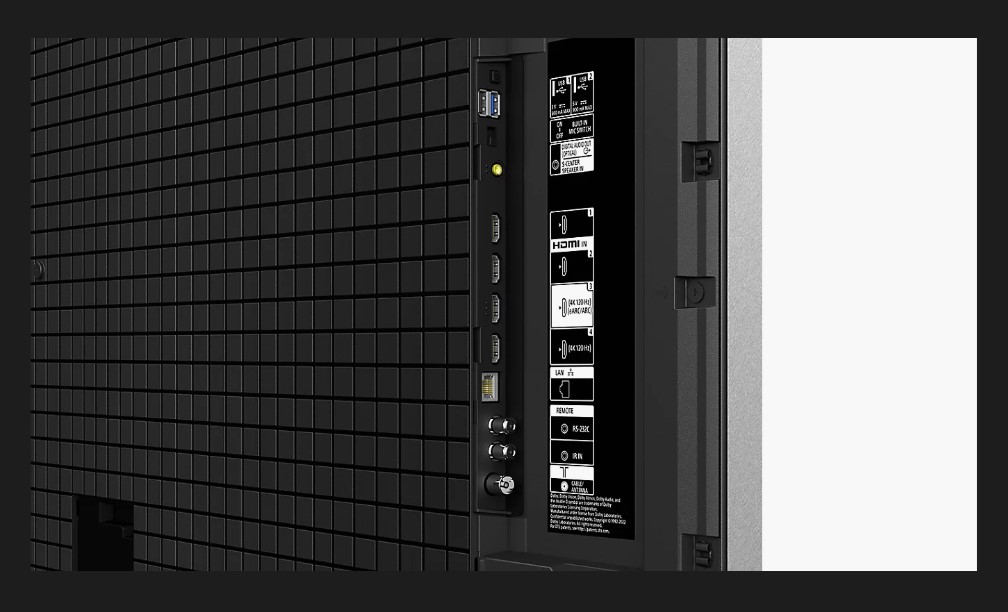
HDMI Connection Easier for Everyone
Never again have trouble connecting your soundbar and TV via HDMI. Tactile dots on the ARC/ACS terminal makes linking up easier for everyone.[13]
TVs & Home Theatre: Accessibility for All, Whatever Your Needs
Technology makes it easier to see, hear, and use. Incorporating accessibility in its design, Sony’s TV enhances the user experience regardless of age, ability or environment.
Accessibility to Assist Your Senses

Vision Assist
Use voice control, hear what’s on screen, or adjust the display. The feature availability depends on model, region and country.
Talkback and Text Magnification Functions
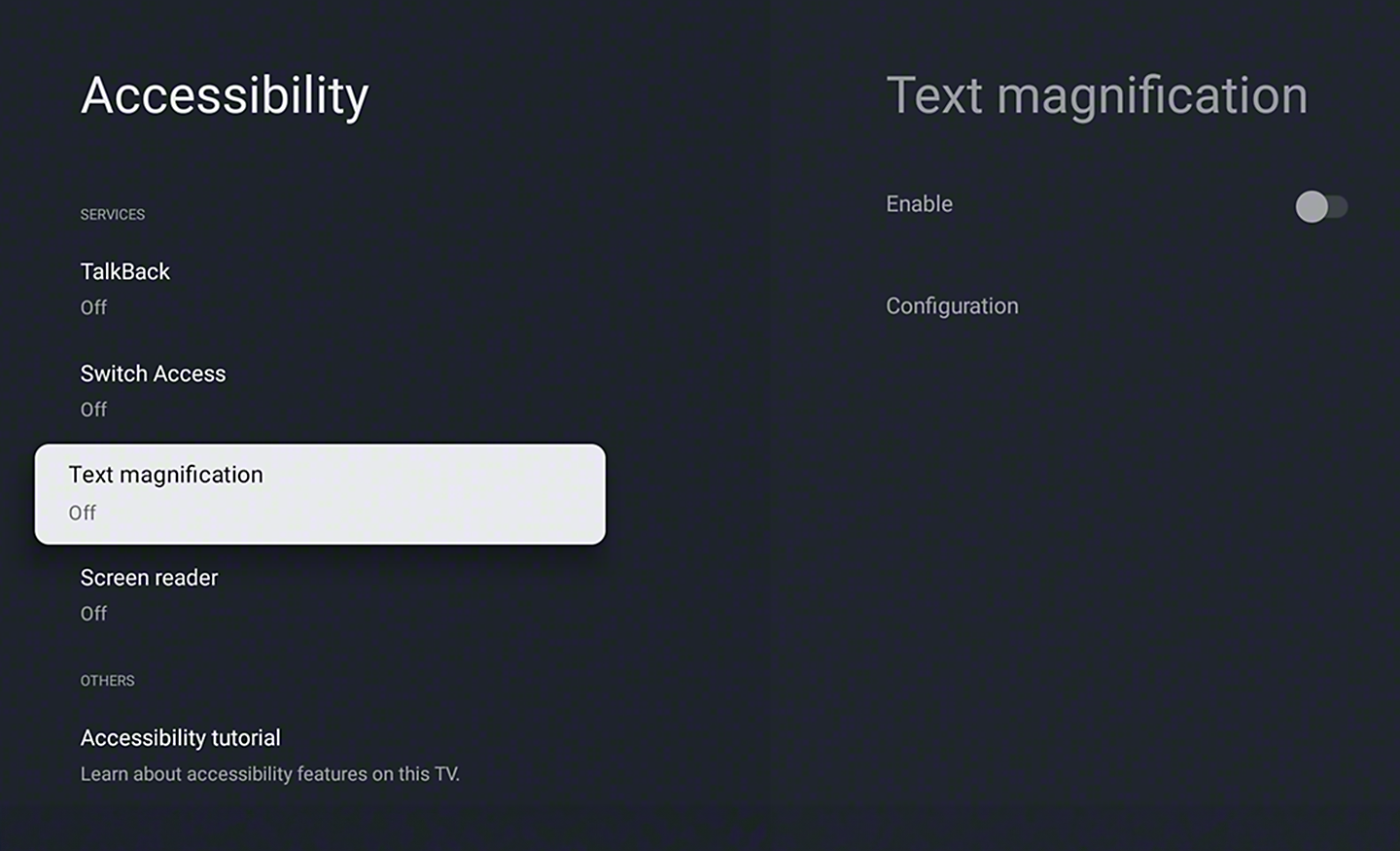
Talkback[1] allows you to check the TV programme guides on screen or to change TV settings without looking at the screen, while the Text Magnification[2] will display an enlarged version of the focused text at the bottom or top of the screen[3].
Tactile Dots
To help make setting up easier, Sony include tactile dots on the back panel as the HDMI terminal for TVs and home theatre products. Additionally, notches and tactile dots inside the packaging guide to a QR code[4]. Scan the code to go straight to the BRAVIA Connect app with screen reader support.[5]

Colour Inversion
Invert the brightness of colours so that bright areas become dark, and dark areas become bright. This feature can be turned on or off as needed. If the text is easier to read with a dark or bright background colour, you can use Colour Inversion to change the background colour.
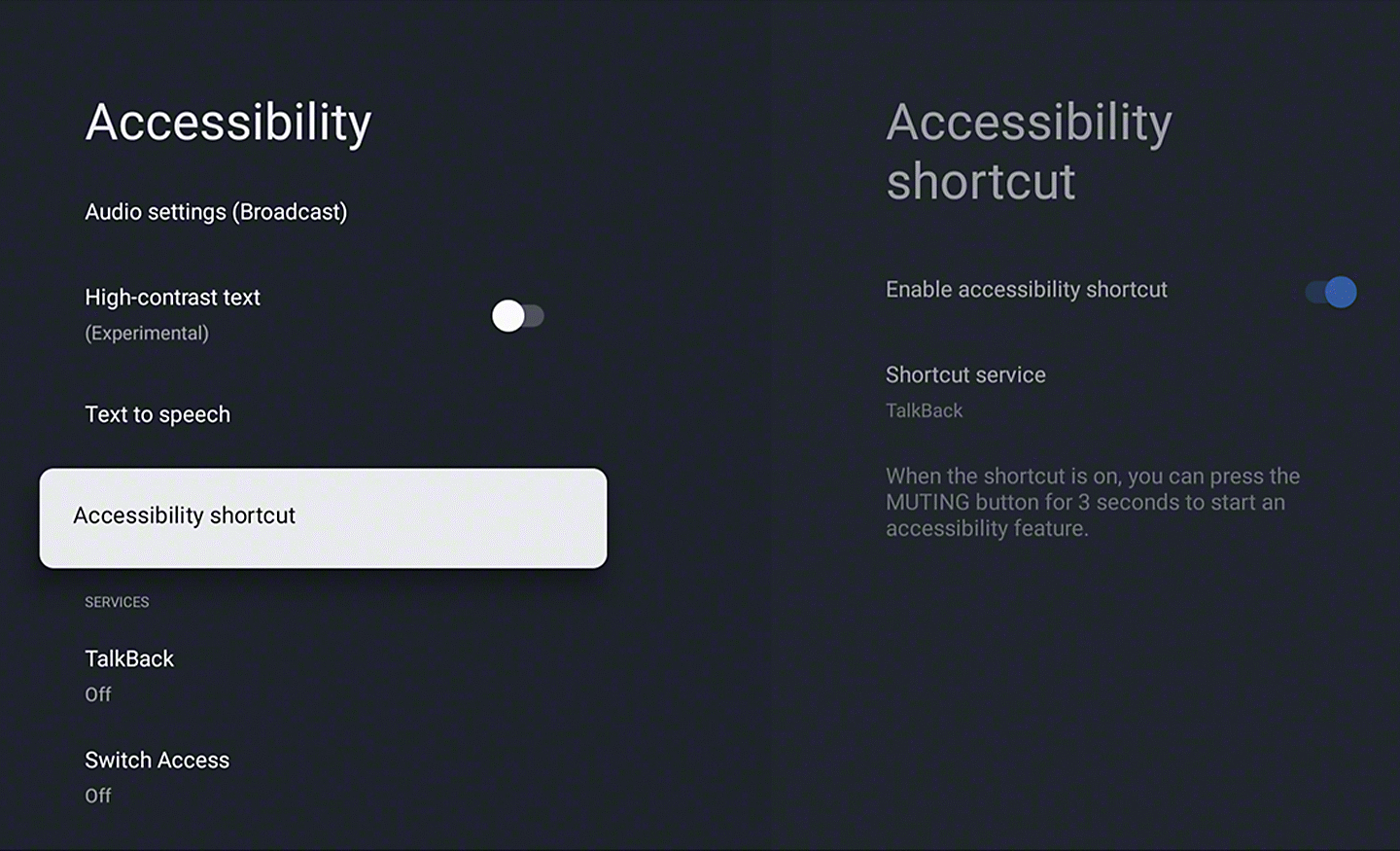
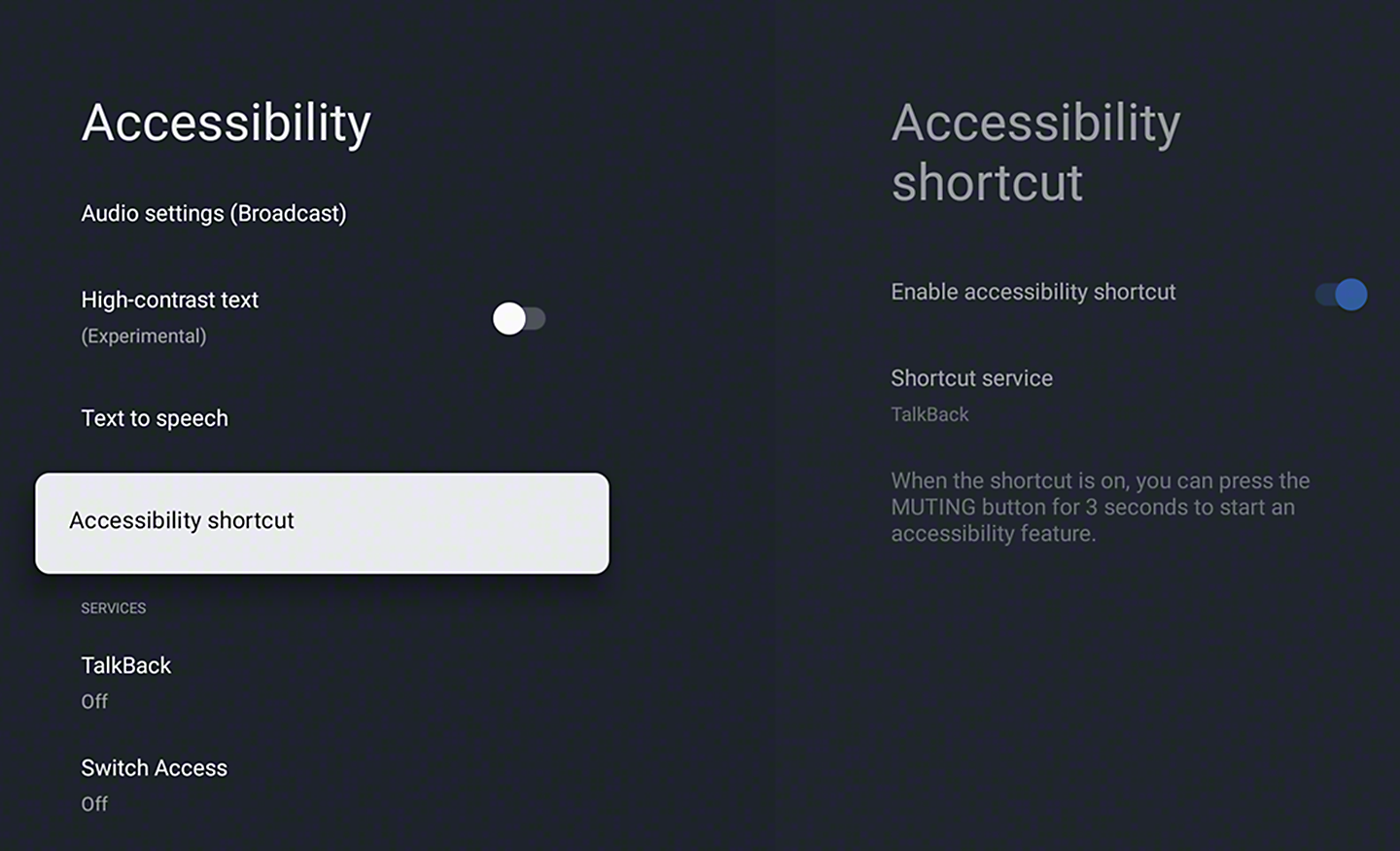
Accessibility Shortcut
Accessibility Shortcut allows you to quickly and easily turn your accessibility features on or off.

Hearing Assist
Adjust the volume and sound, or turn audio into text. The feature availability depends on model, region and country.
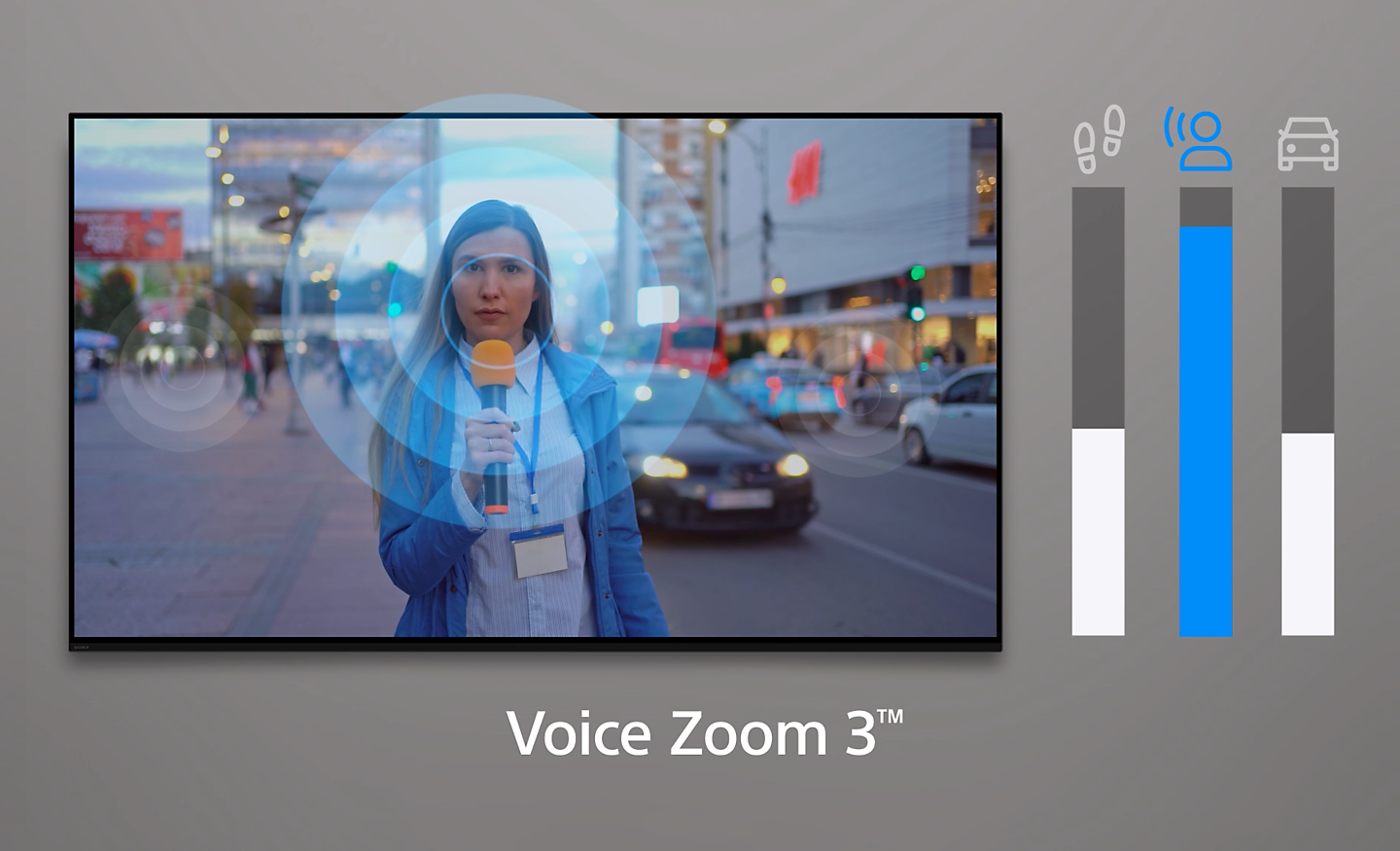
Crystal Clear Voice Precise Dialogue
No more muffled voices. Our new Voice Zoom 3 recognises human dialogue through AI machine learning and amplifies or reduces its volume so even small dialogue sounds loud and clear. Works with our home theatre products too.[6]

Action Assist
Select the operation method, including shortcuts or voice control. The feature availability depends on model, region and country.
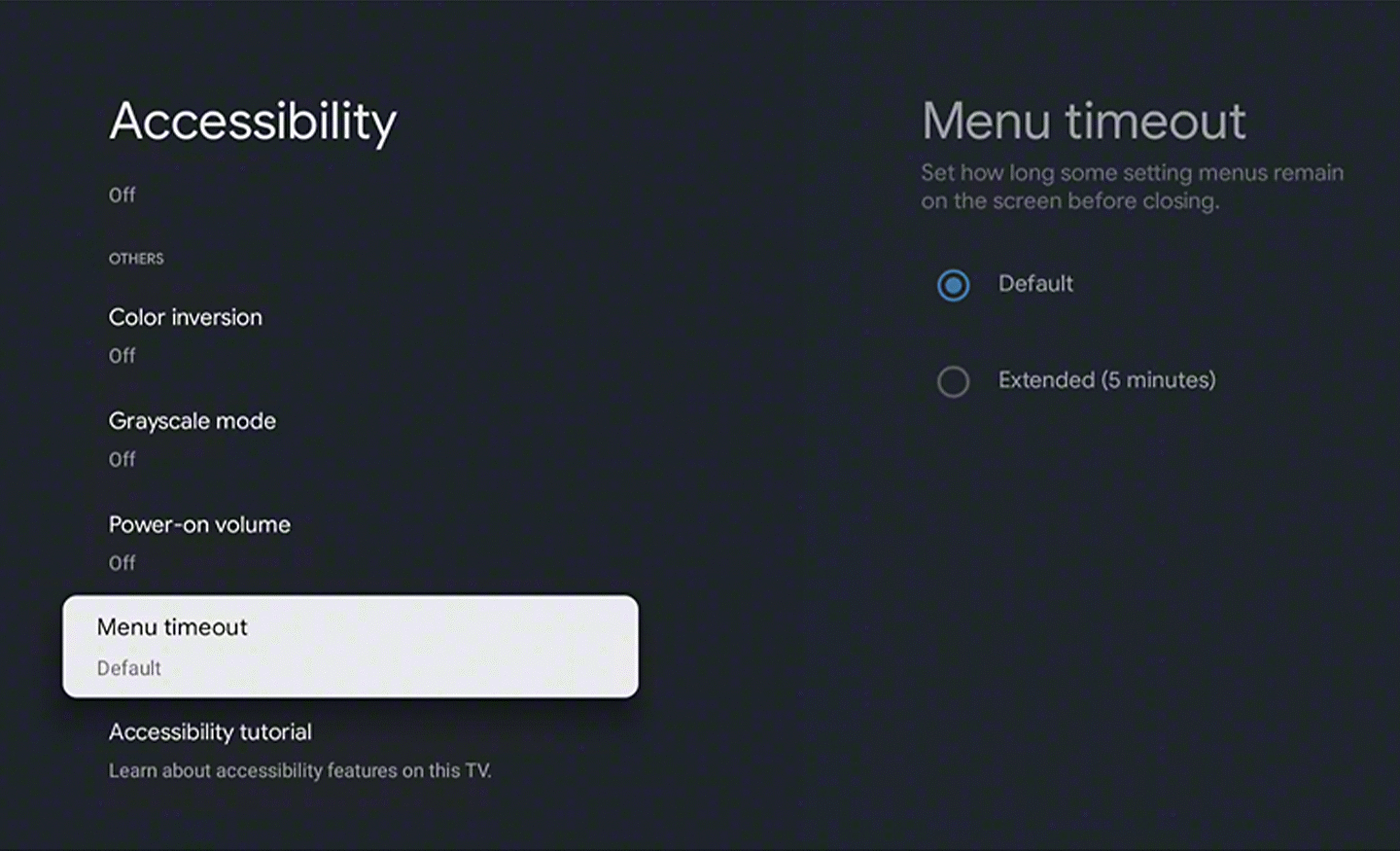
Notification Timeout Function
Notification Timeout can be used to extend the display time of a notification.
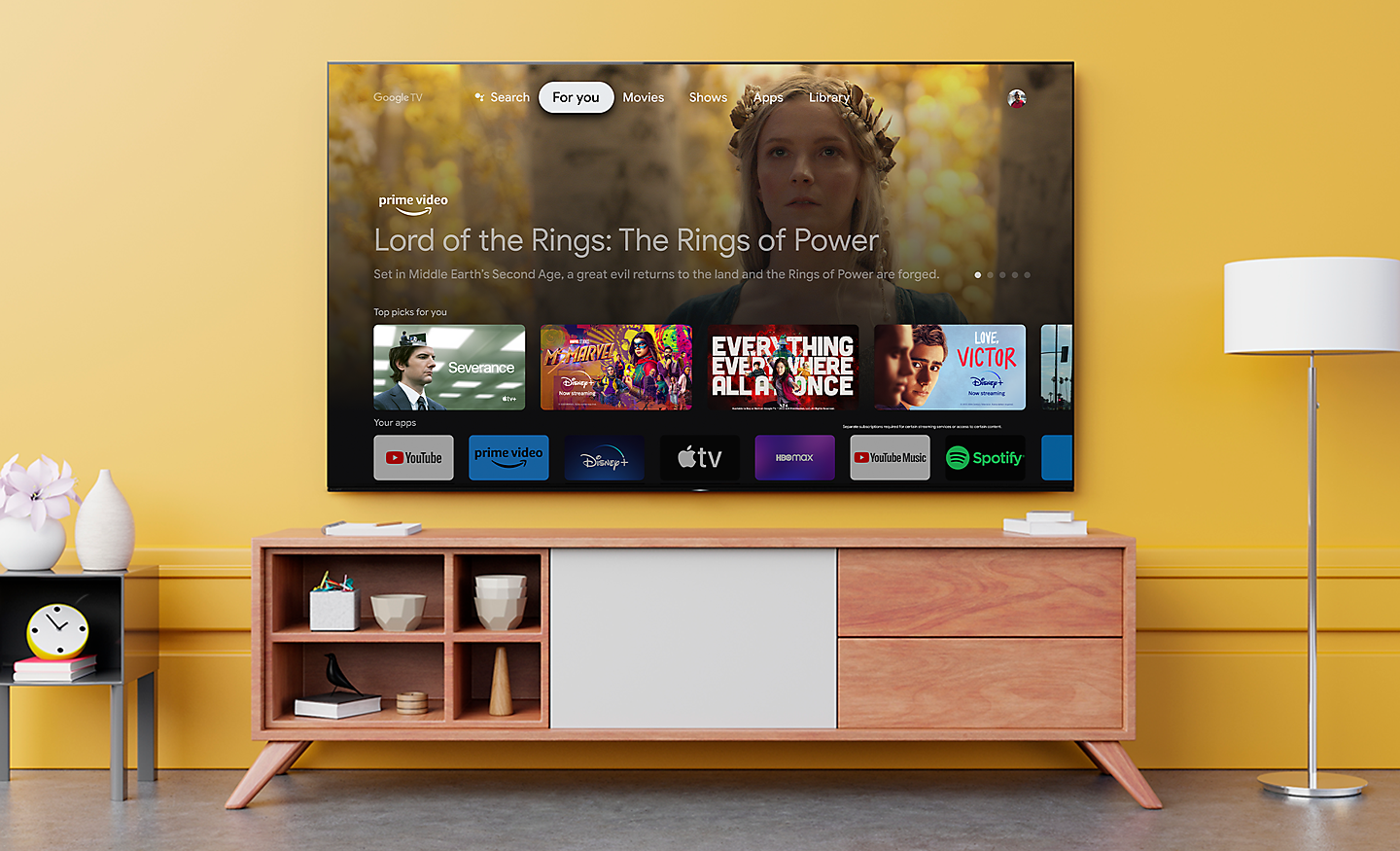
Hands-free Operation Including Video Searches
Users of BRAVIA with Google Assistant built-in can simply say "OK Google" and say a task, for example, searching for a YouTube video, and it will be done. Voice commands can also be used to operate the BRAVIA itself, such as turning it on or off or changing the volume[8][9][10][11][12].
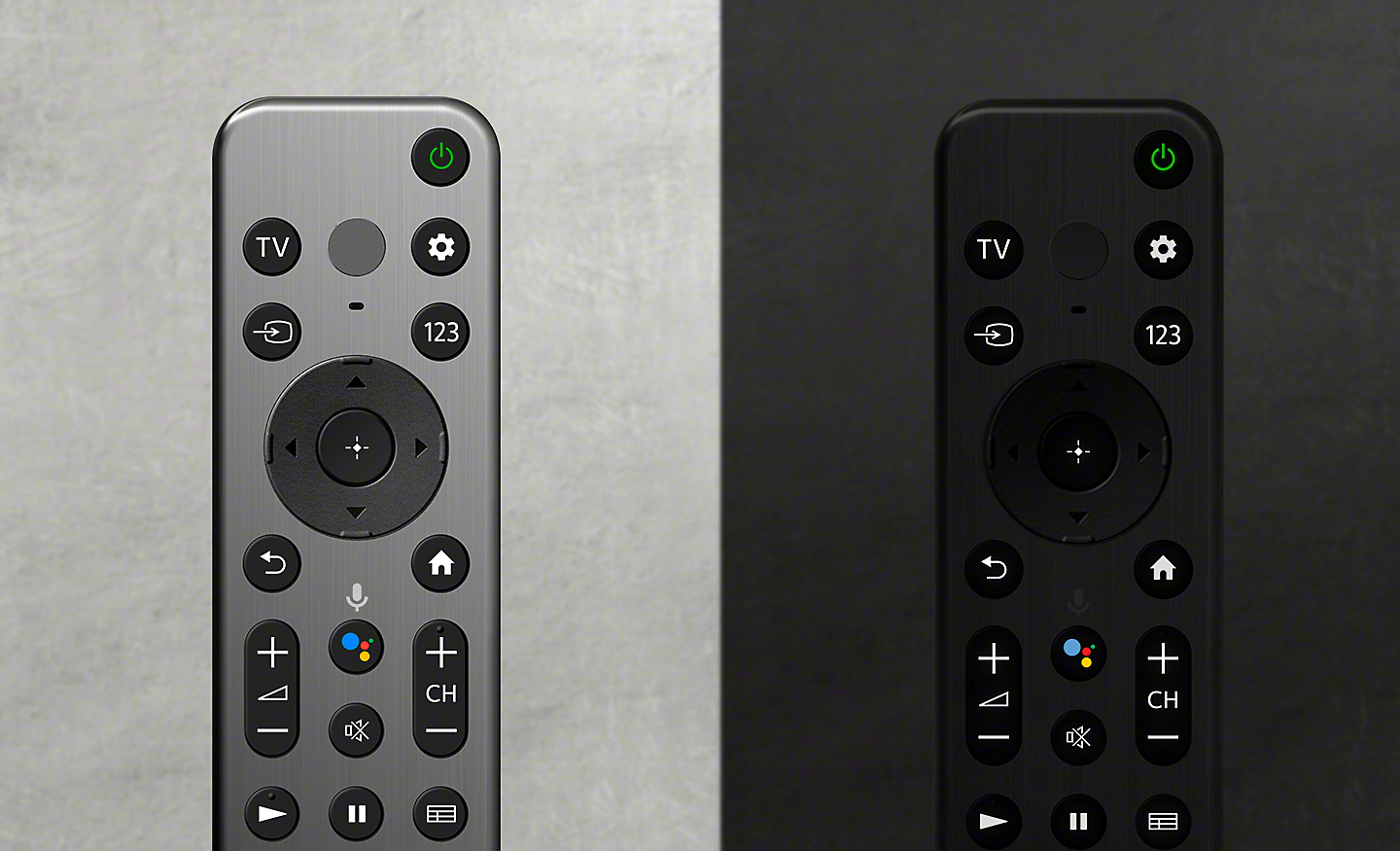
Stable Remote Operation on a Desktop
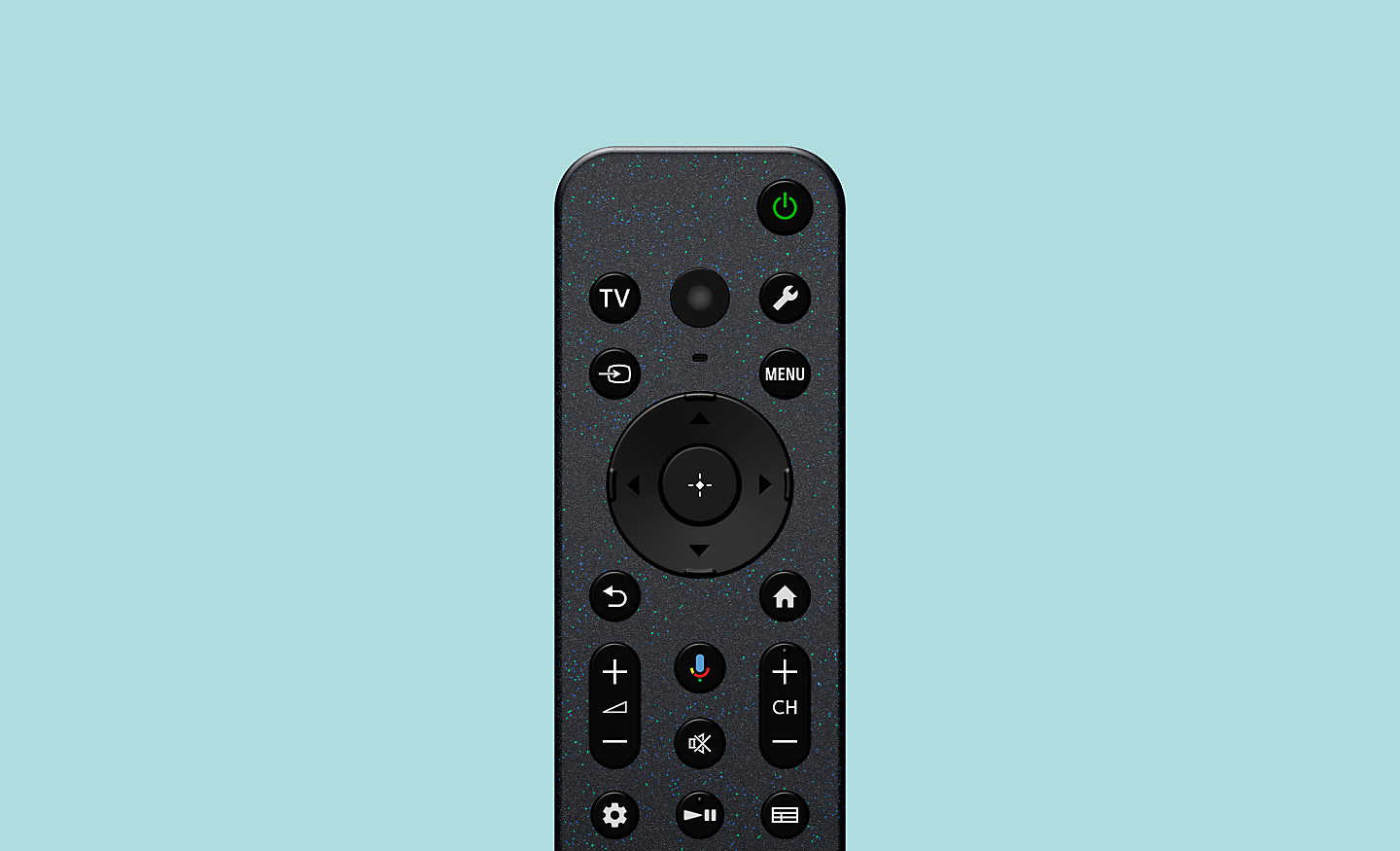
Our remote is designed for stable operation on a flat surface, so that the remote buttons can be accurately pressed with a single finger without having to hold it in your hand.
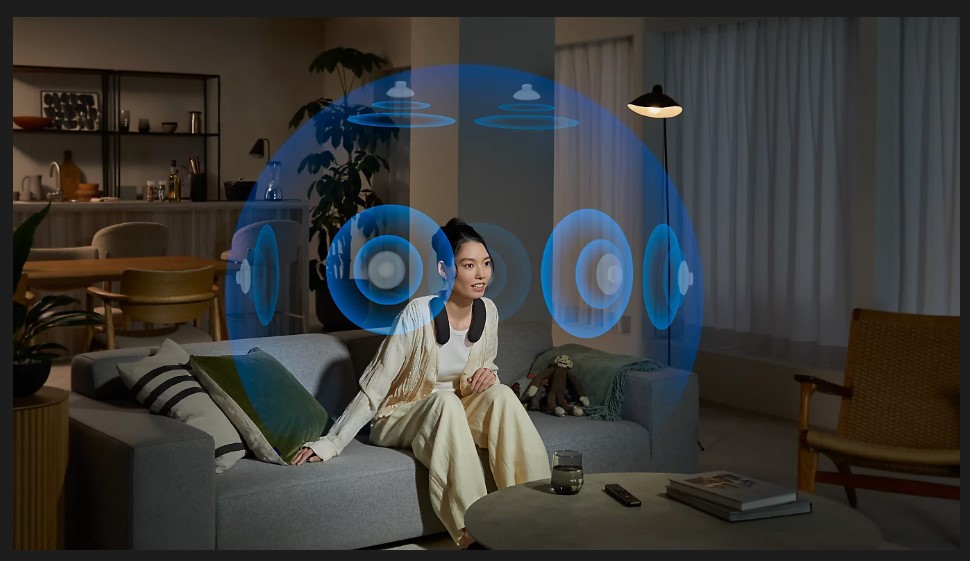
Ready for 360 Spatial Sound Personalizer
Tailor your Dolby Aosand DTS:Xexperience by combining our wearable speaker or BRAVIA Theatre U with BRAVIA for spatial surround. Works with some Sony Headphones too.[12]
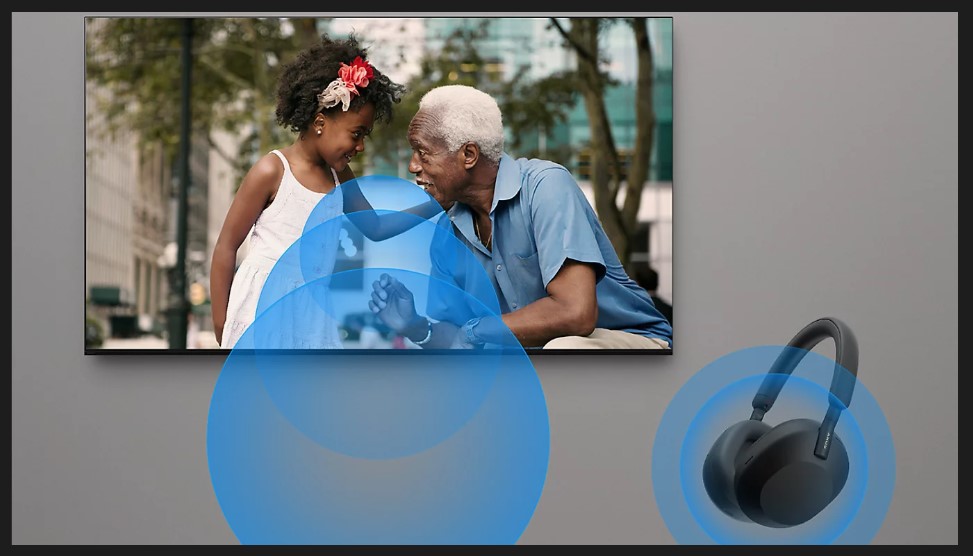
Single View Simultaneous Sound
Our TV with simultaneous sound output lets you listen to a show on your headphones while your partner listens to the same show through the TV speakers. You can also change the volume using Bluetooth devices separately. Using Sony’s headphone, you can smoothly switch Bluetoothconnection from other devices.[14]
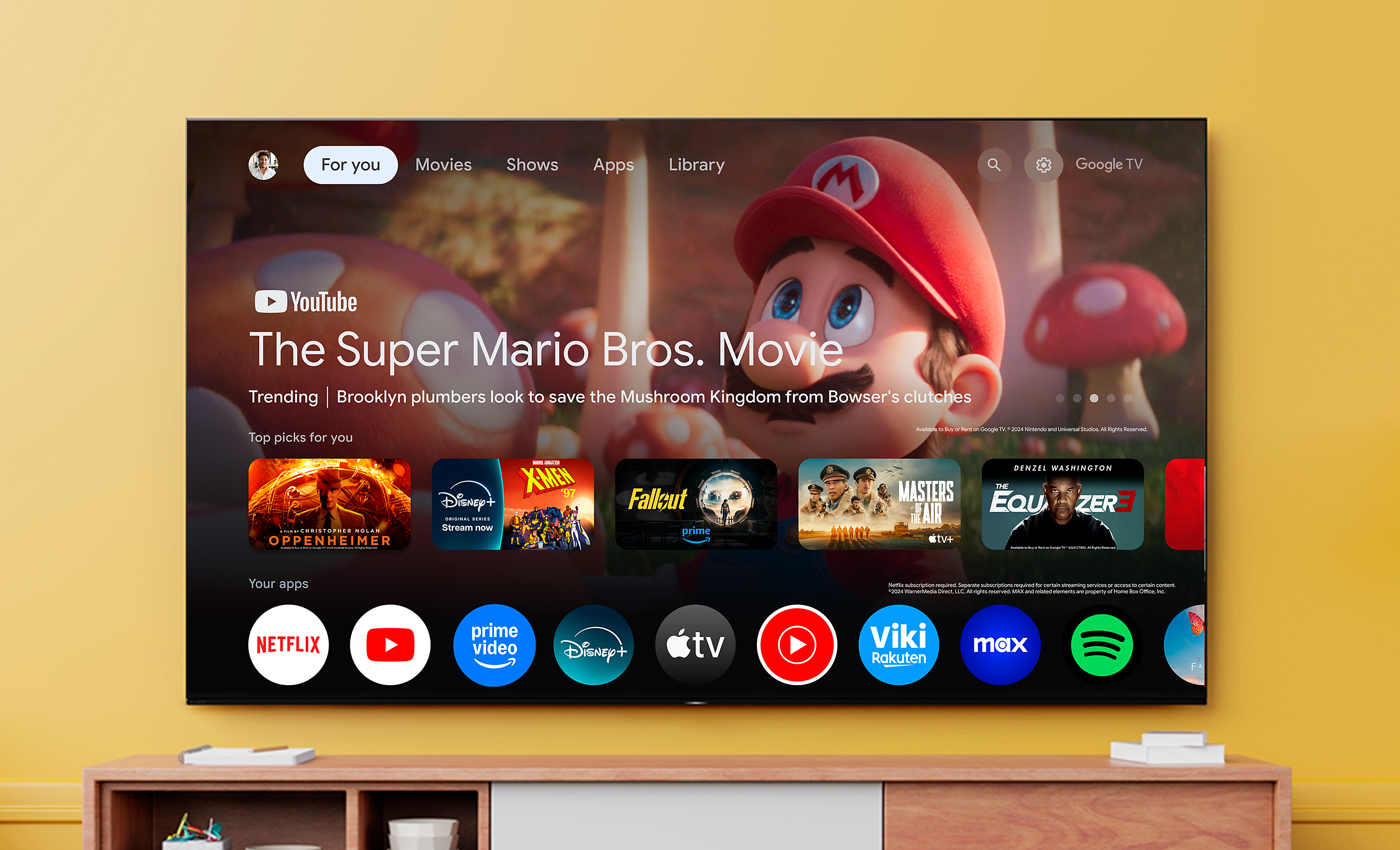
Smart: Entertainment You Love with Help From Google
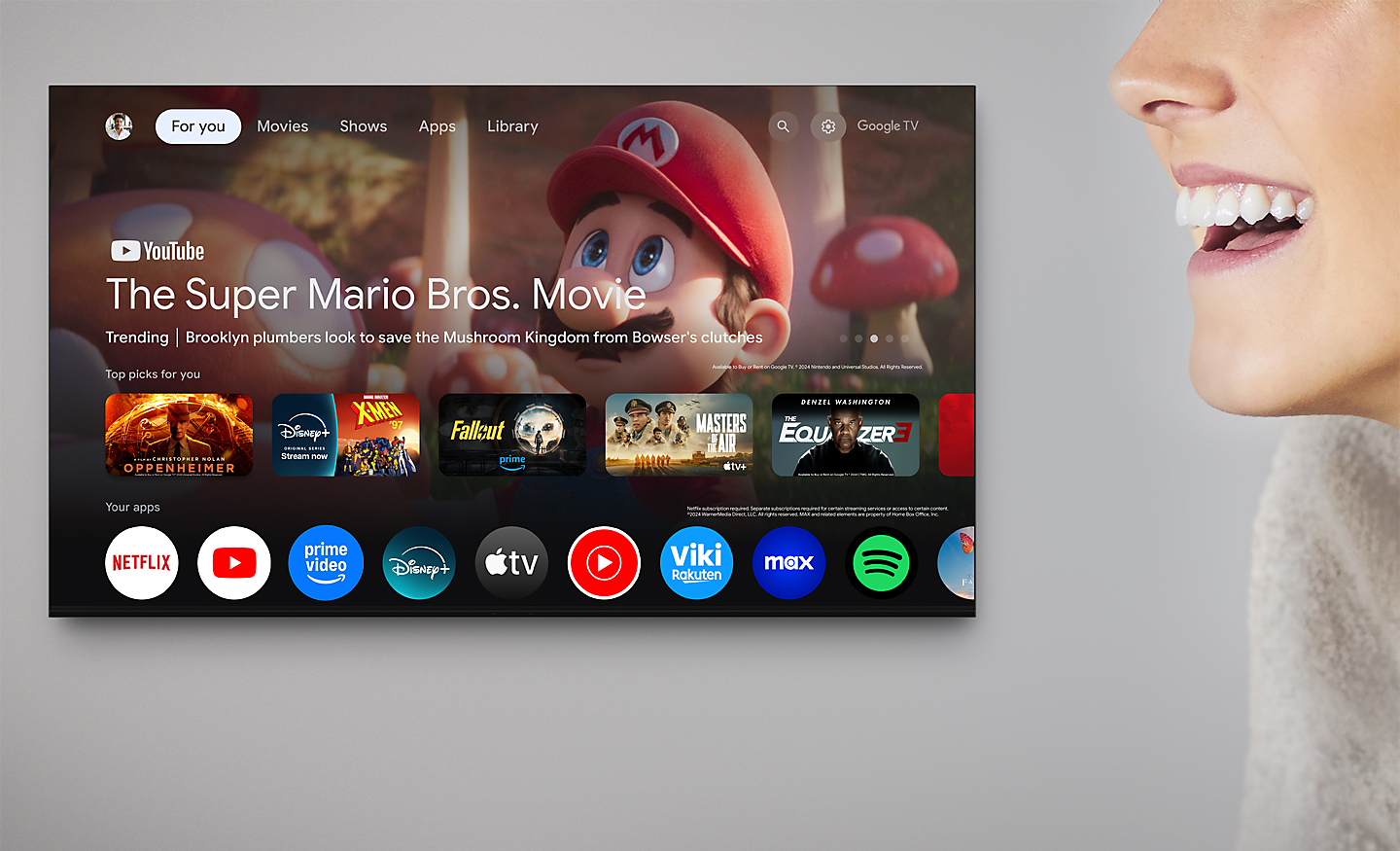
Google TVbrings together movies, shows, and more from across your apps and subscriptions and organises them just for you.[15][16][17][18]
Content
Over 10,000 Apps and Games, Straight to Your TV
Turn on and tune in, all at once. With dedicated buttons for your go-to apps, you can skip the TV warm-up and dive right into the action.[4][5][6][7][8][9][10]
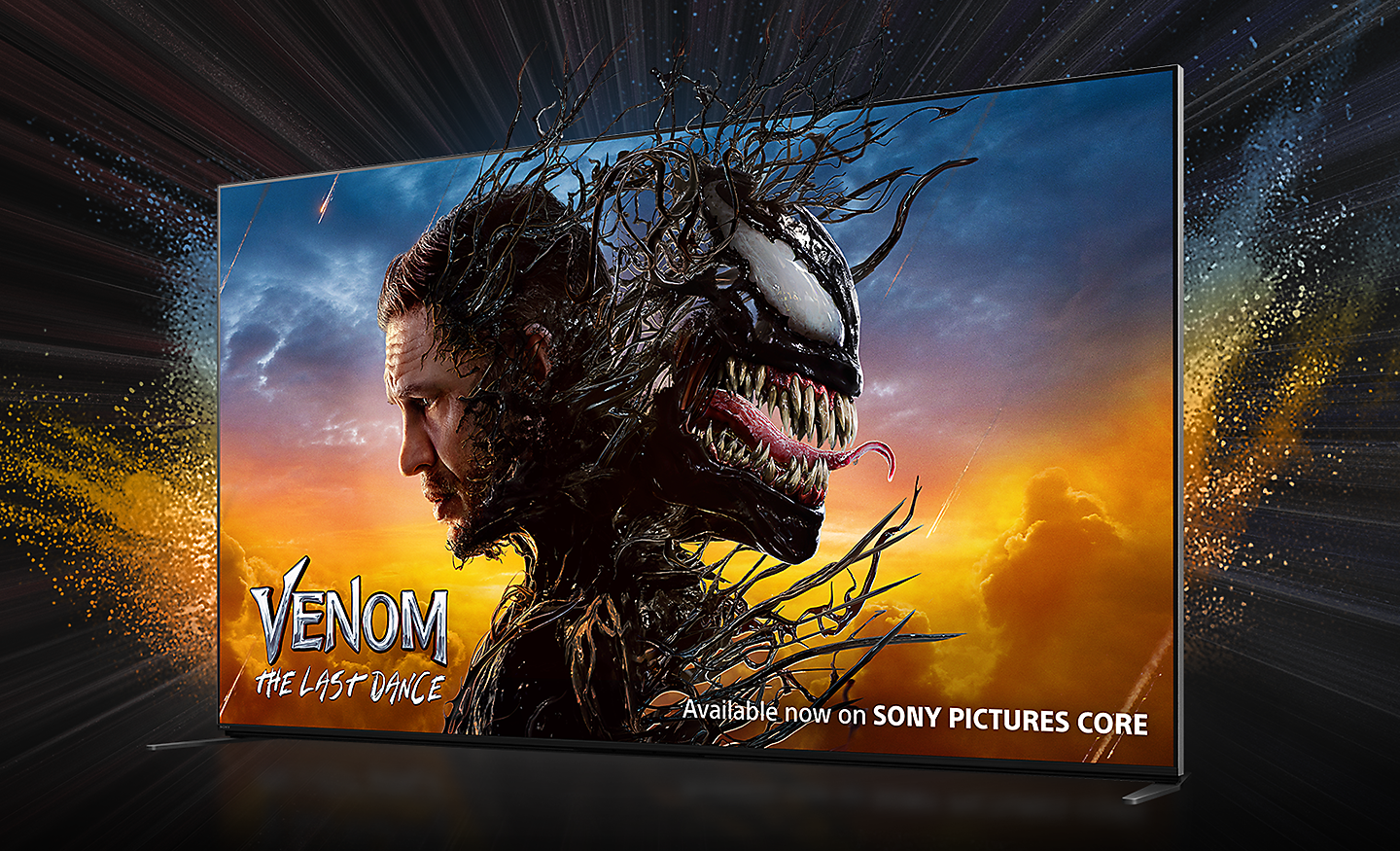
Bring the Cinematic Experience Home, Enjoy Movies Included with BRAVIA
A huge number of movies are waiting for you. With BRAVIA technology, Pure Streamand IMAXEnhanced, everything you watch is delivered with stunning visuals and expressive sound quality.[11][12][13][14][10]
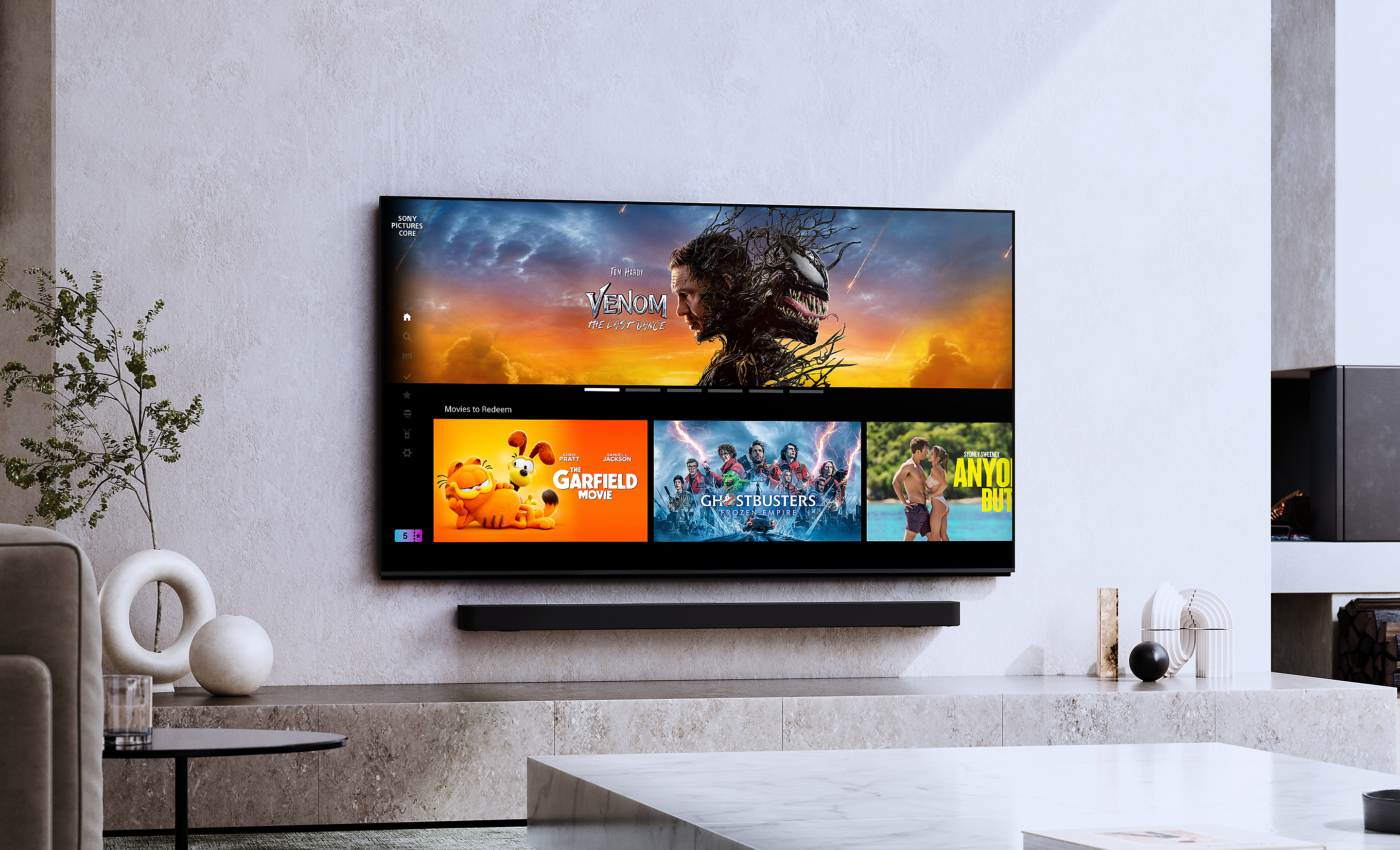
Instantly Enjoy Today’s Top Movies
Your new BRAVIA TV comes with movie credits included so you can immediately watch the latest releases and popular classics, including 4K HDR and IMAXEnhanced movies on SONY PICTURES CORE. Redeem your 5, 10 or 15 movies to add to your library. Plus, enjoy 12- or 24-month access to a curated selection of up to 100 movies to watch as many times as you like.[3][4]
Check out the video:
SONY PICTURES CORE — Enjoy Movies Included with BRAVIA
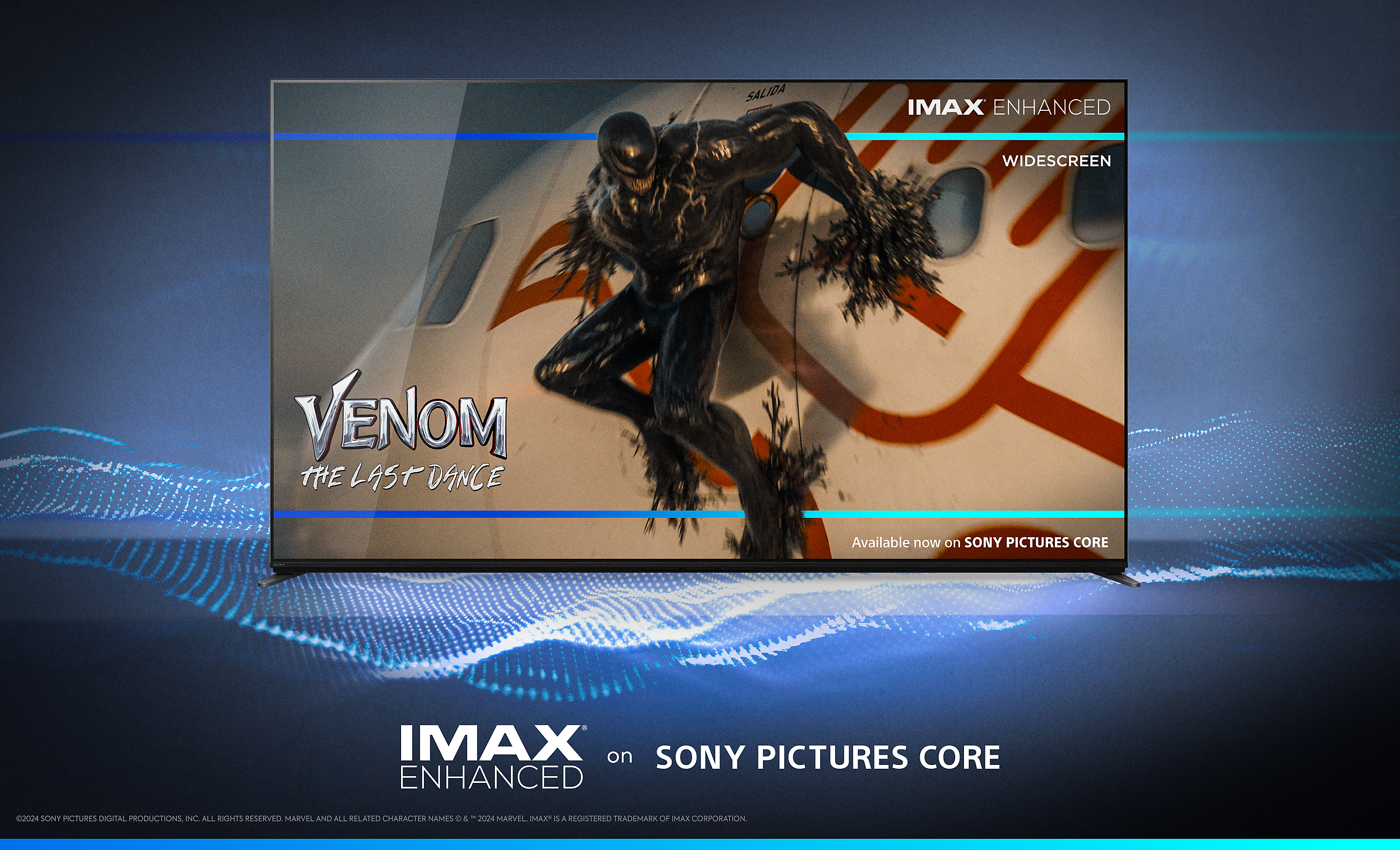
Be One of the First to Experience Sony Movies in IMAXEnhanced
BRAVIA TVs support stunning IMAXEnhanced content with richer visuals, immersive sound by DTS, and unparalleled quality. SONY PICTURES CORE has the largest IMAXEnhanced catalog, available here first. Plus, with SONY PICTURES CORE Calibrated Mode, IMAXEnhanced movies are automatically optimized with the best picture settings – bringing studio-quality mastering to your living room.[5][2]

Sony Pictures Core and Bravia Technology Delivers the Highest Quality Content With Stunning Visuals and Expressive Sound
Use Your Included Credits to Watch the Latest Releases
Watch Kraven the Hunter on SONY PICTURES CORE.[2]

Experience Pure Stream, the Highest in Streaming Picture Quality
SONY PICTURES CORE features Pure Streamwhich can stream HDR movies at up to 80Mbps — similar to 4K UHD Blu-ray on a wide range of content. This means significantly more detail, colour and contrast than conventional 15-25Mbps streaming content.[6][7]
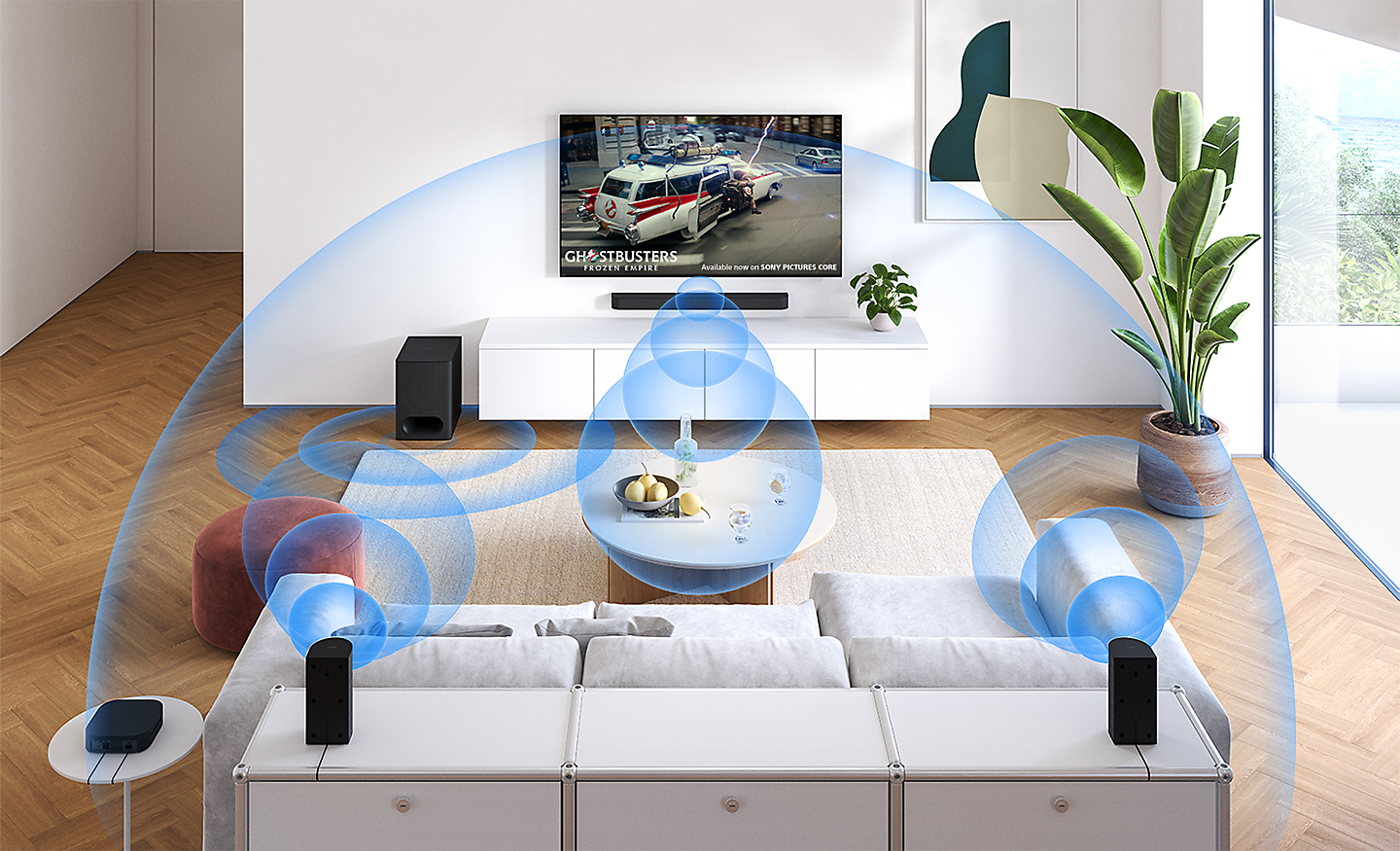
Room-filling, Immersive Sound
Experience your favorite movies with immersive sound from the comfort of your home. SONY PICTURES CORE supports DTS:X and Dolby Aosfor an amazing surround sound experience. [8][7]
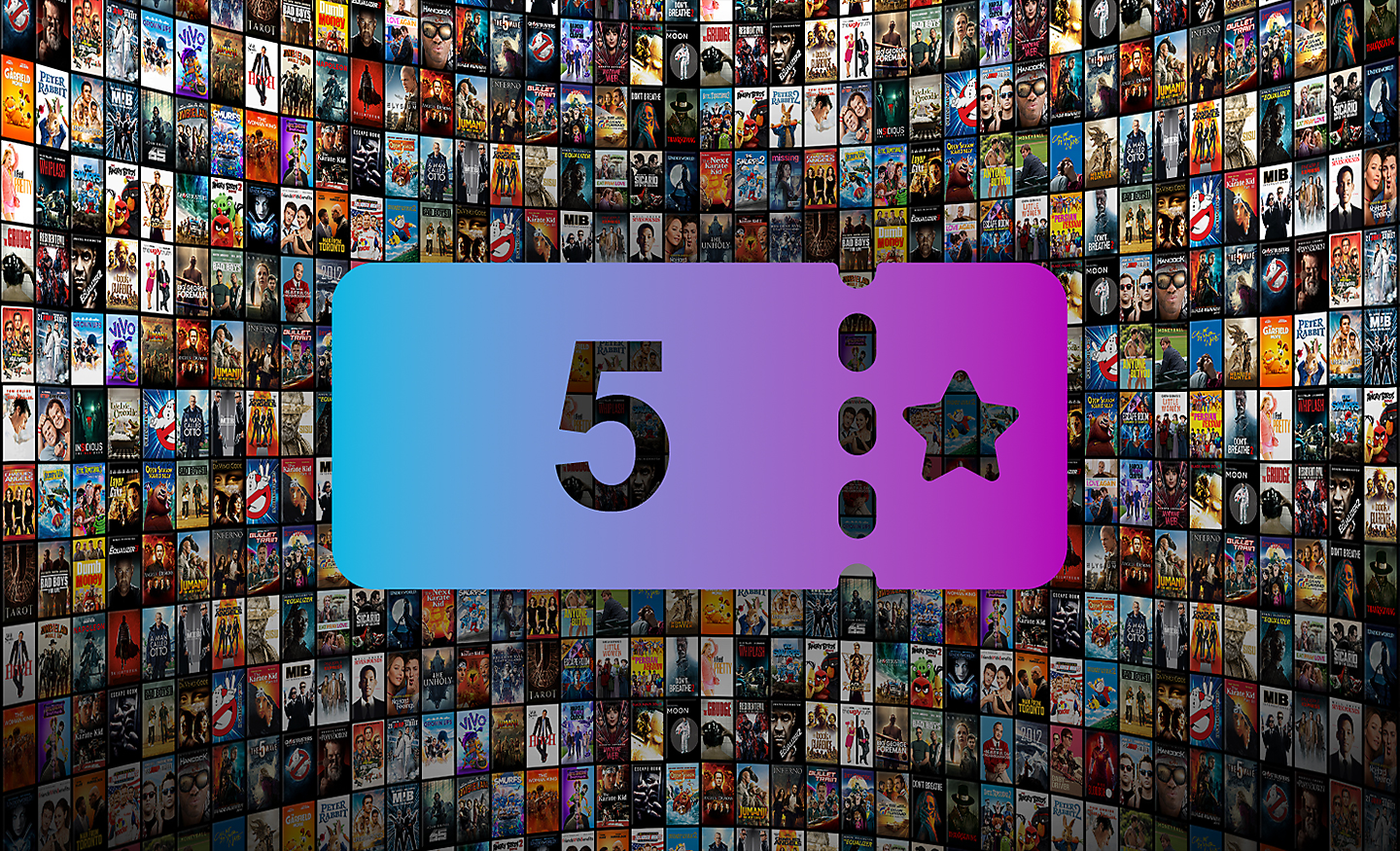
Build Your Library with Movie Credits
5, 10, or 15 credits are included with the purchase of your BRAVIA TV. Credits let you redeem movies from a huge selection of blockbusters and popular classics, instantly adding them to your library where you can watch as many times as you'd like.[9][4]
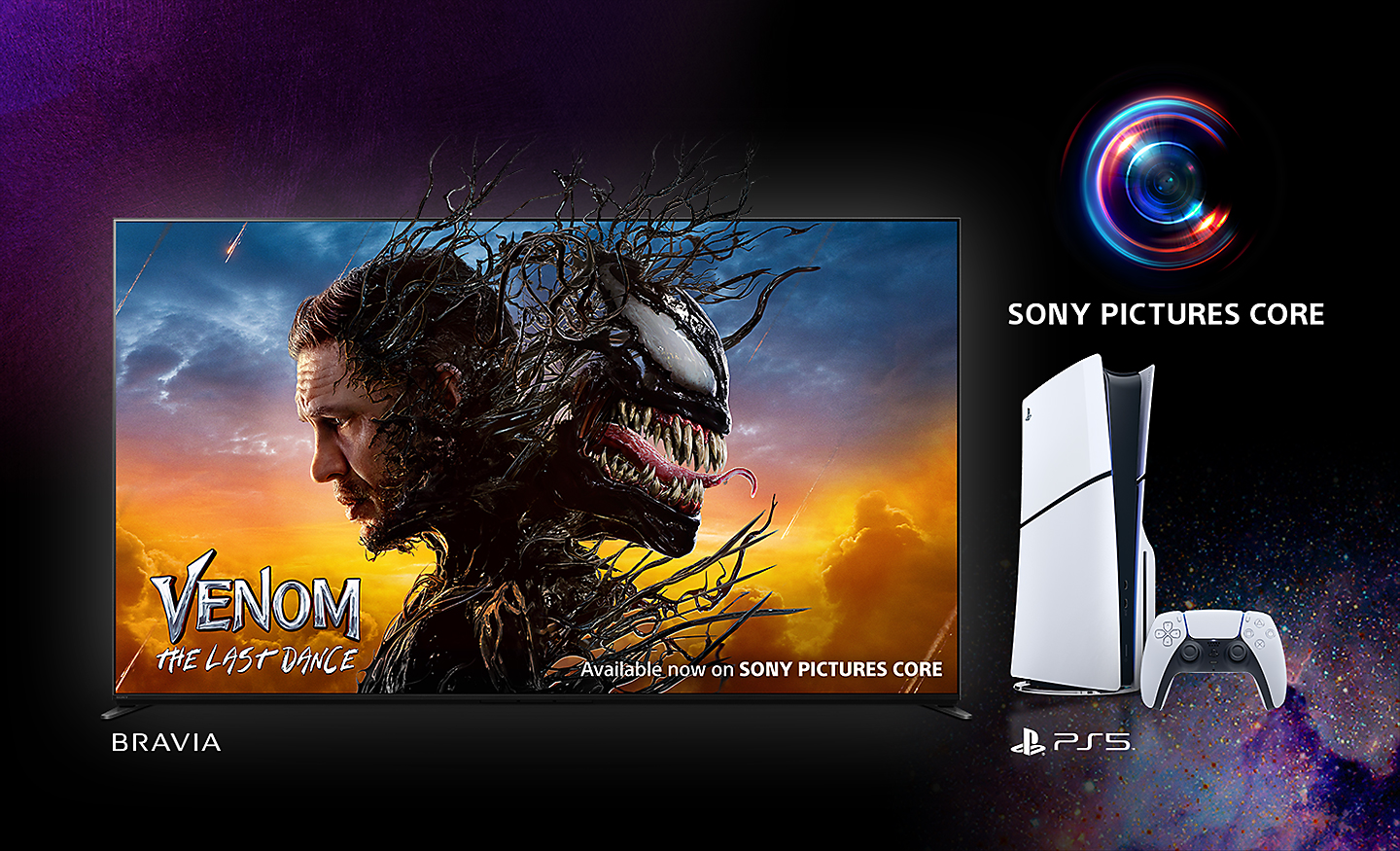
Watch Instantly Across Your Sony Devices
Using one Sony account, watch instantly on your eligible BRAVIA TV or PlayStation console with SONY PICTURES CORE.[10][2]
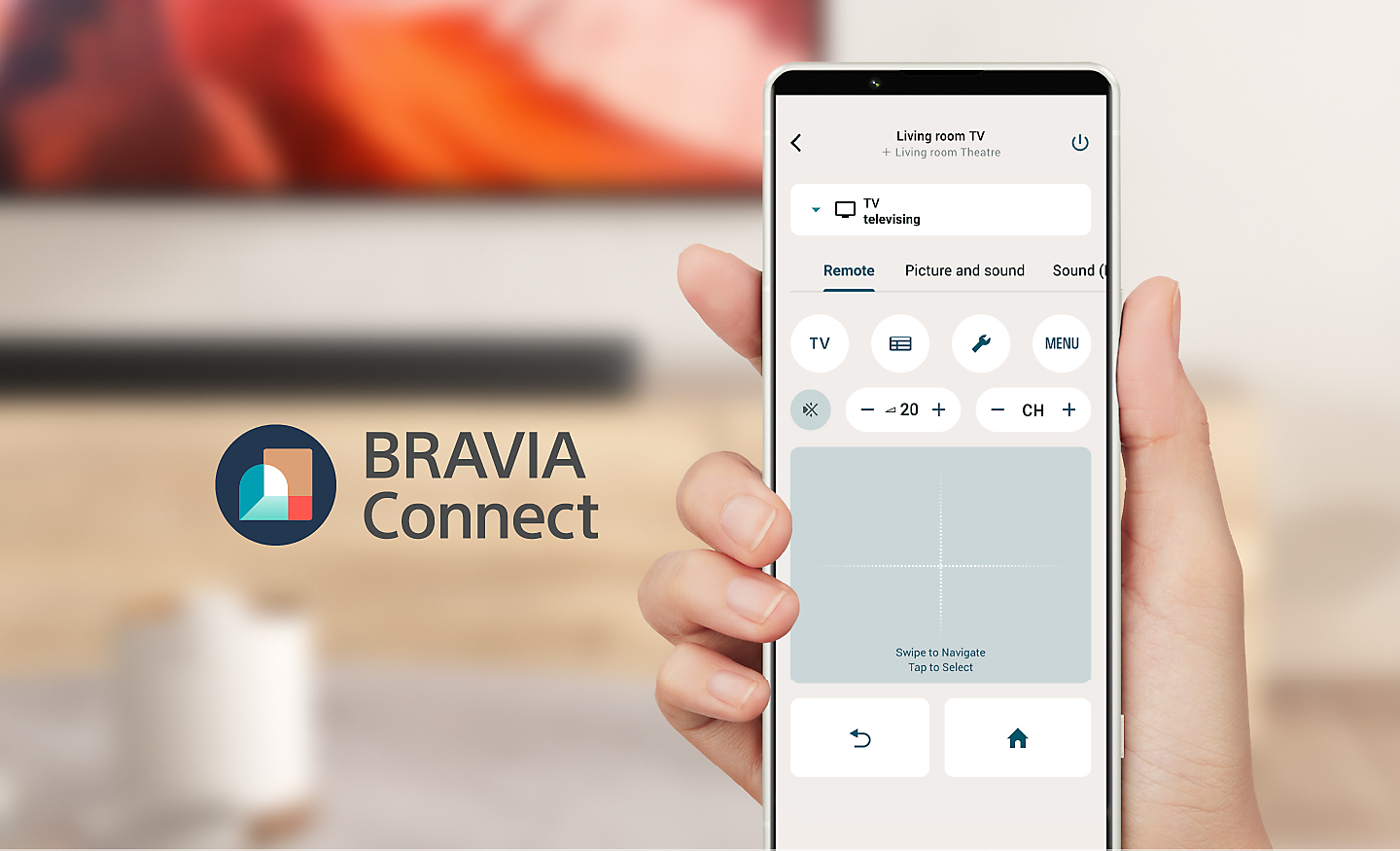
Control: Sony BRAVIA Connect App
Control BRAVIA and BRAVIA Theatre from your smartphone. With the BRAVIA Connect app, you can adjust volume and settings and even check your set up without using the remote or on screen menu.[15][16]
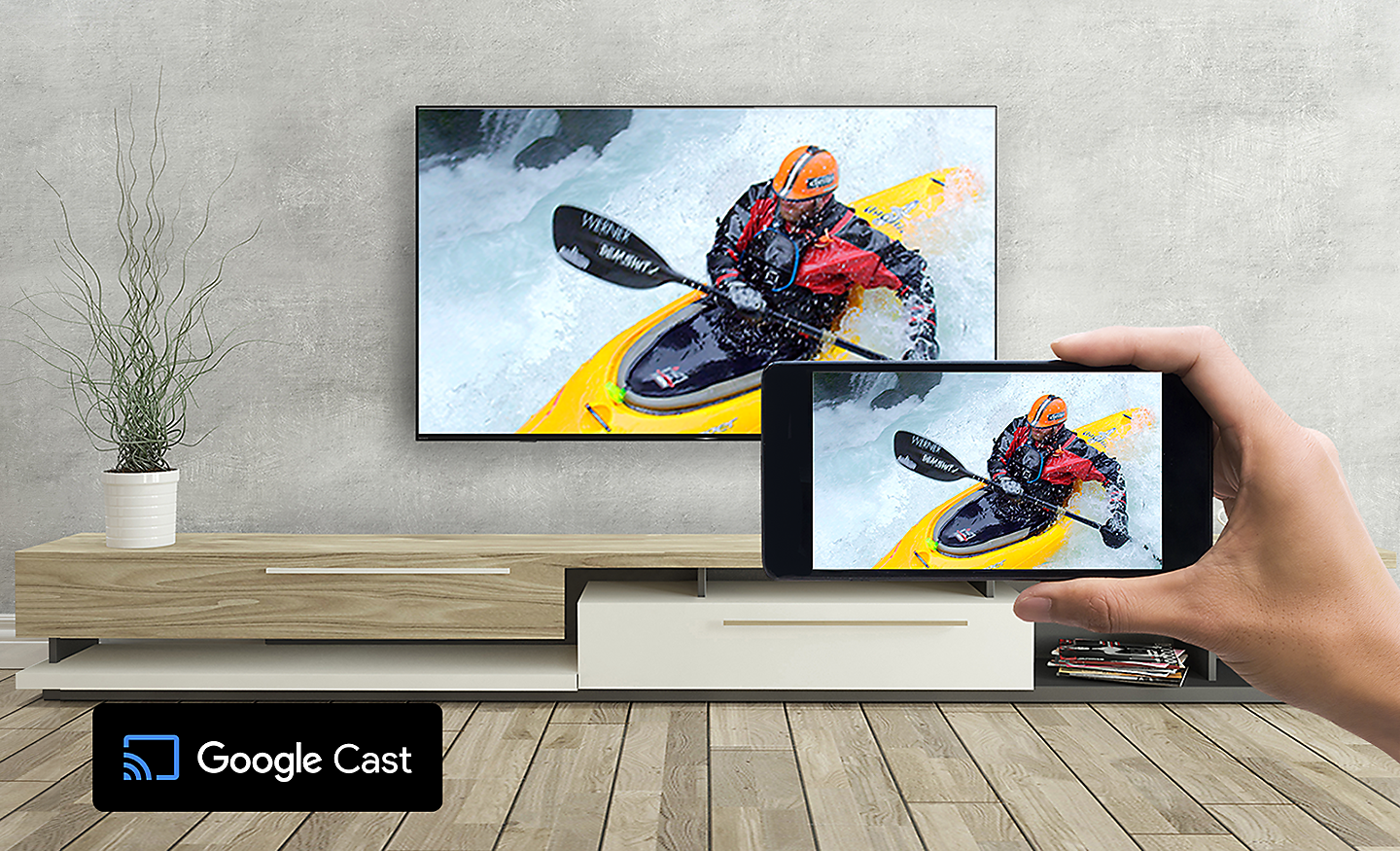
Google Cast
Stream from your device. Easily cast movies, shows, photos, and more from your phone or tablet, right to your TV.[17][18]
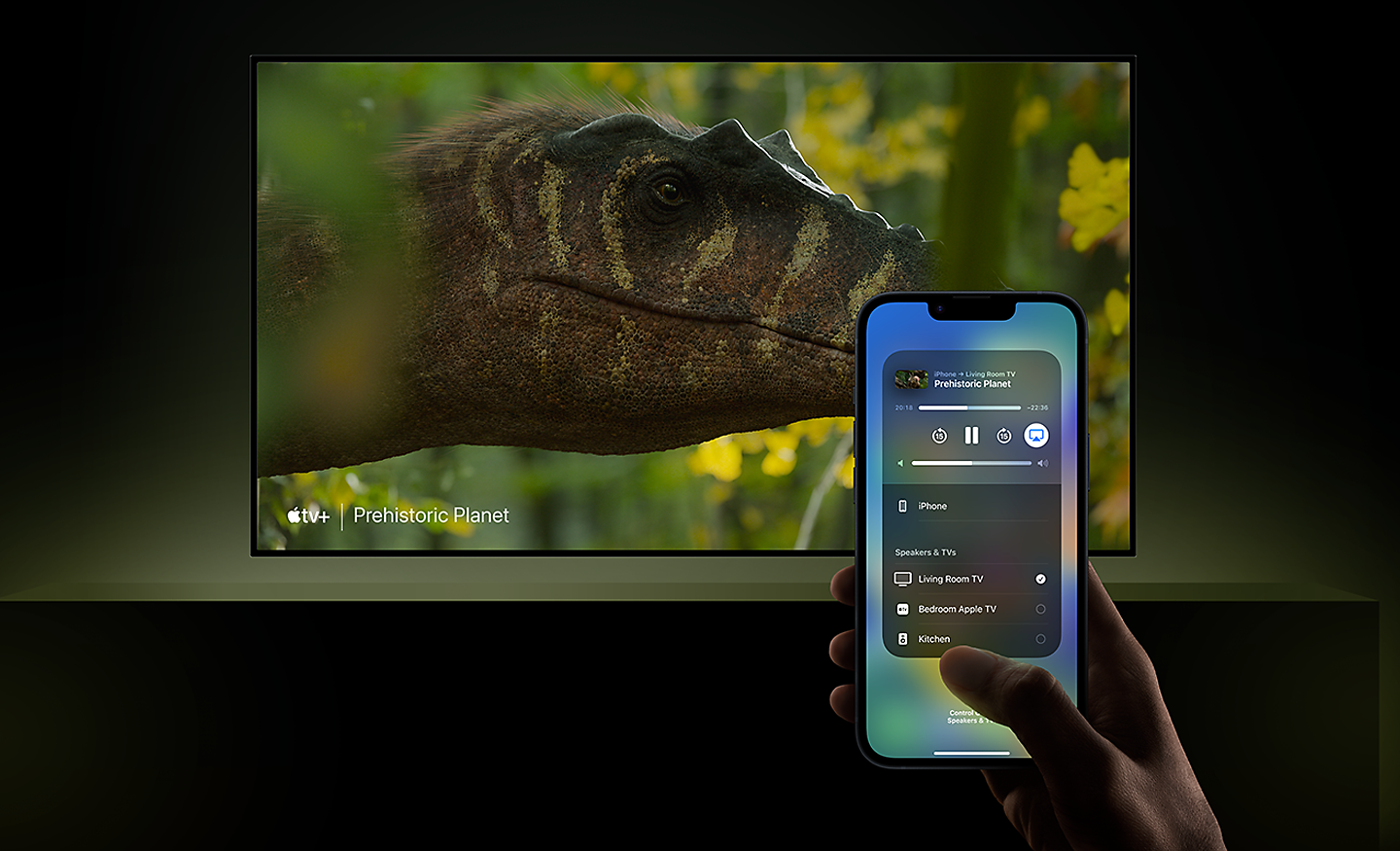
Compatible with Apple AirPlay 2
Stream effortlessly to your TV from your iPhone, iPad or Mac. Watch movies from apps or Safari. Share photos with friends in the room.[19]
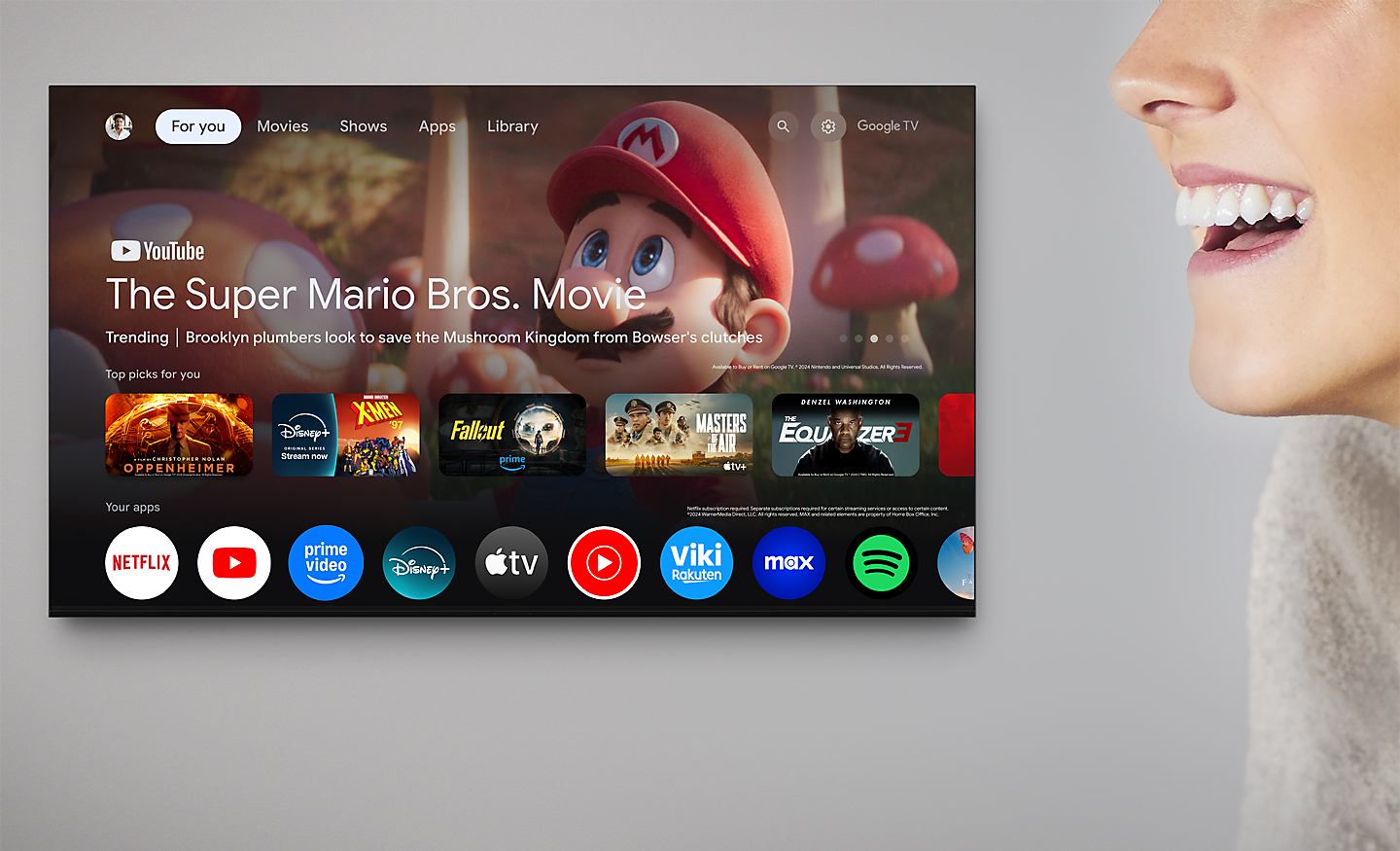
Just Use Your Voice to Control Your TV with Help From Google Assistant
Your TV is more helpful than ever. Ask Google Assistant to find movies, stream apps, play music and control the TV with your voice. Get answers, adjust room temperature and lighting, even check the front door. Just say “Hey Google” to get started.[20][21][22][23][24]
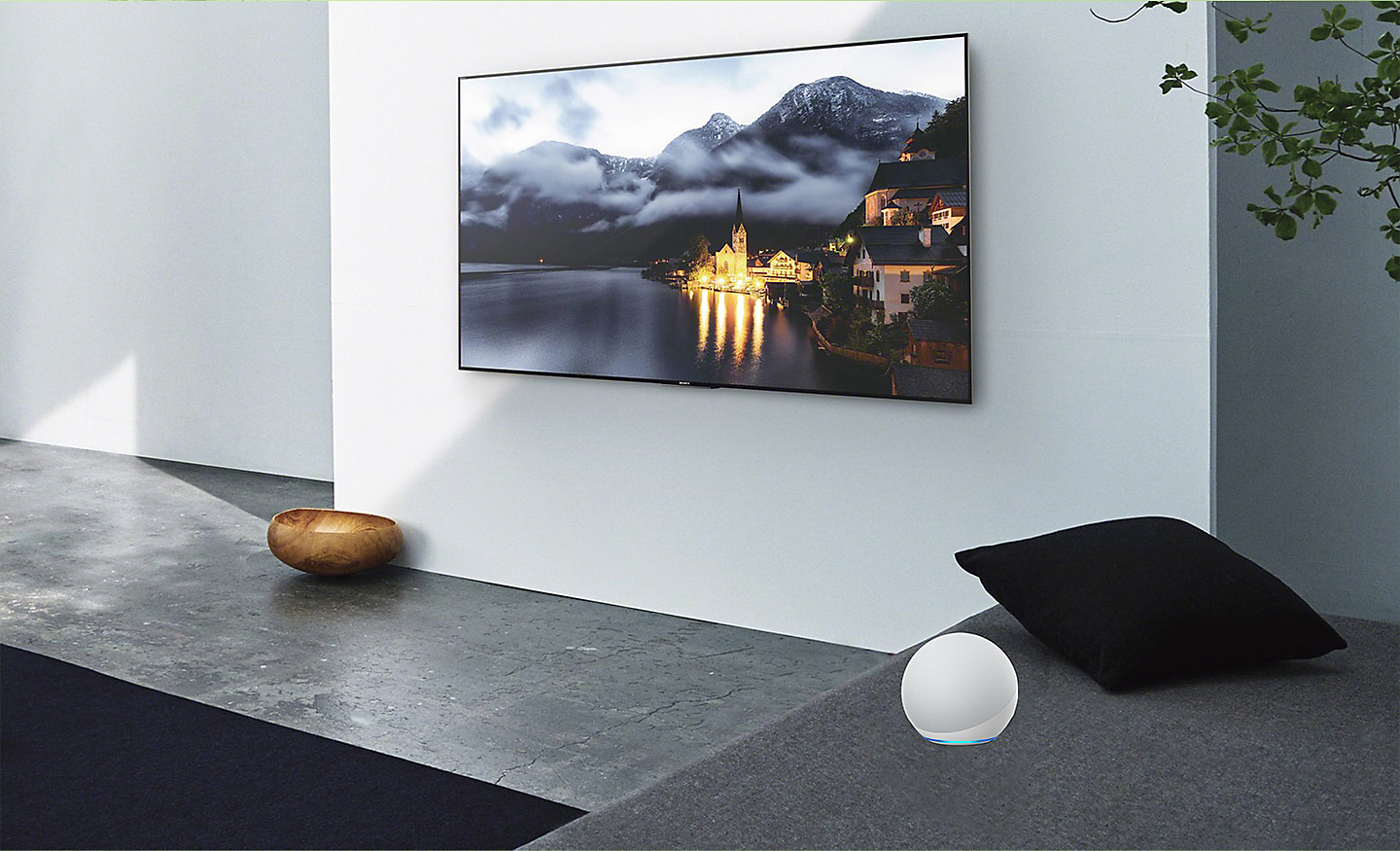
Connect with Your Alexa
Connect your Alexa enabled devices for seamless hands-free control of BRAVIA. With Alexa, you can power up your TV, change channels, control volume and more.[25][26][27]
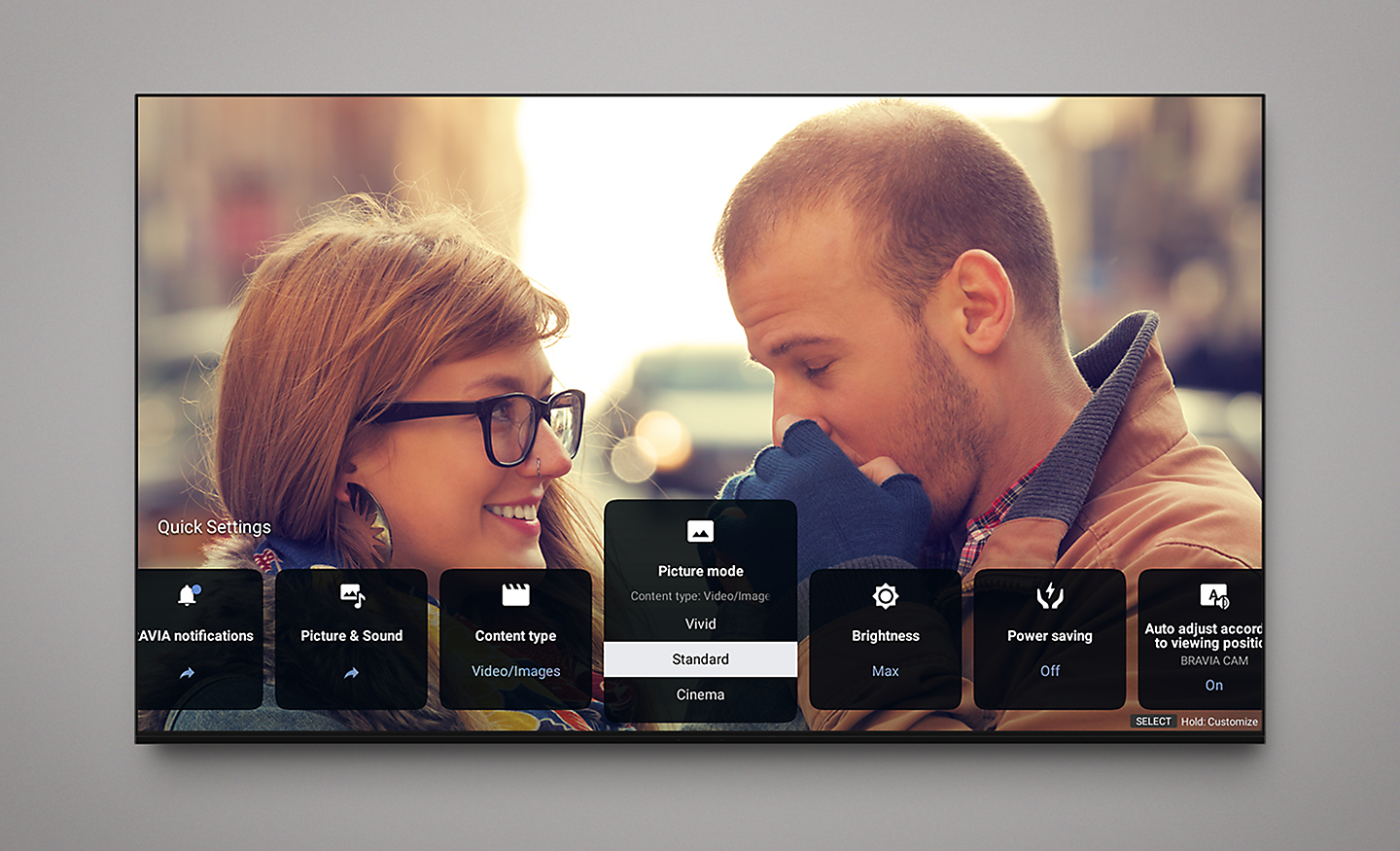
More Intuitive Modern Interface
Finding your way around just got easier. We’ve redesigned our user interface for smoother operation so you can effortlessly check inputs and view settings.[28]
Adaption
Best Seat Anywhere Anytime
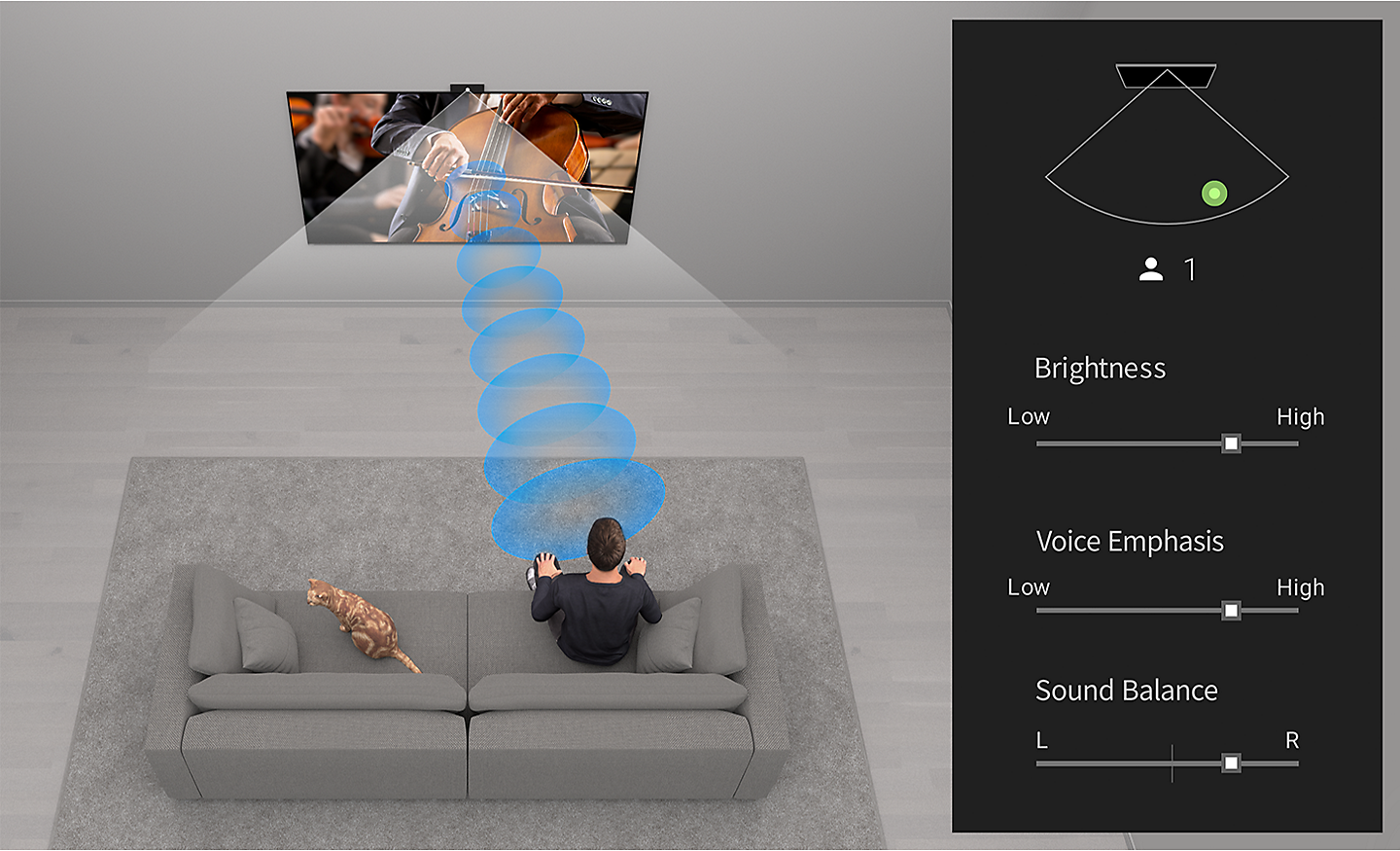
Wherever you are, everything’s perfect. Detecting your position, BRAVIA Camadjusts brightness, sound balance and volume so your experience is optimised to where you’re sitting.[29][30][31][32][33]
Proximity Alert
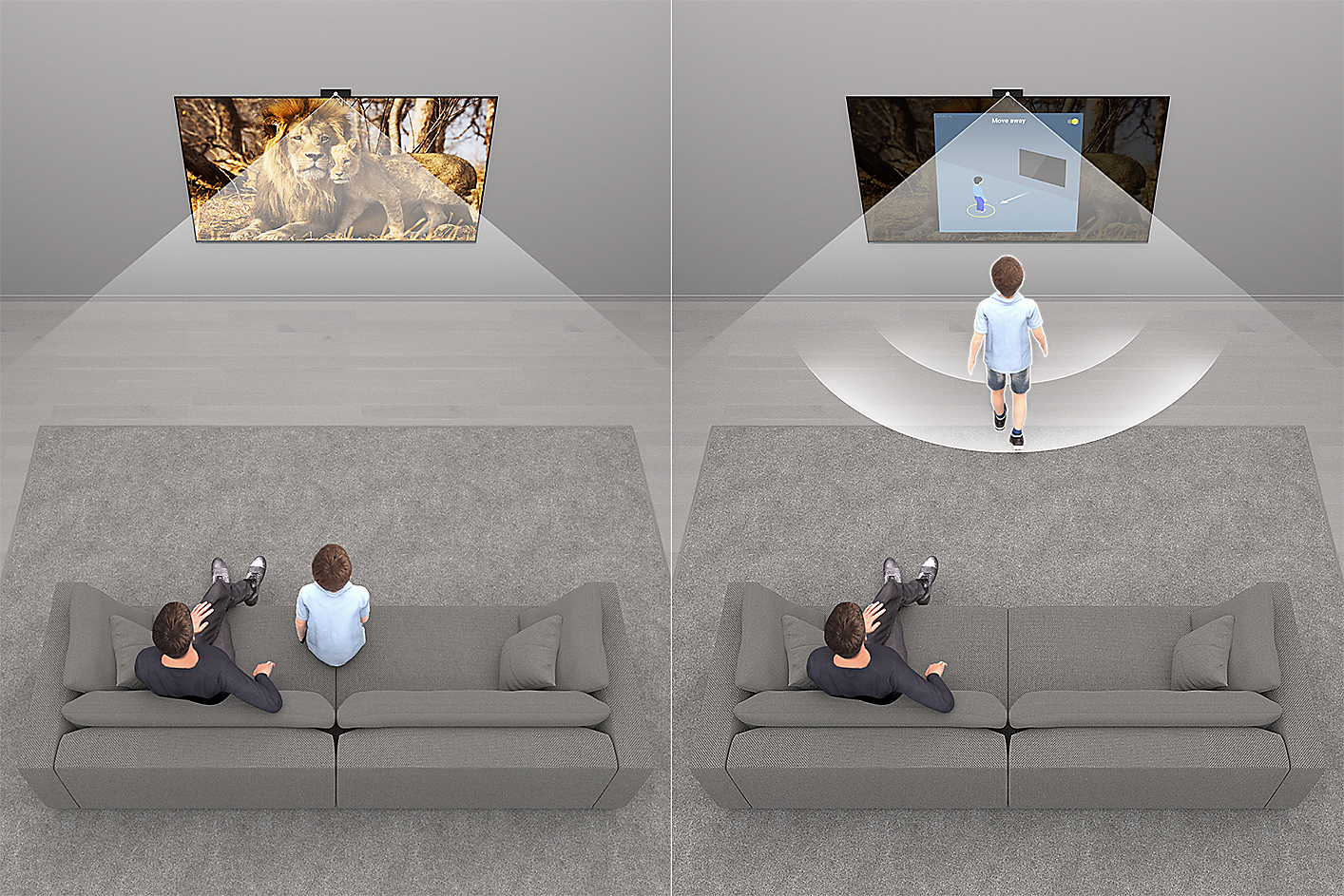
Keep your kids a step back. Proximity Alert allows you to set a recommended viewing distance for your child and alerts them if they get too close to the TV.
A Handy Way to Control Your TV
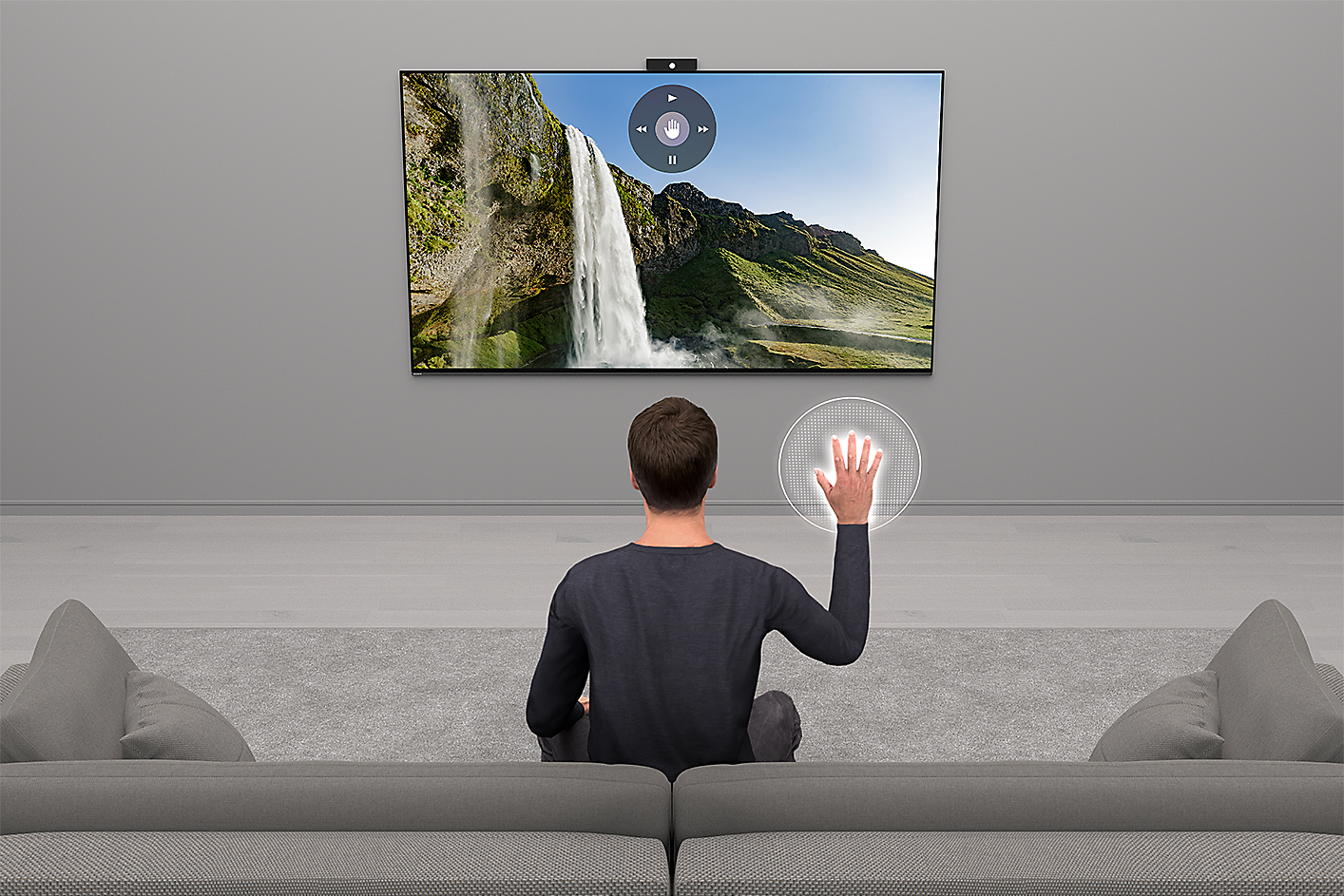
As easy as a flick of the fingers. Gesture Control enables you to change channels, adjust volume and more using simple gestures, no remote required.
Camera Covered, Privacy Protected
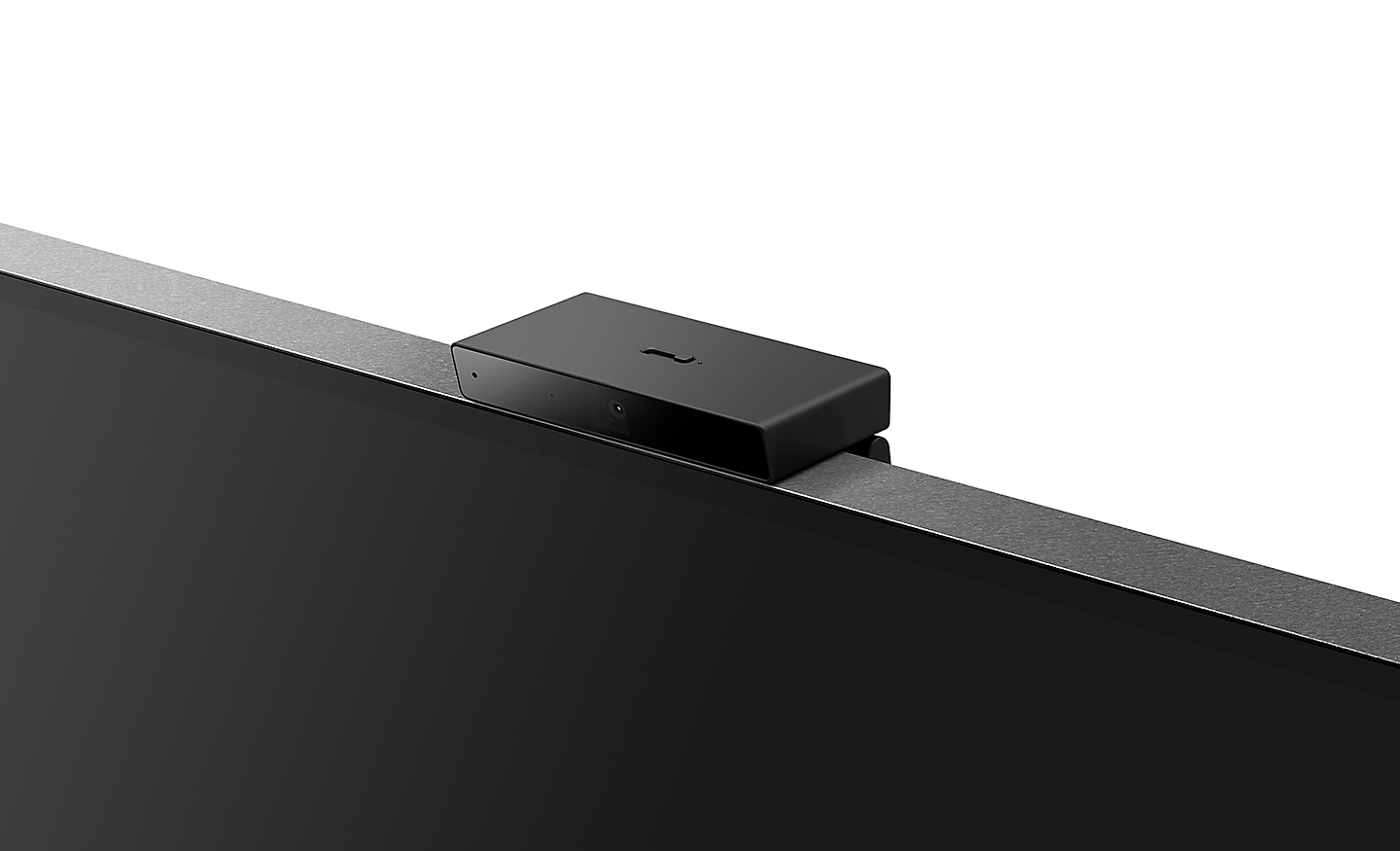
One swipe protects your privacy. Simply use the switch on top of BRAVIA Camto close the camera cover. Attaching and detaching BRAVIA Camis so easy.
Stay Tuned Stay Calm
See everything in a more comfortable light for peace of mind. Calm picture setting is a picture quality mode that lowers brightness and uses softer colours and contrast.
Remote
Easy to Clean and Use Made with Recycled Plastic
Controls everything. Our compact remote uses approximately 80% recycled plastic. Yet it’s easy to clean with a flush surface and polyurethane coating, and controls your connected devices.
Play Like Never Before
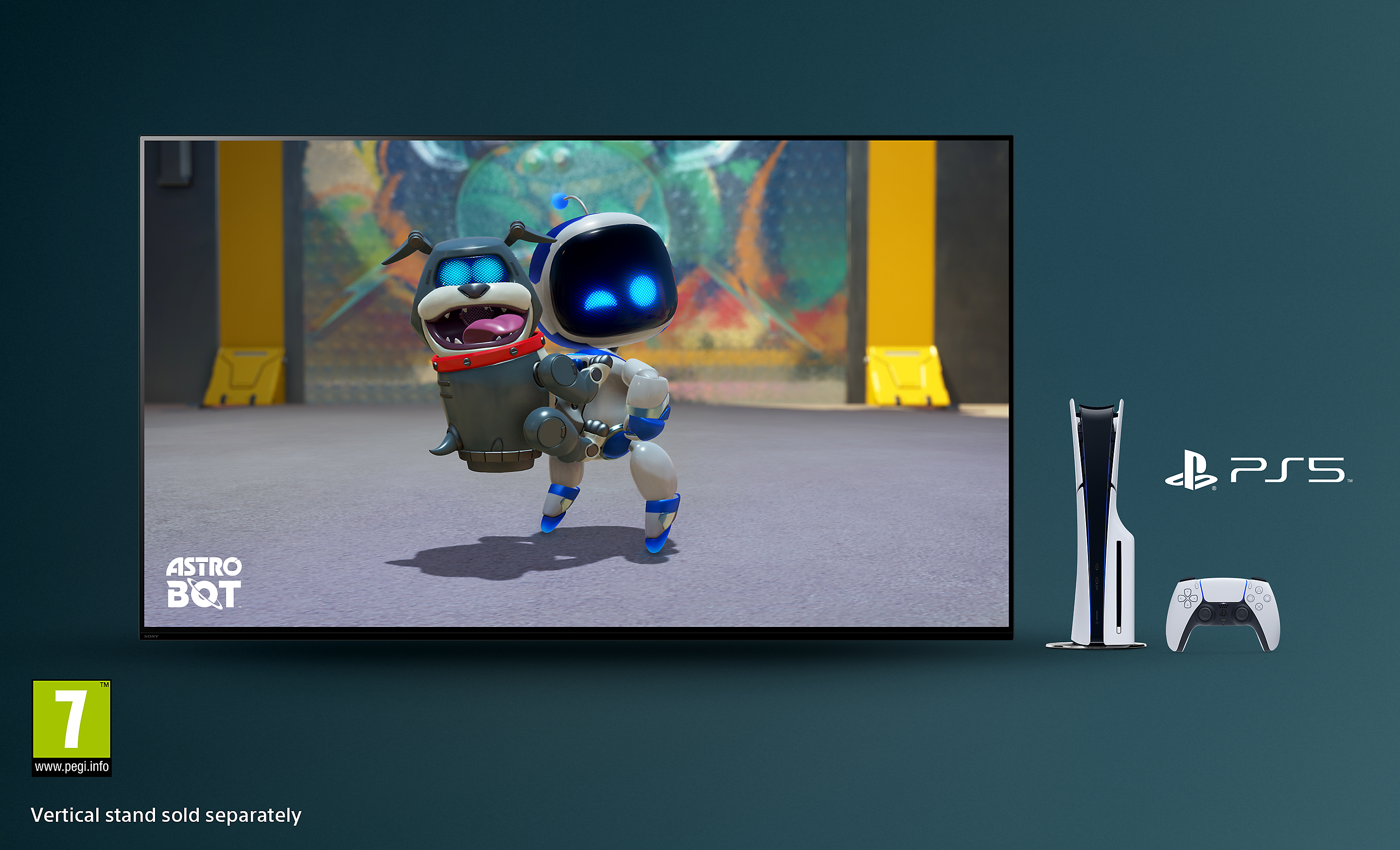
BRAVIA captures the awesome graphics and soundscapes of today’s biggest games. Pair with PlayStation5 and PlayStation5 Pro console for incredible immersion.
Perfect for PlayStation
Be right at the heart of the action with BRAVIA. Awe-inspiring scenes, aospheric sound and exclusive features bring your go-to games to life like never before.
Auto HDR Tone Mapping
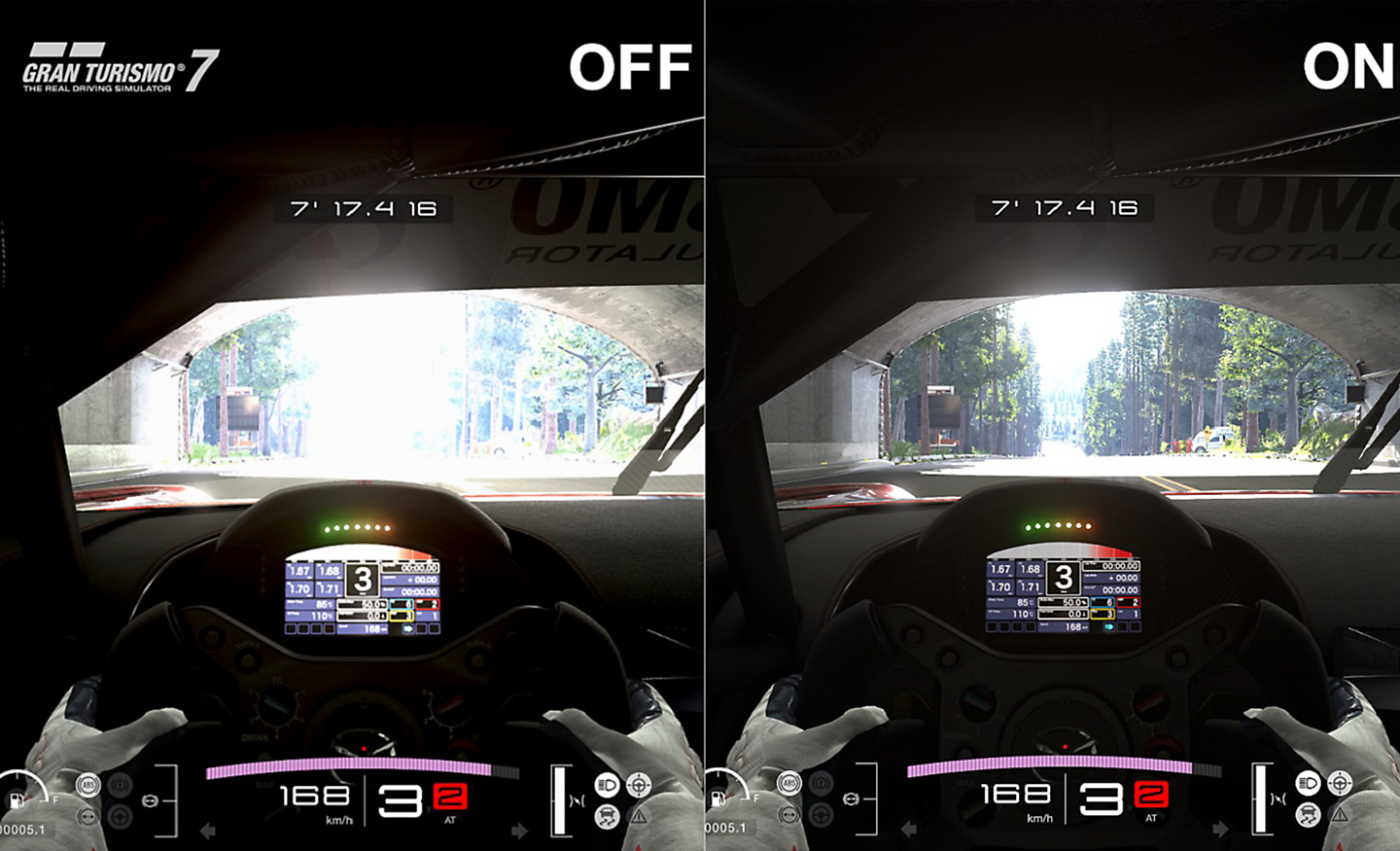
Auto HDR Tone Mapping instantly optimises HDR settings during your PS5and PS5Pro console initial setup. Even in dark shadow and bright highlights, you’ll see fine details and true colours.
Auto Genre Picture Mode
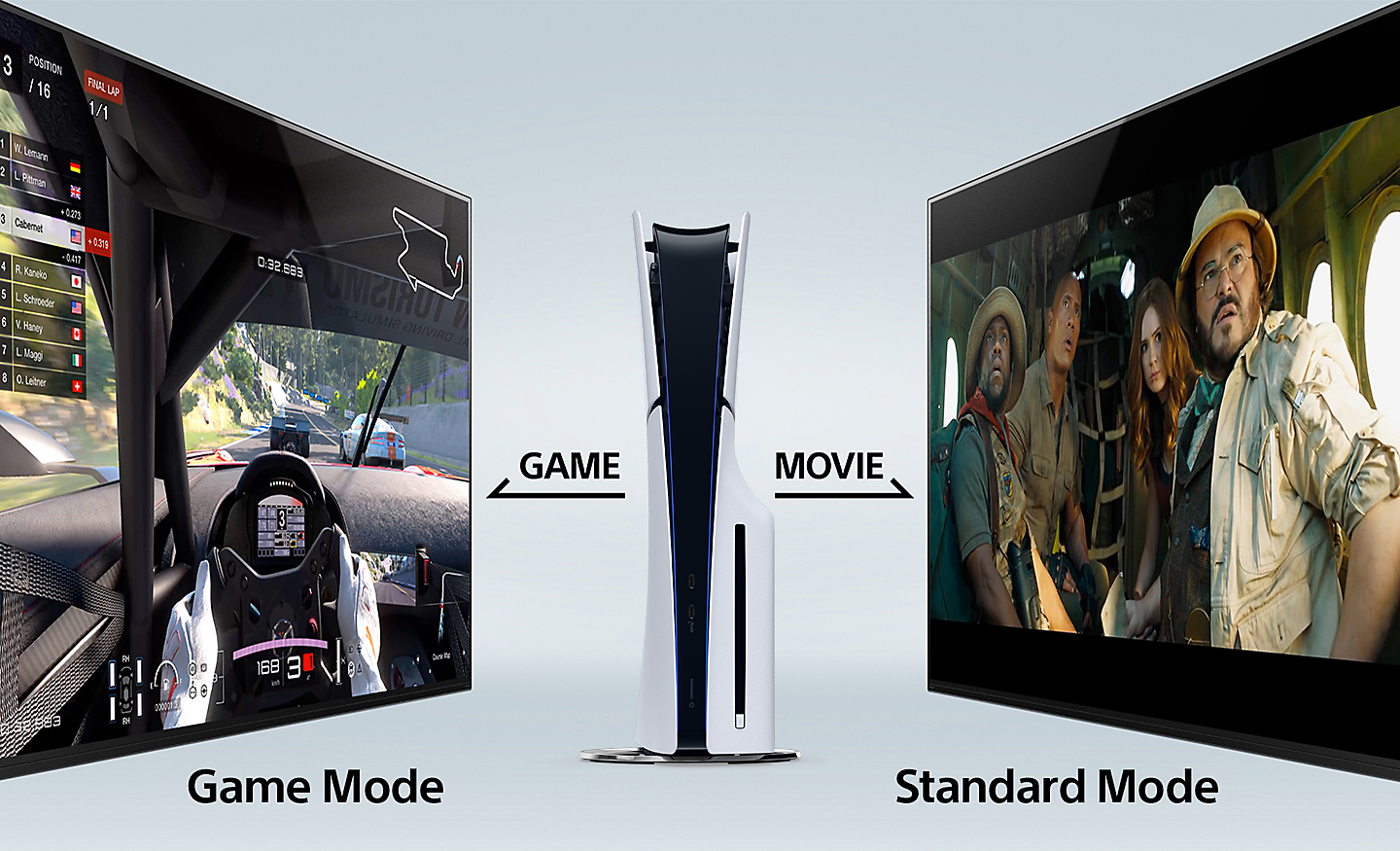
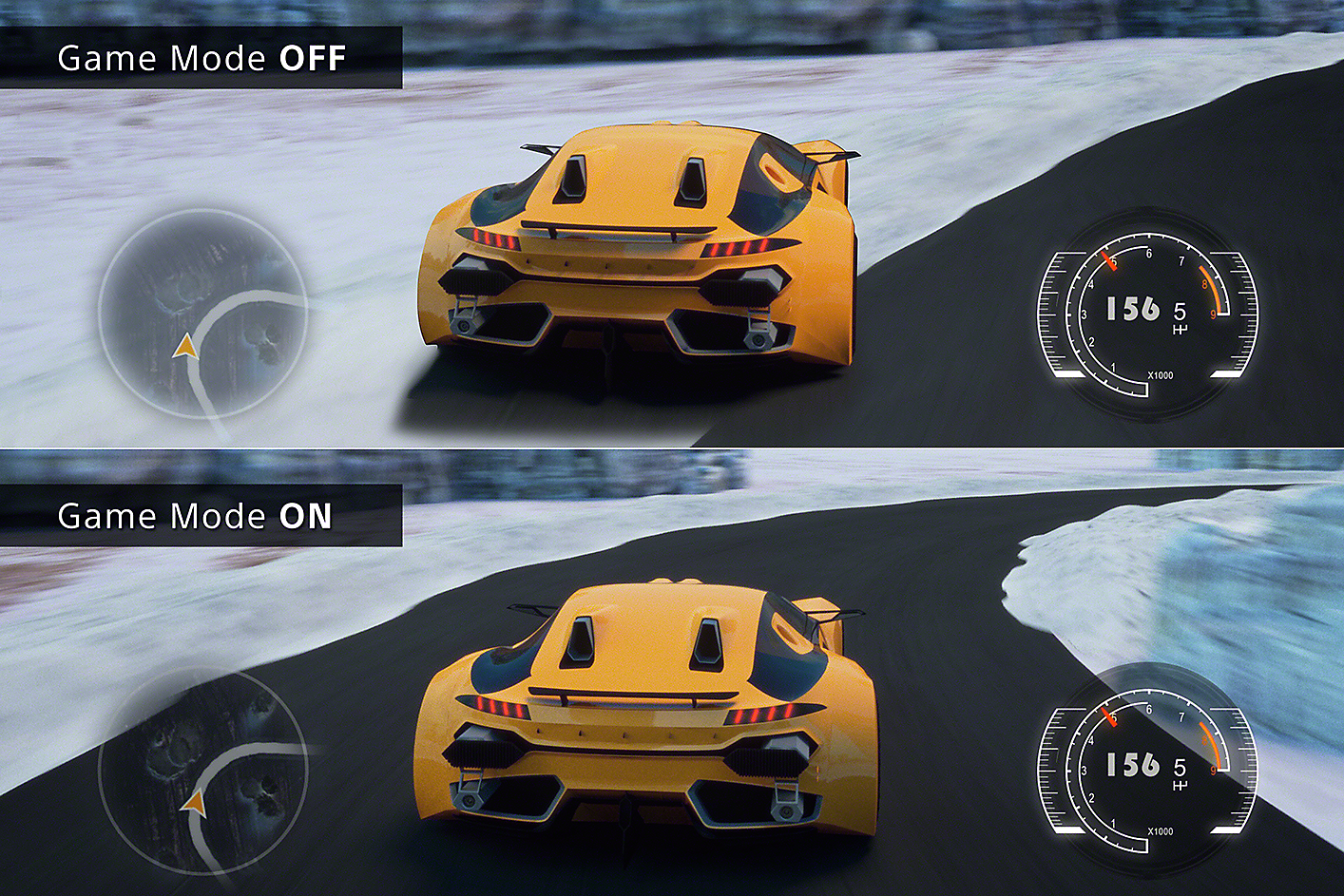
BRAVIA automatically switches into Game Mode with PS5and PS5Pro consoles to minimise lag and maximise responsiveness. It switches back to Standard Mode when watching movies for more expressive scenes.
Stream PlayStationGames to Your BRAVIA
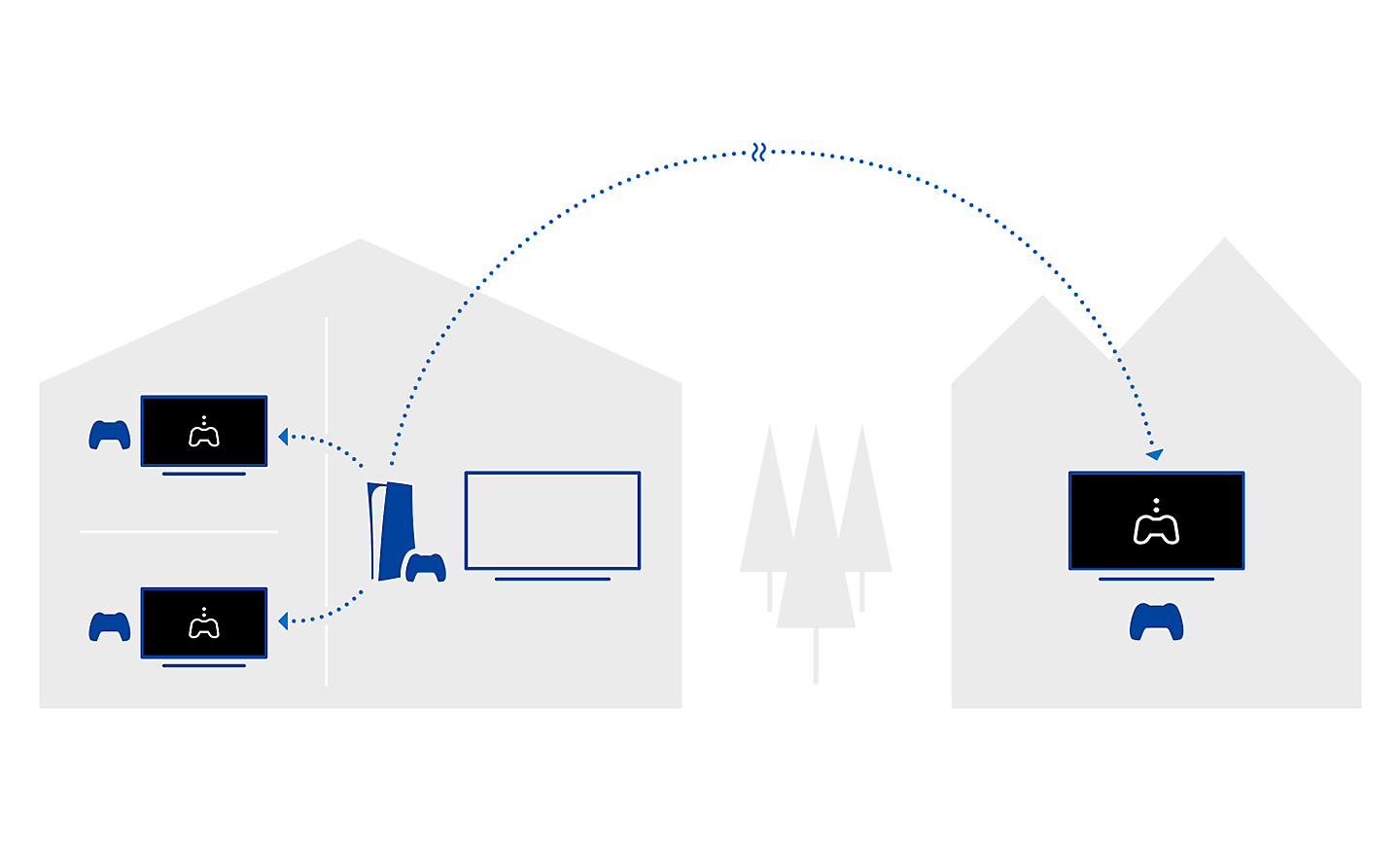
Control your PlayStationremotely wherever you have a compatible BRAVIA connected to the internet. The PS Remote Play app lets you control your PS5, PS5Pro or PS4console from another room or location like a friend's house.
Check out the video:
All Your Gaming Essentials in One Place
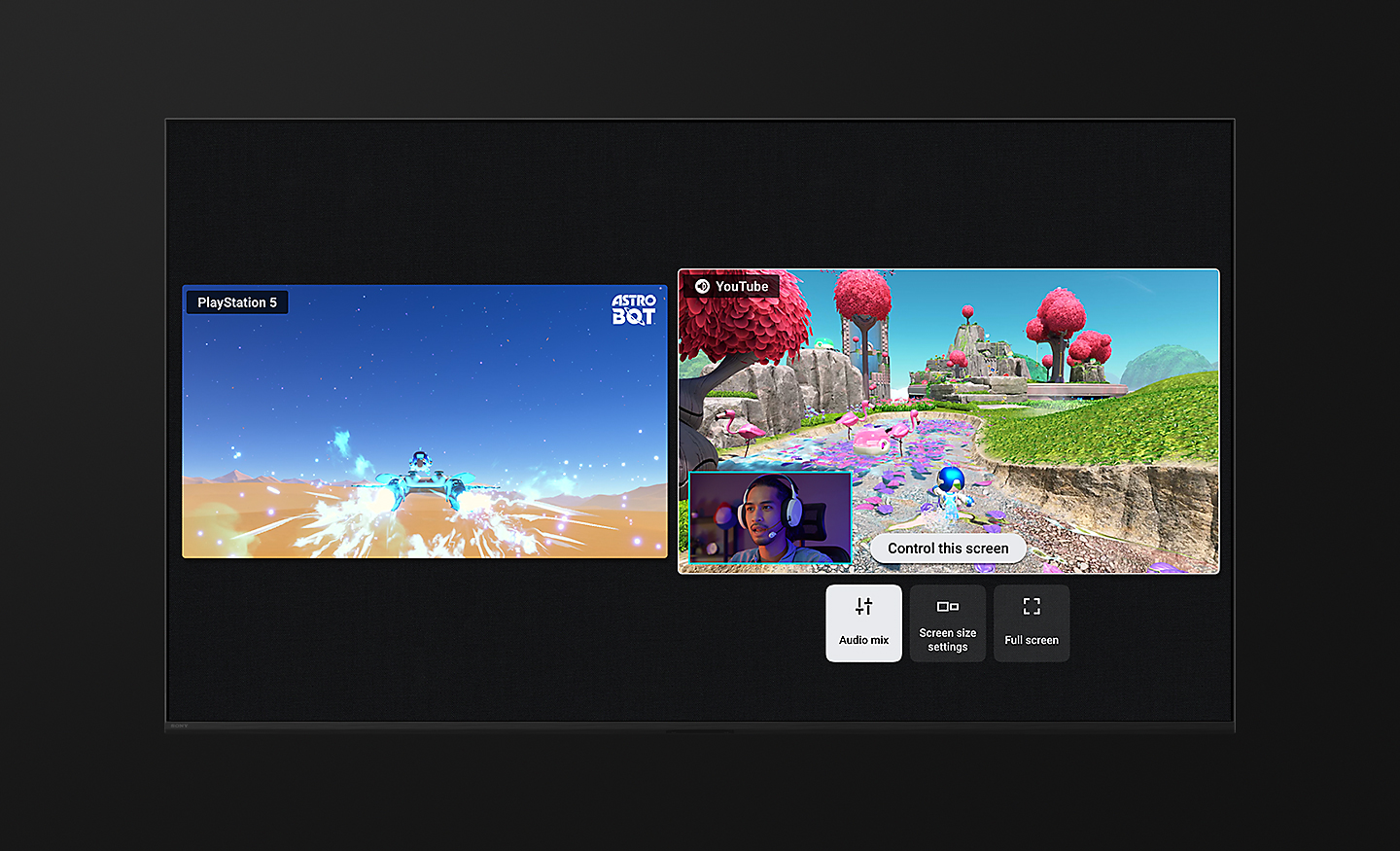
Everything’s so easy with Game Menu 2. Check your status, fine tune settings and access assist functions from one place. You can even search for YouTube videos and switch to Gaming multi view on YouTube in an instant.
Gaming Multi View on YouTube, a Game-changer
Imagine being able to play a game on one side of your screen while watching a YouTube walkthrough video on the other. Gaming multi view on YouTube lets you do just that, no extra display required.
Dolby VisionSupport Brings Gaming to Life
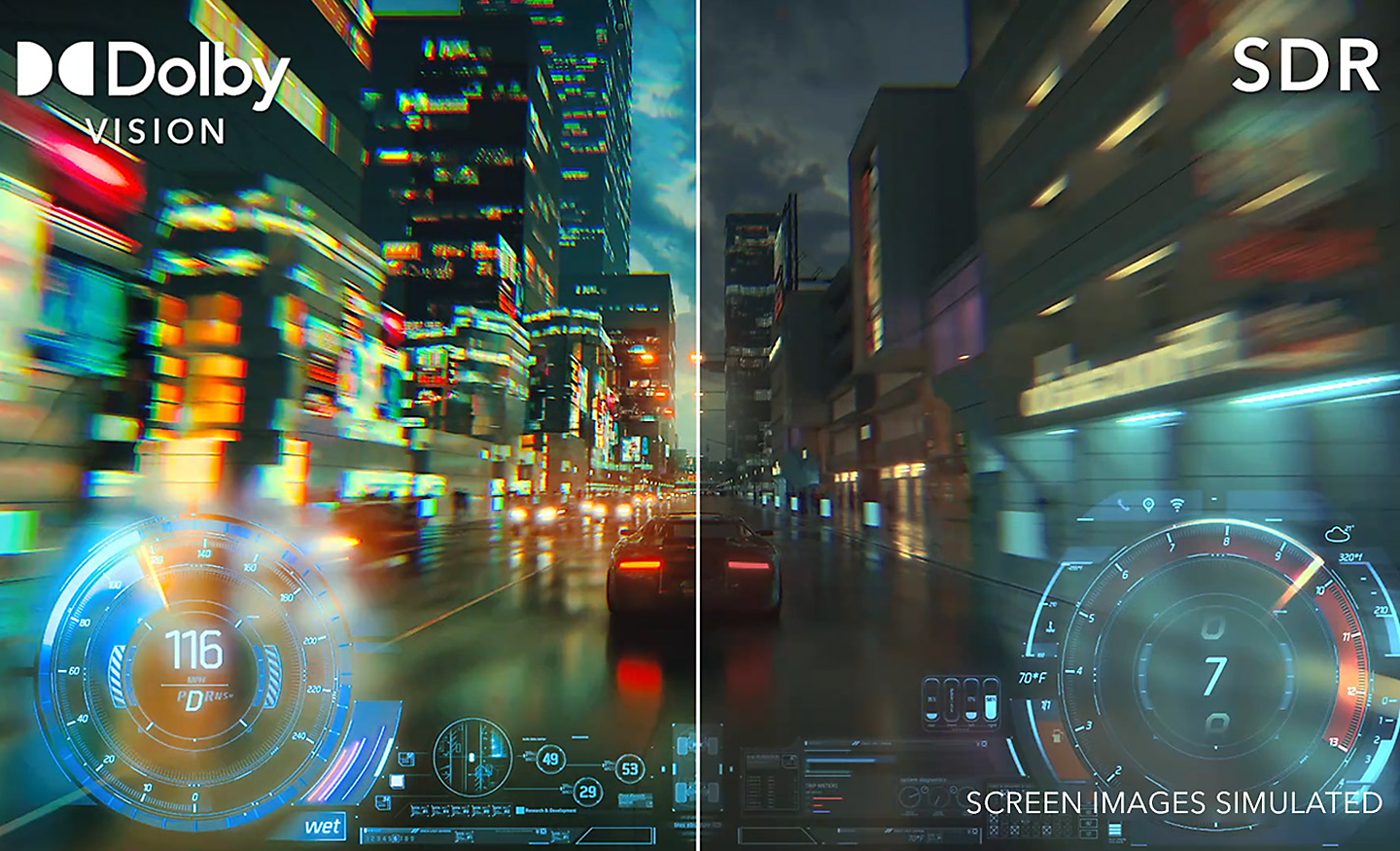
This is how your game world should be. Incredibly vibrant colours, lifelike contrast in light and dark, intense brightness. With Dolby Vision, gaming reaches a whole new level of depth and realism.
Various Features in HDMI 2.1
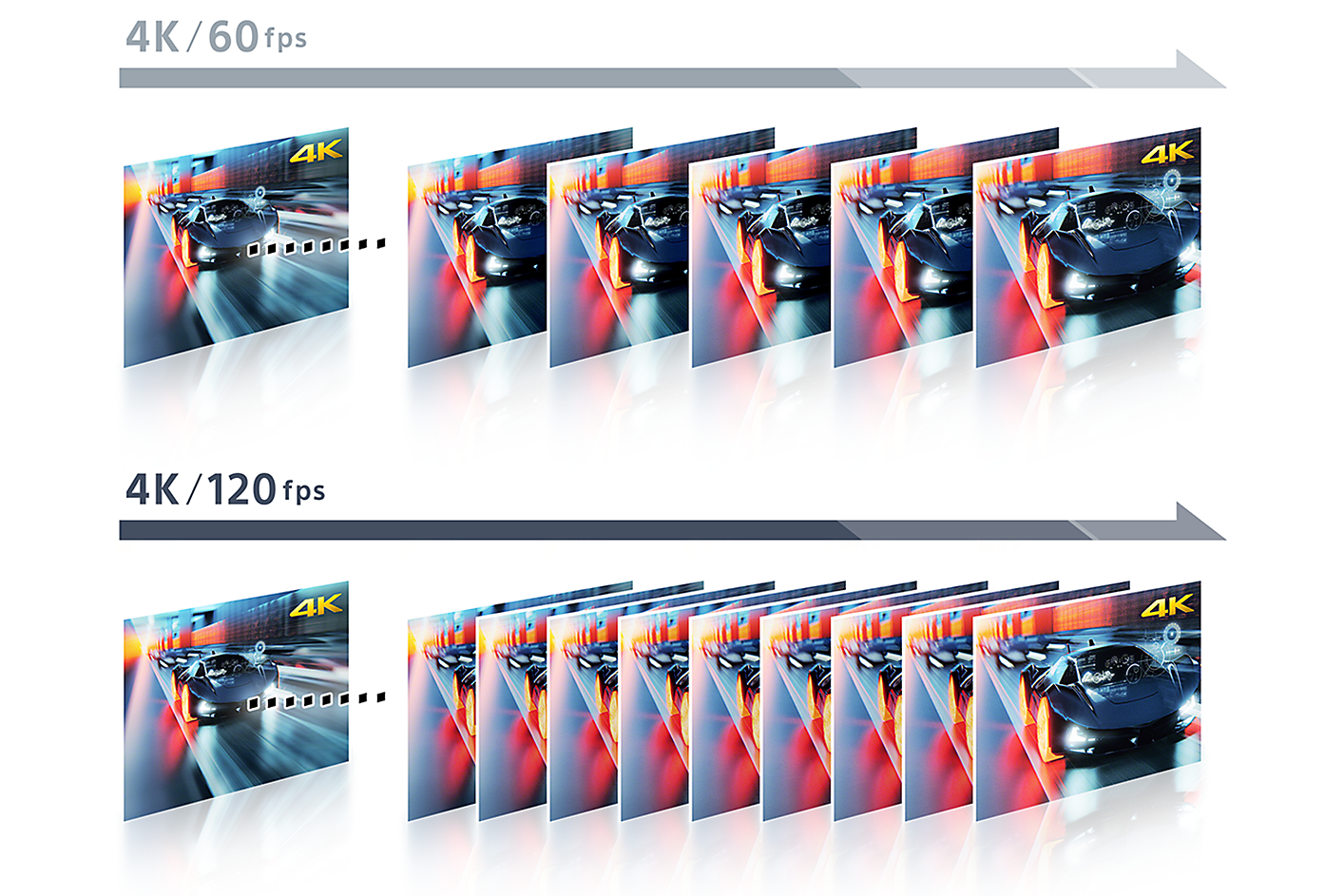
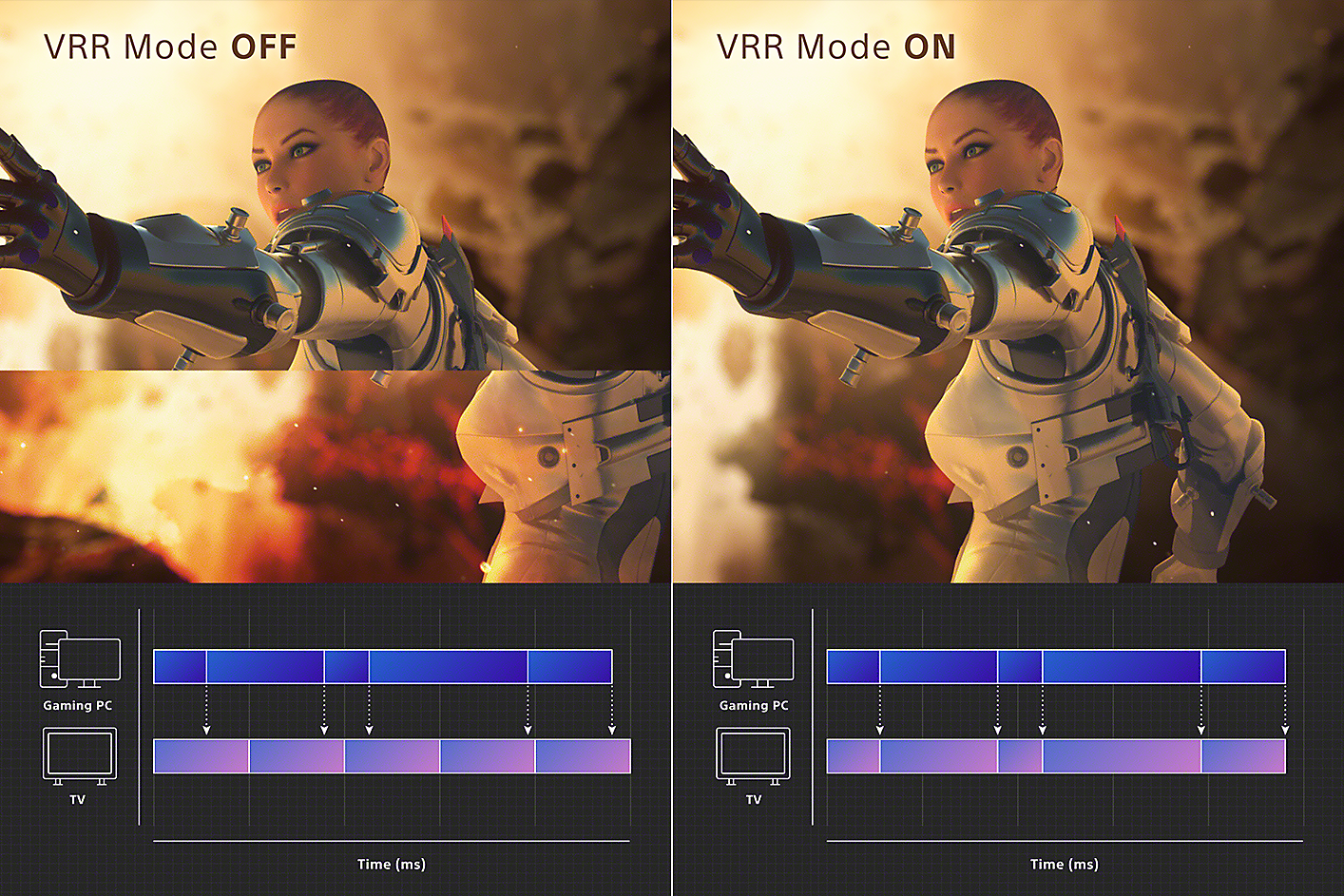
Sony TVs feature 4K at 120fps, Variable Refresh Rate and Auto Low Latency Mode, delivering smooth and clear movement for responsive gameplay.
4K / 120fps
Variable Refresh Rate (VRR)
Auto Low Latency Mode (ALLM)
Environment & Accessibility: Love the Planet, Smart for All
BRAVIA is designed to harmonise with people’s needs while respecting natural resources. We're accelerating our accessibility initiatives, enabling people who are blind or deaf to use Sony’s devices, and expanding our environmental initiatives by incorporating recycled plastic into our products. Entertainment becomes more inclusive and enjoyable for all.
Environment
Balancing Environment and Entertainment
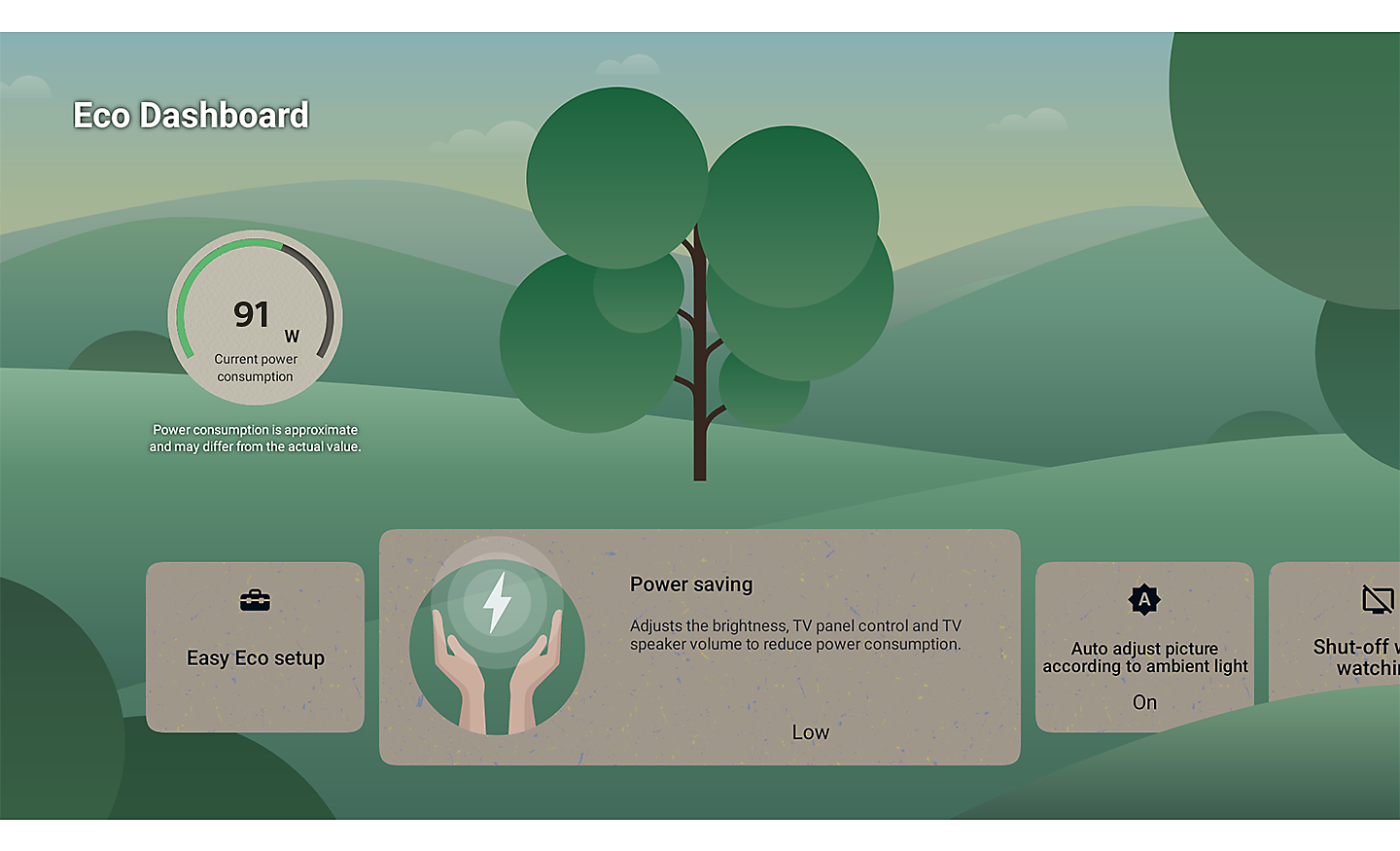
Less environmental impact, more immersive pictures and sound. BRAVIAhelps you optimise energy consumption with the Eco Dashboard 2 while reducing CO2 emissions by 11% and cutting packaging size by maximum 5% and total weight by maximum 14%.
Aiming to Achieve a Smaller Footprint
Sony Road to Zero initiative aims to reduce environmental impact at every stage of our business. By 2050, we’re striving for zero environmental footprint—driven by innovation and sustainability.
Check Your Eco Settings See Your Power Usage
Easily change eco settings, individually or in one go. Eco Dashboard 2 puts everything conveniently in one place and can even monitor your power consumption for optimum efficiency.
Easy to Clean and Use Made with Recycled Plastic
Controls everything. Our compact remote uses approximately 80% recycled plastic. Yet it’s easy to clean with a flush surface and polyurethane coating, and controls your connected devices.
More Recycled, Less New Plastic
Considering the environment. This TV uses recycled materials for the rear cover, bezel, speaker box and inner/outer parts to reduce virgin plastic use.
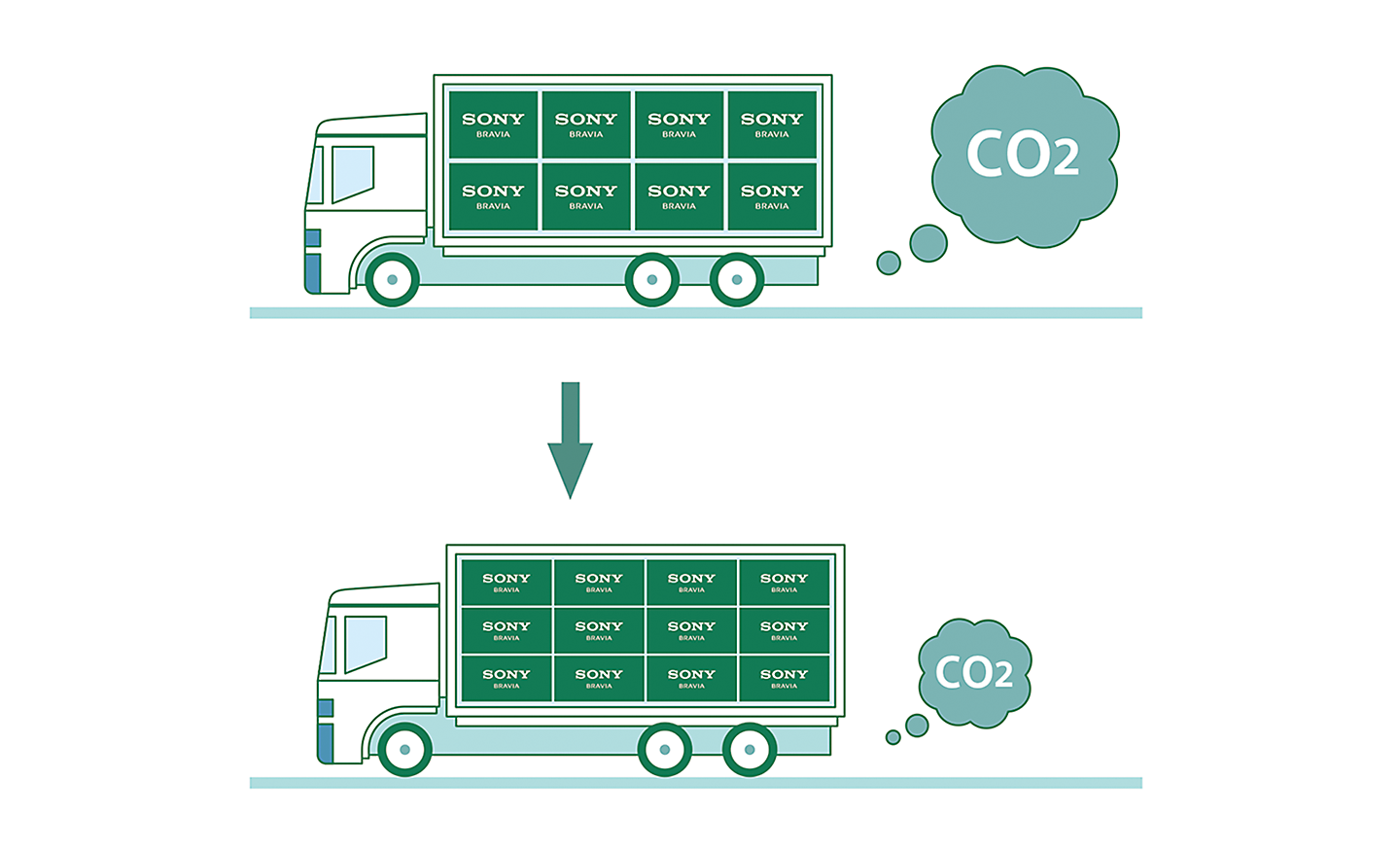
Less Packaging Less CO2
Sony packaging is maximum 5% smaller and maximum 14% lighter which optimises transport efficiency and reduces CO2 emissions by as much as 11%.
Accessibility
Accessibility for All, Whatever Your Needs
Technology that adapts to you. No matter your age, ability, or environment, we make it easier for everyone to see, hear, and enjoy the best of entertainment.
Initiatives at Sony
Sony leverages creativity and technology to enhance the accessibility of our products, services, and experiences. Through our commient to an inclusive future, we aim to create a world where everyone belongs.
Talkback and Text Magnification Functions
Talkback allows you to check the TV programme guides on screen or to change TV settings without looking at the screen, while the Text Magnification will display an enlarged version of the focused text at the bottom or top of the screen.
Hands-free Operation, Including Video Searches
Users of BRAVIA with Google Assistant built-in can simply say "OK Google" and say a task, for example, searching for a YouTube video, and it will be done. Voice commands can also be used to operate the BRAVIA itself, such as turning it on or off or changing the volume.
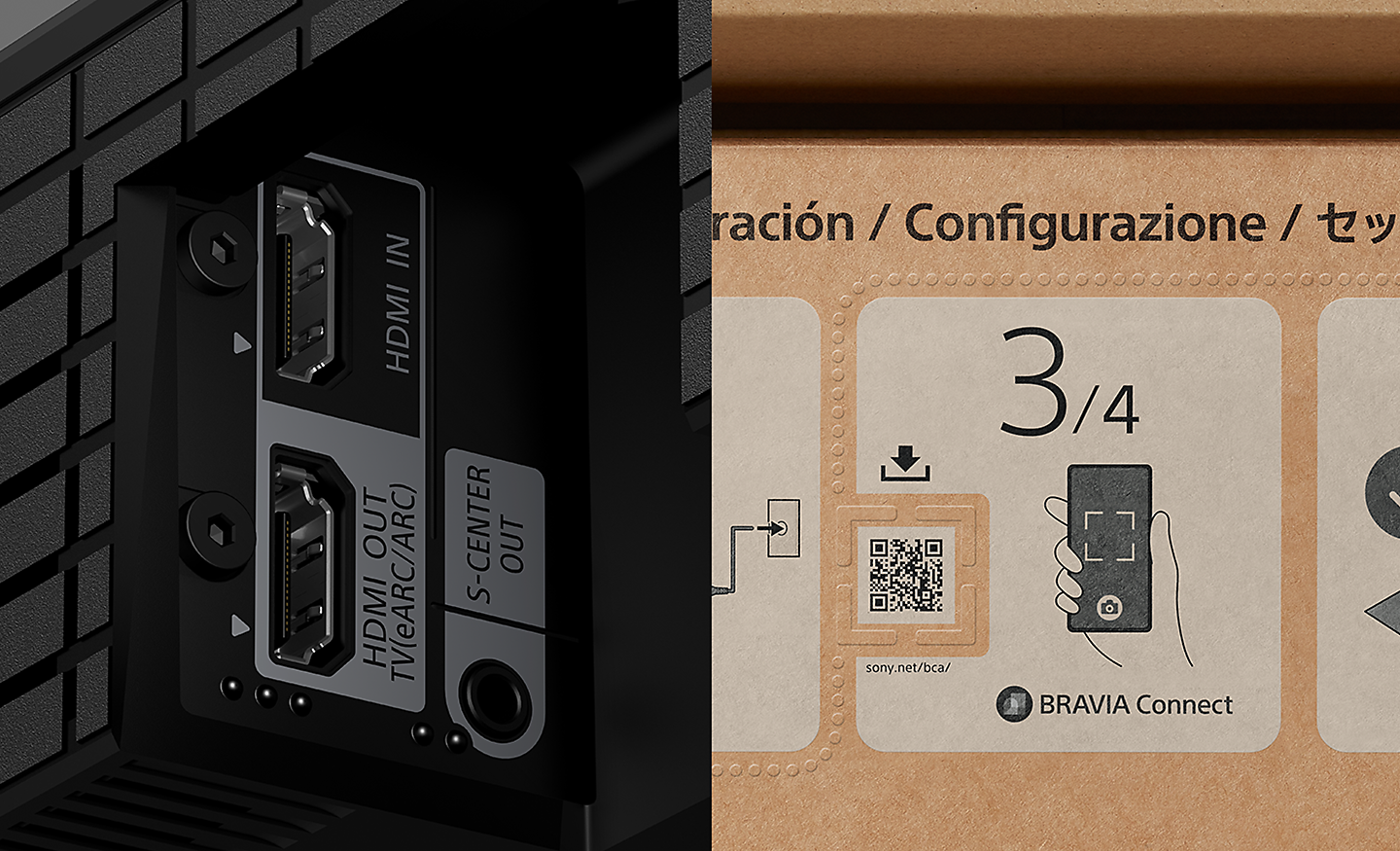
Accessible for All
To help people who are blind or have low vision set up the soundbar, tactile dots indicate a QR code for the BRAVIA Connect app, which offers screen reader support. Tactile dots on the back panel indicate the eARC HDMI terminal for connecting to a TV.

Colour Inversion
Invert the brightness of colours so that bright areas become dark, and dark areas become bright. This feature can be turned on or off as needed. If the text is easier to read with a dark or bright background colour, you can use Colour Inversion to change the background colour.
Accessibility Shortcut
Accessibility shortcut allows you to quickly and easily turn your accessibility features on or off by long-pressing the mute button on your remote control. You can assign an accessibility feature you use the most to this shortcut.
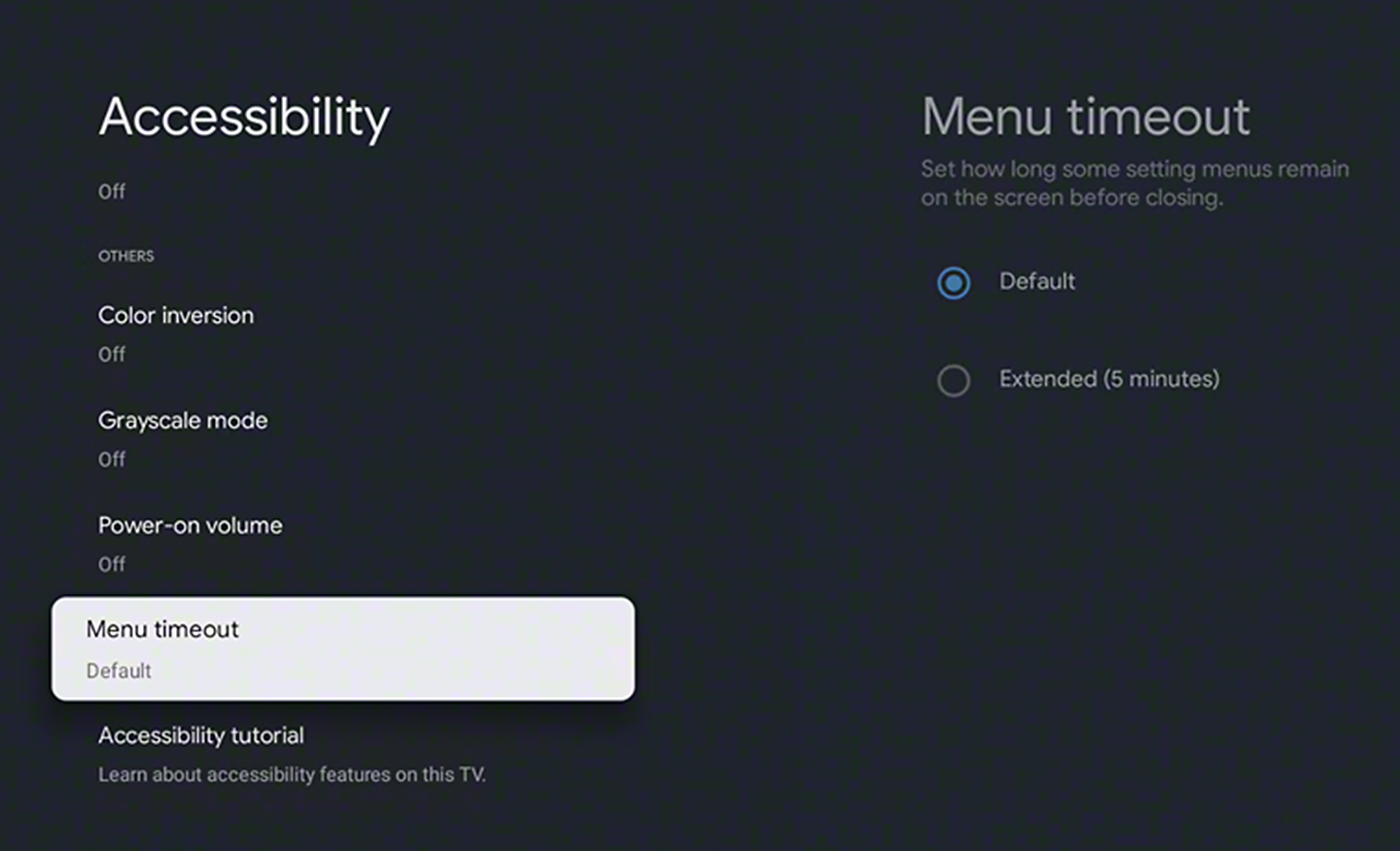
Menu Timeout Function
Menu timeout can be used to extend the display time of a notification.
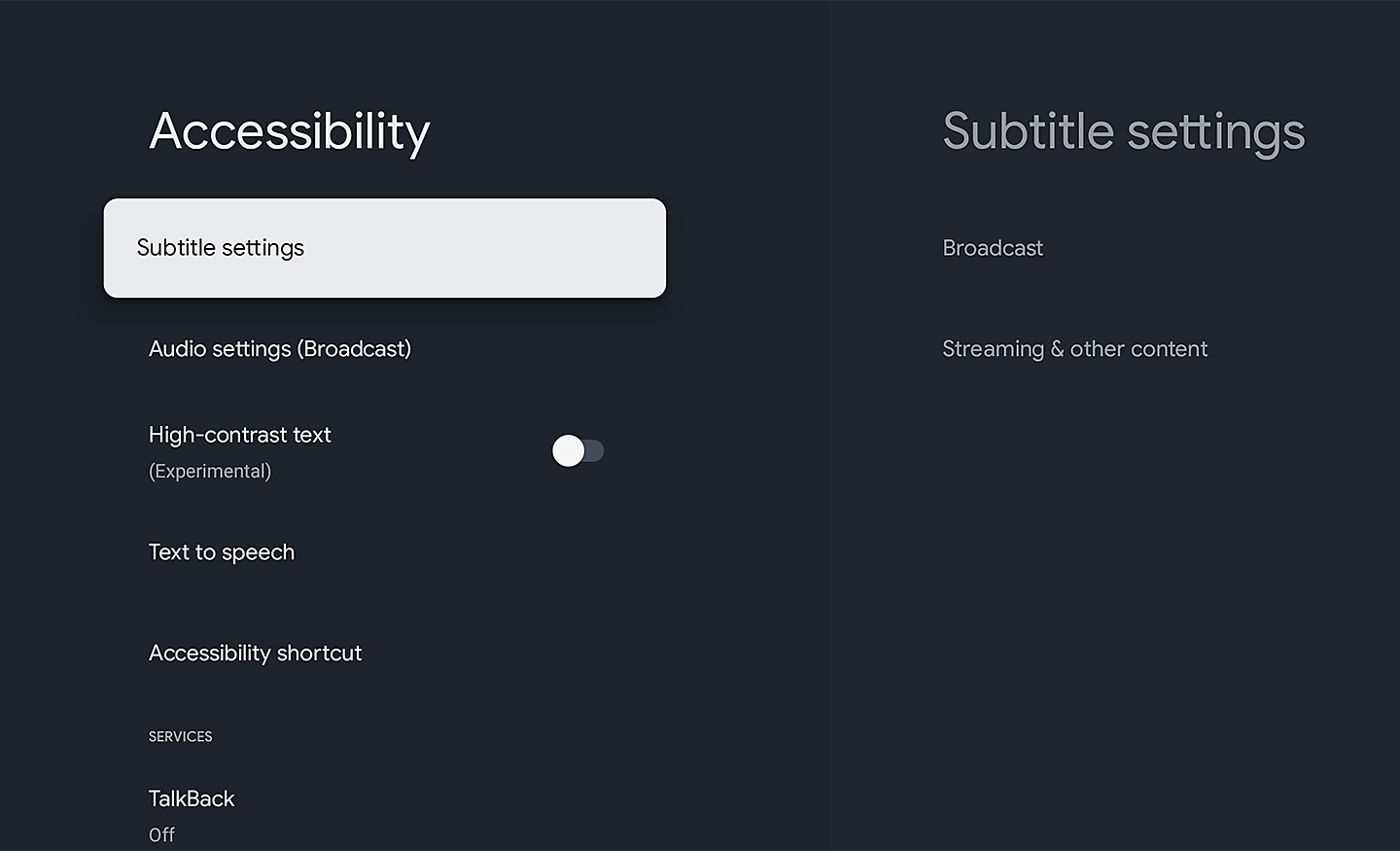
Subtitle
Closed captions provide on-screen transcriptions of spoken words and sound effects in your favourite shows and movies. Use the subtitle settings to capture every detail and make content accessible.
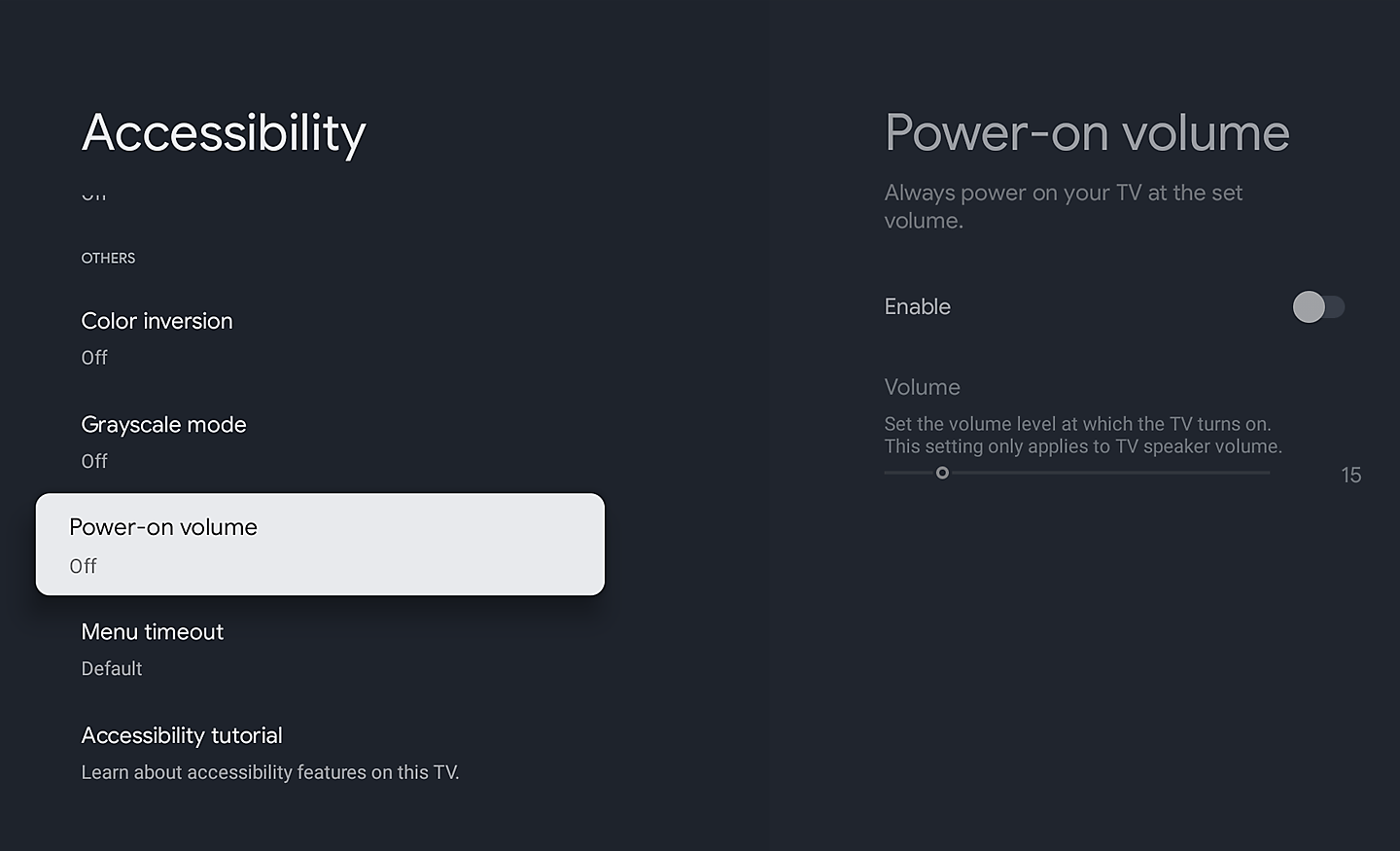
Volume Preset No More Loud Surprises
The Power-on Volume feature ensures your TV always starts at a pre-set, comfortable level, even after it’s been turned up. Enjoy consistent audio every time you power on.
What's In The Box:
- AC Power Cord
- Batteries
- Operating Instructions
- Remote Control
- Table Top Stand
- Voice Remote Control
Product Features:
- Chromecast built-in
- Apple airplay
- Apple homekit
- 3D surround upscaling
- Acoustic center sync
- Built-in mic switch
Original: $3,124.07
-65%$3,124.07
$1,093.42Product Information
Product Information
Shipping & Returns
Shipping & Returns
Description
Find Your Perfect TV Mount
Use Sanus MountFinderto find the right TV mount for you.
Click here to start
Check out the video:
The Centrepiece Ultimate Visuals and Slimness
Beauty and brilliance. with its refined design, stunning contrast, and vibrant colour, illuminated by QD-OLED, every moment at home feels like a special occasion.
Cinema Your Home Your Cinema
Every detail, every colour, exactly as the creator intended. BRAVIA captures the full depth of the story, delivering rich, authentic visuals that pull you deeper into every scene.
From the Studio to Your Screen
Dive into cinema-like visuals at home. Our home entertainment picture quality expertise helps us faithfully reproduce the creator’s vision with Studio Calibrated modes developed through collaboration with Sony and the world’s top streaming services.
Bring the Cinematic Experience Home, Enjoy Movies Included With BRAVIA
A huge number of movies are waiting for you. With BRAVIA technology, Pure Stream and IMAX Enhanced, everything you watch is delivered with stunning visuals and expressive sound quality.[1][2][3][4][5]
Instantly Enjoy Today’s Top Movies
Your new BRAVIA TV comes with movie credits included so you can immediately watch the latest releases and popular classics, including 4K HDR and IMAXEnhanced movies on SONY PICTURES CORE. Redeem your 5, 10 or 15 movies to add to your library. Plus, enjoy 12- or 24-month access to a curated selection of up to 100 movies to watch as many times as you like.[3][4]
Check out the video:
Sony Pictures Core
Enjoy movies included with BRAVIA
Be One of the First to Experience Sony Movies in IMAX Enhanced
BRAVIA TVs support stunning IMAX Enhanced content with richer visuals, immersive sound by DTS, and unparalleled quality. SONY PICTURES CORE has the largest IMAX Enhanced catalog, available here first. Plus, with SONY PICTURES CORE Calibrated Mode, IMAX Enhanced movies are automatically optimized with the best picture settings – bringing studio-quality mastering to your living room.[5][2]
Sony pictures core and bravia technology delivers the highest quality content with stunning visuals and expressive sound
Use Your Included Credits to Watch the Latest Releases
Watch Kraven the Hunter on SONY PICTURES CORE.[2]
Experience Pure Stream the Highest in Streaming Picture Quality
SONY PICTURES CORE features Pure Stream which can stream HDR movies at up to 80Mbps — similar to 4K UHD Blu-ray on a wide range of content. This means significantly more detail, colour and contrast than conventional 15-25Mbps streaming content.[6][7]
Room-filling Immersive Sound
Experience your favorite movies with immersive sound from the comfort of your home. SONY PICTURES CORE supports DTS:X and Dolby Aos for an amazing surround sound experience. [8][7]
Build Your Library with Movie Credits
5, 10, or 15 credits are included with the purchase of your BRAVIA TV. Credits let you redeem movies from a huge selection of blockbusters and popular classics, instantly adding them to your library where you can watch as many times as you'd like.[9][4]
Watch Instantly Across Your Sony Devices
Using one Sony account, watch instantly on your eligible BRAVIA TV or PlayStation console with SONY PICTURES CORE.[10][2]
SONY PICTURES CORE Brings the Cinematic Experience Home
This is how you were meant to enjoy movies. SONY PICTURES CORE Calibrated Mode has been jointly developed by our TV engineers and Sony Pictures specialists to bring studio-quality picture mastering to your living room.[5]
Watch Netflix in Studio Quality, Automatically Optimised
See Netflix in a whole new light. Our Netflix Adaptive Calibrated Mode, designed by Sony and Netflix, brings studio-quality mastering home with brightness automatically adjusted to your ambient room conditions.[6]
Sony and Prime Video Bring the Movie Theatre Experience to Your Home
See movies, shows, and even live sports the way the filmmakers and broadcasters intended. With Prime Video Calibrated Mode, picture settings are auto calibrated to what you’re watching including live sports for studio-quality Prime Video at home.[7][6]
Immersive Movie Experience
Experience truly unforgettable movies at home. Sony TV supports the rigorous standards of IMAXEnhanced, DTS:X, Dolby Visionand Dolby Aosfor an unbelievably aospheric and immersive viewing experience.
IMAX Enhanced Sound with DTS:X
You can enjoy a truly cinematic experience with select Disney+ titles on BRAVIA and BRAVIA Theatre, powered by IMAXEnhanced technology.[8][9][6]
Design
Harmonic Presence a Slimmer Singular Elegance for Your Living Space
Takes centre stage in any room. Our new slim and thin TV design graces your living space with shapes, materials, colours and surface treaents that blend beautifully with interior décor, walls and home theatre products.
Slim One Slate Beautiful From Everywhere
Sleek and seamless. Sony Slim One Slate concept fuses screen and bezel into a single slate, maximising your experience. The rear of the aluminium stand vanishes from view when seen from an angle.
Seamless Edge Almost No Bezel
Designed virtually frameless, this TV focuses your eyes on what’s important—the picture.
2-way Stand—adaptable and Versatile
Suits your space. Sony 2-way stand gives you the choice of a standard setting that focuses you on the picture, or a soundbar-friendly setup—no need to compromise on style.
Picture: The Beauty of Contrast, the Brilliance of Colours
The beauty of contrast meets the brilliance of colours with Sony unique technologies and QD-OLED. Deep blacks and vibrant hues come together, filling the screen with lifelike detail that brings every scene to life with stunning clarity.
Check out the video:
Over 8 Million Self-lit Pixels Intense Brightness and Contrast
The pinnacle of precision. Our QD-OLED screen individually and expertly controls 8 million self-illuminating pixels, turning each one on or off to dark and light for deeper blacks and more dazzling colours.
Check out the video:
Every Scene Brighter with Brilliant Colour and Contrast
More colour and contrast in highlights. With a high luminance panel (1) and temperature sensor (2), this TV with XR Contrast Booster precisely controls light for brighter pure black pictures.
Check out the video:
Billions of Colours, Vivid and Real
With XR Triluminos Max, experience billions of vivid, lifelike colours powered by millions of self-illuminating pixels. From deep shades to brilliant hues, enjoy extended colour volume and true-to-life textures, even in the brightest scenes.
Check out the video:
Crystal Clear Pictures with AI Technology
Rediscover detail. XR Clear Image uses a custom database to intelligently convert your favourites to near 4K. Noise is minimised through zone division and dynamic frame analysis for sharper, more refined images.[1]
Check out the video:
Even Fast-moving Action Stays Clear and Blur-free
All the action, free of blur and judder. XR OLED Motion detects and analyses visual elements on successive frames, then creates and inserts extra frames between the originals for smoother scenes.
Check out the video:
Unmatched Realism with XR Processor and AI Technology
Powered for precision. Our XR Processor features an AI scene recognition system that detects and analyses data with flawless accuracy, then optimises the picture for ultimate realism.
Beautiful Colours Any Angle
Watching TV from the sides is truly satisfying. Our QD-OLED panel keeps luminance constant for consistent colours across all viewing angles.
Less Glare Less Reflection That’s Immersion
Sony QD-OLED panel reduces the effects of glare and reflection from daylight and room light so you can see images clearly in even dark scenes.
Check out the video:
Sound
Screen Speaker Always Cinematic
Your screen becomes a speaker with BRAVIA 8 II. Actuators vibrate behind the screen, delivering crisp, immersive sound straight from the action, just like in the cinema.
Check out the video:
Sound From the Screen Precisely Matching Action
Sound and pictures, perfectly in sync. Acoustic Surface Audio Plus with actuator turns every part of the screen into a powerful speaker that emits sound from exactly the right place in the scene. Hear dialogue straight from the actor and bring the theatre-like experience to your home.
Check out the video:
Crystal Clear Voice with AI Technology
No more muffled voices. Our Voice Zoom 3recognises human dialogue through AI machine learning and amplifies or reduces its volume so even small dialogue sounds loud and clear. Works with our home theatre products too.[2]
Intelligent Processing Upscales Ordinary Stereo Sound to Extraordinary 3D Surround
Be immersed. Our 3D Surround Upscaling creates virtual surround from above and the sides using just the TV speakers. Even 2ch and 5.1ch audio is upscaled to immersive 5.1.2ch sound. Moreover, Dolby Aosand DTS:Xsupport provides unforgettable spatial sound.
Home Entertainment with BRAVIA Theatre Home Becomes Cinema
Fill every corner of your room with soul-stirring cinematic sound. Pairing BRAVIA with BRAVIA Theatre brings the emotion and excitement of the movie theatre, home, an unmatched audio-visual experience.[3][4][5]
Check out the video:
Sound Precisely Matches What’s On Screen
Sound is calibrated as one integrated speaker system. Acoustic Center Sync enables our home theatre equipment to use BRAVIA as a centre speaker so that sound comes from the screen rather than just the soundbar.
Sony BRAVIA Connect app
Control BRAVIA and BRAVIA Theatre from your smartphone. With the BRAVIA Connect app, you can adjust volume and settings and even check your set up without using the remote or on screen menu.[9][10]
Take Control From Your Smartphone
You can set up the app to work both with TV and Home Audio devices. So there’s no more searching for the right remote – just do it from your smartphone. Change volume, adjust settings and more.[1][2][3]
Instruction Manual-free Setup
Forget about the instruction manual – just follow the animated steps shown by the app to set up. And when you’re setting up subsequent devices, the app will automatically share the Wi-Fi information, so you won’t need to type a password. The app also lets you optimise the sound field to adapt to the position where you usually sit.[4][2][3]
Your Home Theatre Technician
With our app you’ll have a free in-home technician. Get technical recommendations, discover useful features, and learn about the latest software updates to make your private theatre even better.[2][3]
Control Your BRAVIA Theatre Effortlessly
Easily control features such as sound field and volume using just the TV remote. With an integrated UI, soundbar sound settings automatically appear on the BRAVIA Quick Settings menu.[11][12]
HDMI Connection Easier for Everyone
Never again have trouble connecting your soundbar and TV via HDMI. Tactile dots on the ARC/ACS terminal makes linking up easier for everyone.[13]
TVs & Home Theatre: Accessibility for All, Whatever Your Needs
Technology makes it easier to see, hear, and use. Incorporating accessibility in its design, Sony’s TV enhances the user experience regardless of age, ability or environment.
Accessibility to Assist Your Senses
Vision Assist
Use voice control, hear what’s on screen, or adjust the display. The feature availability depends on model, region and country.
Talkback and Text Magnification Functions
Talkback[1] allows you to check the TV programme guides on screen or to change TV settings without looking at the screen, while the Text Magnification[2] will display an enlarged version of the focused text at the bottom or top of the screen[3].
Tactile Dots
To help make setting up easier, Sony include tactile dots on the back panel as the HDMI terminal for TVs and home theatre products. Additionally, notches and tactile dots inside the packaging guide to a QR code[4]. Scan the code to go straight to the BRAVIA Connect app with screen reader support.[5]
Colour Inversion
Invert the brightness of colours so that bright areas become dark, and dark areas become bright. This feature can be turned on or off as needed. If the text is easier to read with a dark or bright background colour, you can use Colour Inversion to change the background colour.
Accessibility Shortcut
Accessibility Shortcut allows you to quickly and easily turn your accessibility features on or off.
Hearing Assist
Adjust the volume and sound, or turn audio into text. The feature availability depends on model, region and country.
Crystal Clear Voice Precise Dialogue
No more muffled voices. Our new Voice Zoom 3 recognises human dialogue through AI machine learning and amplifies or reduces its volume so even small dialogue sounds loud and clear. Works with our home theatre products too.[6]
Action Assist
Select the operation method, including shortcuts or voice control. The feature availability depends on model, region and country.
Notification Timeout Function
Notification Timeout can be used to extend the display time of a notification.
Hands-free Operation Including Video Searches
Users of BRAVIA with Google Assistant built-in can simply say "OK Google" and say a task, for example, searching for a YouTube video, and it will be done. Voice commands can also be used to operate the BRAVIA itself, such as turning it on or off or changing the volume[8][9][10][11][12].
Stable Remote Operation on a Desktop
Our remote is designed for stable operation on a flat surface, so that the remote buttons can be accurately pressed with a single finger without having to hold it in your hand.
Ready for 360 Spatial Sound Personalizer
Tailor your Dolby Aosand DTS:Xexperience by combining our wearable speaker or BRAVIA Theatre U with BRAVIA for spatial surround. Works with some Sony Headphones too.[12]
Single View Simultaneous Sound
Our TV with simultaneous sound output lets you listen to a show on your headphones while your partner listens to the same show through the TV speakers. You can also change the volume using Bluetooth devices separately. Using Sony’s headphone, you can smoothly switch Bluetoothconnection from other devices.[14]
Smart: Entertainment You Love with Help From Google
Google TVbrings together movies, shows, and more from across your apps and subscriptions and organises them just for you.[15][16][17][18]
Content
Over 10,000 Apps and Games, Straight to Your TV
Turn on and tune in, all at once. With dedicated buttons for your go-to apps, you can skip the TV warm-up and dive right into the action.[4][5][6][7][8][9][10]
Bring the Cinematic Experience Home, Enjoy Movies Included with BRAVIA
A huge number of movies are waiting for you. With BRAVIA technology, Pure Streamand IMAXEnhanced, everything you watch is delivered with stunning visuals and expressive sound quality.[11][12][13][14][10]
Instantly Enjoy Today’s Top Movies
Your new BRAVIA TV comes with movie credits included so you can immediately watch the latest releases and popular classics, including 4K HDR and IMAXEnhanced movies on SONY PICTURES CORE. Redeem your 5, 10 or 15 movies to add to your library. Plus, enjoy 12- or 24-month access to a curated selection of up to 100 movies to watch as many times as you like.[3][4]
Check out the video:
SONY PICTURES CORE — Enjoy Movies Included with BRAVIA
Be One of the First to Experience Sony Movies in IMAXEnhanced
BRAVIA TVs support stunning IMAXEnhanced content with richer visuals, immersive sound by DTS, and unparalleled quality. SONY PICTURES CORE has the largest IMAXEnhanced catalog, available here first. Plus, with SONY PICTURES CORE Calibrated Mode, IMAXEnhanced movies are automatically optimized with the best picture settings – bringing studio-quality mastering to your living room.[5][2]
Sony Pictures Core and Bravia Technology Delivers the Highest Quality Content With Stunning Visuals and Expressive Sound
Use Your Included Credits to Watch the Latest Releases
Watch Kraven the Hunter on SONY PICTURES CORE.[2]
Experience Pure Stream, the Highest in Streaming Picture Quality
SONY PICTURES CORE features Pure Streamwhich can stream HDR movies at up to 80Mbps — similar to 4K UHD Blu-ray on a wide range of content. This means significantly more detail, colour and contrast than conventional 15-25Mbps streaming content.[6][7]
Room-filling, Immersive Sound
Experience your favorite movies with immersive sound from the comfort of your home. SONY PICTURES CORE supports DTS:X and Dolby Aosfor an amazing surround sound experience. [8][7]
Build Your Library with Movie Credits
5, 10, or 15 credits are included with the purchase of your BRAVIA TV. Credits let you redeem movies from a huge selection of blockbusters and popular classics, instantly adding them to your library where you can watch as many times as you'd like.[9][4]
Watch Instantly Across Your Sony Devices
Using one Sony account, watch instantly on your eligible BRAVIA TV or PlayStation console with SONY PICTURES CORE.[10][2]
Control: Sony BRAVIA Connect App
Control BRAVIA and BRAVIA Theatre from your smartphone. With the BRAVIA Connect app, you can adjust volume and settings and even check your set up without using the remote or on screen menu.[15][16]
Google Cast
Stream from your device. Easily cast movies, shows, photos, and more from your phone or tablet, right to your TV.[17][18]
Compatible with Apple AirPlay 2
Stream effortlessly to your TV from your iPhone, iPad or Mac. Watch movies from apps or Safari. Share photos with friends in the room.[19]
Just Use Your Voice to Control Your TV with Help From Google Assistant
Your TV is more helpful than ever. Ask Google Assistant to find movies, stream apps, play music and control the TV with your voice. Get answers, adjust room temperature and lighting, even check the front door. Just say “Hey Google” to get started.[20][21][22][23][24]
Connect with Your Alexa
Connect your Alexa enabled devices for seamless hands-free control of BRAVIA. With Alexa, you can power up your TV, change channels, control volume and more.[25][26][27]
More Intuitive Modern Interface
Finding your way around just got easier. We’ve redesigned our user interface for smoother operation so you can effortlessly check inputs and view settings.[28]
Adaption
Best Seat Anywhere Anytime
Wherever you are, everything’s perfect. Detecting your position, BRAVIA Camadjusts brightness, sound balance and volume so your experience is optimised to where you’re sitting.[29][30][31][32][33]
Proximity Alert
Keep your kids a step back. Proximity Alert allows you to set a recommended viewing distance for your child and alerts them if they get too close to the TV.
A Handy Way to Control Your TV
As easy as a flick of the fingers. Gesture Control enables you to change channels, adjust volume and more using simple gestures, no remote required.
Camera Covered, Privacy Protected
One swipe protects your privacy. Simply use the switch on top of BRAVIA Camto close the camera cover. Attaching and detaching BRAVIA Camis so easy.
Stay Tuned Stay Calm
See everything in a more comfortable light for peace of mind. Calm picture setting is a picture quality mode that lowers brightness and uses softer colours and contrast.
Remote
Easy to Clean and Use Made with Recycled Plastic
Controls everything. Our compact remote uses approximately 80% recycled plastic. Yet it’s easy to clean with a flush surface and polyurethane coating, and controls your connected devices.
Play Like Never Before
BRAVIA captures the awesome graphics and soundscapes of today’s biggest games. Pair with PlayStation5 and PlayStation5 Pro console for incredible immersion.
Perfect for PlayStation
Be right at the heart of the action with BRAVIA. Awe-inspiring scenes, aospheric sound and exclusive features bring your go-to games to life like never before.
Auto HDR Tone Mapping
Auto HDR Tone Mapping instantly optimises HDR settings during your PS5and PS5Pro console initial setup. Even in dark shadow and bright highlights, you’ll see fine details and true colours.
Auto Genre Picture Mode
BRAVIA automatically switches into Game Mode with PS5and PS5Pro consoles to minimise lag and maximise responsiveness. It switches back to Standard Mode when watching movies for more expressive scenes.
Stream PlayStationGames to Your BRAVIA
Control your PlayStationremotely wherever you have a compatible BRAVIA connected to the internet. The PS Remote Play app lets you control your PS5, PS5Pro or PS4console from another room or location like a friend's house.
Check out the video:
All Your Gaming Essentials in One Place
Everything’s so easy with Game Menu 2. Check your status, fine tune settings and access assist functions from one place. You can even search for YouTube videos and switch to Gaming multi view on YouTube in an instant.
Gaming Multi View on YouTube, a Game-changer
Imagine being able to play a game on one side of your screen while watching a YouTube walkthrough video on the other. Gaming multi view on YouTube lets you do just that, no extra display required.
Dolby VisionSupport Brings Gaming to Life
This is how your game world should be. Incredibly vibrant colours, lifelike contrast in light and dark, intense brightness. With Dolby Vision, gaming reaches a whole new level of depth and realism.
Various Features in HDMI 2.1
Sony TVs feature 4K at 120fps, Variable Refresh Rate and Auto Low Latency Mode, delivering smooth and clear movement for responsive gameplay.
4K / 120fps
Variable Refresh Rate (VRR)
Auto Low Latency Mode (ALLM)
Environment & Accessibility: Love the Planet, Smart for All
BRAVIA is designed to harmonise with people’s needs while respecting natural resources. We're accelerating our accessibility initiatives, enabling people who are blind or deaf to use Sony’s devices, and expanding our environmental initiatives by incorporating recycled plastic into our products. Entertainment becomes more inclusive and enjoyable for all.
Environment
Balancing Environment and Entertainment
Less environmental impact, more immersive pictures and sound. BRAVIAhelps you optimise energy consumption with the Eco Dashboard 2 while reducing CO2 emissions by 11% and cutting packaging size by maximum 5% and total weight by maximum 14%.
Aiming to Achieve a Smaller Footprint
Sony Road to Zero initiative aims to reduce environmental impact at every stage of our business. By 2050, we’re striving for zero environmental footprint—driven by innovation and sustainability.
Check Your Eco Settings See Your Power Usage
Easily change eco settings, individually or in one go. Eco Dashboard 2 puts everything conveniently in one place and can even monitor your power consumption for optimum efficiency.
Easy to Clean and Use Made with Recycled Plastic
Controls everything. Our compact remote uses approximately 80% recycled plastic. Yet it’s easy to clean with a flush surface and polyurethane coating, and controls your connected devices.
More Recycled, Less New Plastic
Considering the environment. This TV uses recycled materials for the rear cover, bezel, speaker box and inner/outer parts to reduce virgin plastic use.
Less Packaging Less CO2
Sony packaging is maximum 5% smaller and maximum 14% lighter which optimises transport efficiency and reduces CO2 emissions by as much as 11%.
Accessibility
Accessibility for All, Whatever Your Needs
Technology that adapts to you. No matter your age, ability, or environment, we make it easier for everyone to see, hear, and enjoy the best of entertainment.
Initiatives at Sony
Sony leverages creativity and technology to enhance the accessibility of our products, services, and experiences. Through our commient to an inclusive future, we aim to create a world where everyone belongs.
Talkback and Text Magnification Functions
Talkback allows you to check the TV programme guides on screen or to change TV settings without looking at the screen, while the Text Magnification will display an enlarged version of the focused text at the bottom or top of the screen.
Hands-free Operation, Including Video Searches
Users of BRAVIA with Google Assistant built-in can simply say "OK Google" and say a task, for example, searching for a YouTube video, and it will be done. Voice commands can also be used to operate the BRAVIA itself, such as turning it on or off or changing the volume.
Accessible for All
To help people who are blind or have low vision set up the soundbar, tactile dots indicate a QR code for the BRAVIA Connect app, which offers screen reader support. Tactile dots on the back panel indicate the eARC HDMI terminal for connecting to a TV.
Colour Inversion
Invert the brightness of colours so that bright areas become dark, and dark areas become bright. This feature can be turned on or off as needed. If the text is easier to read with a dark or bright background colour, you can use Colour Inversion to change the background colour.
Accessibility Shortcut
Accessibility shortcut allows you to quickly and easily turn your accessibility features on or off by long-pressing the mute button on your remote control. You can assign an accessibility feature you use the most to this shortcut.
Menu Timeout Function
Menu timeout can be used to extend the display time of a notification.
Subtitle
Closed captions provide on-screen transcriptions of spoken words and sound effects in your favourite shows and movies. Use the subtitle settings to capture every detail and make content accessible.
Volume Preset No More Loud Surprises
The Power-on Volume feature ensures your TV always starts at a pre-set, comfortable level, even after it’s been turned up. Enjoy consistent audio every time you power on.
What's In The Box:
- AC Power Cord
- Batteries
- Operating Instructions
- Remote Control
- Table Top Stand
- Voice Remote Control
Product Features:
- Chromecast built-in
- Apple airplay
- Apple homekit
- 3D surround upscaling
- Acoustic center sync
- Built-in mic switch