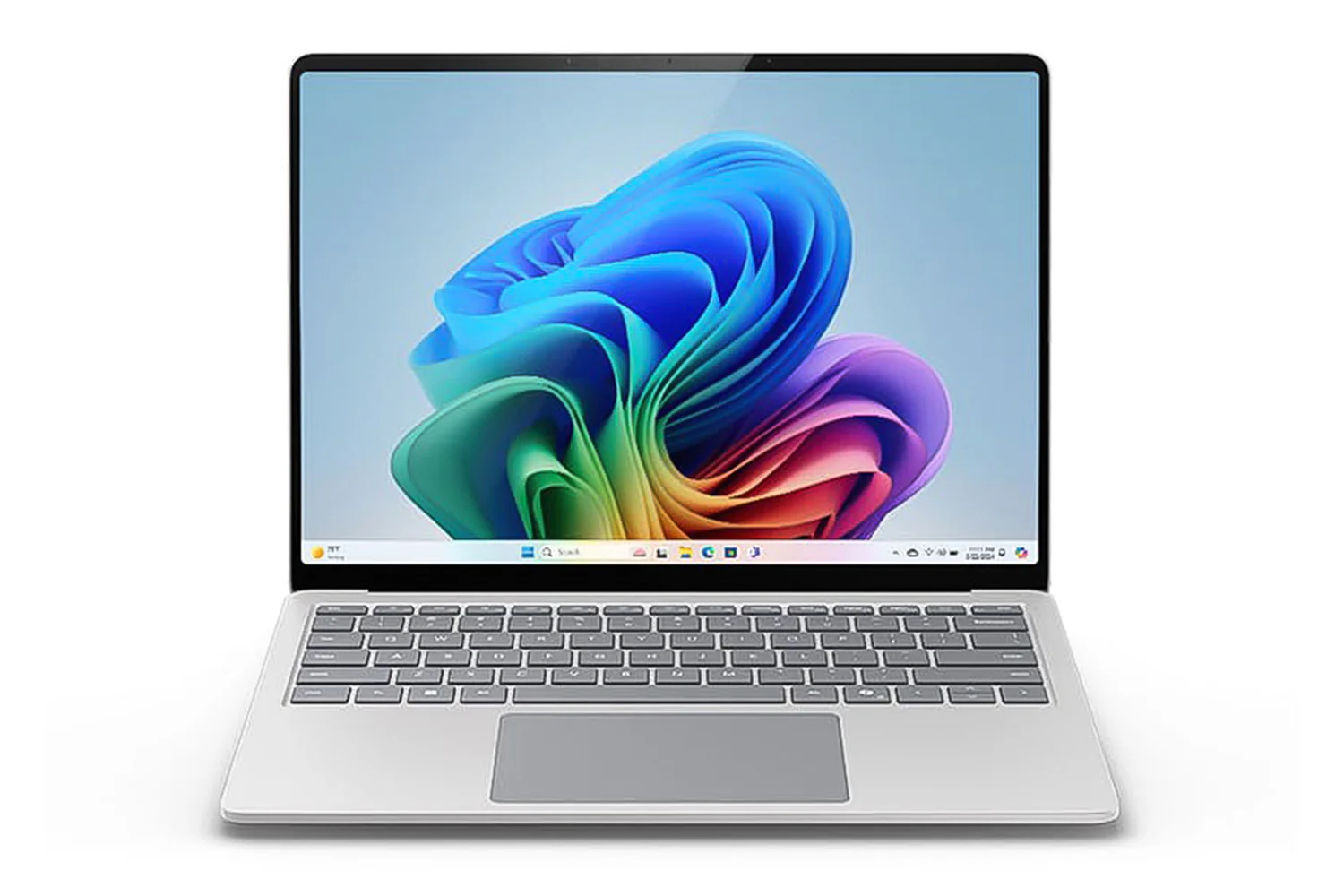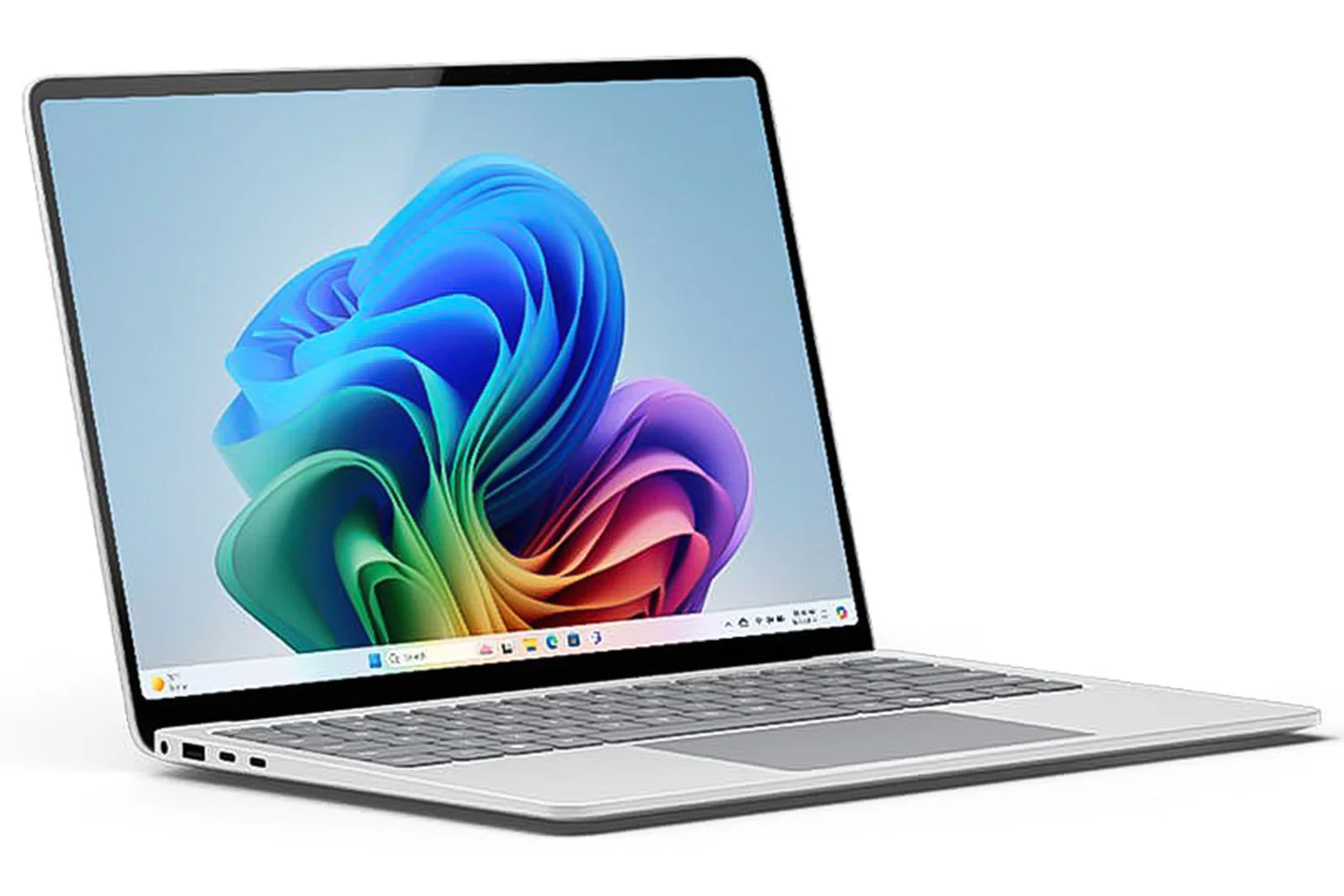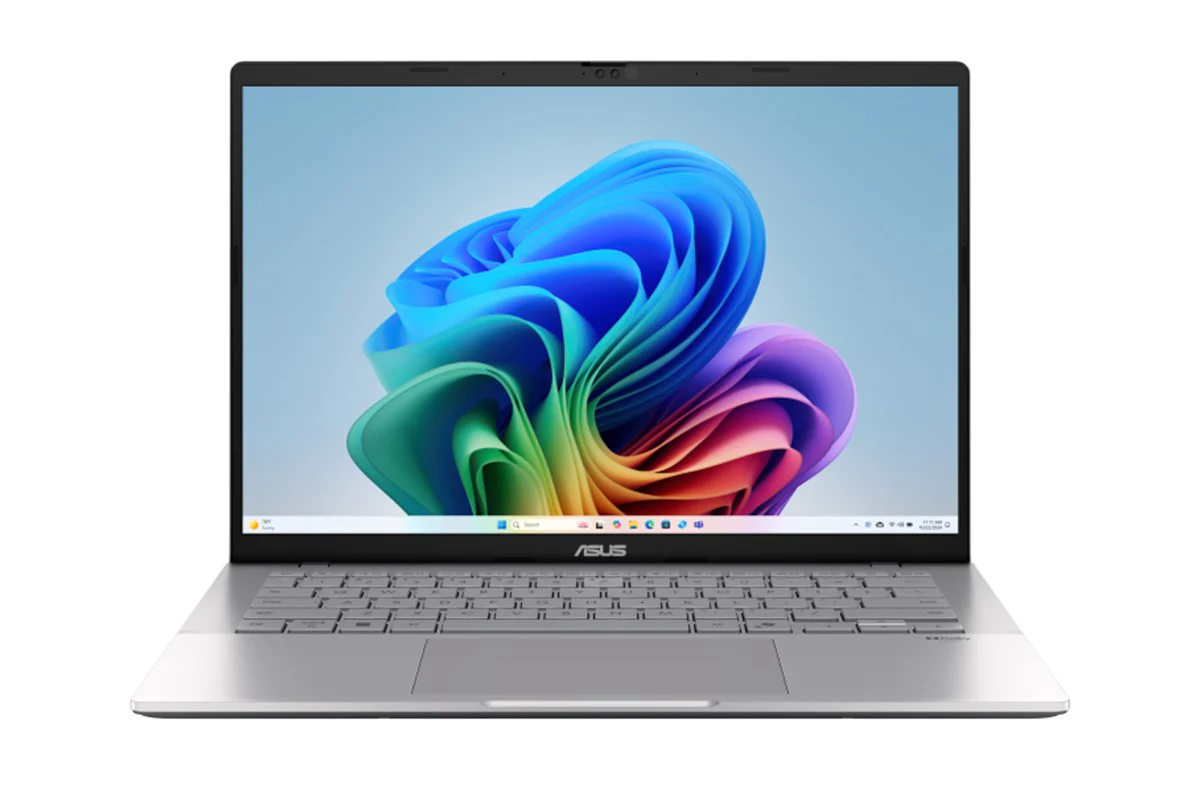
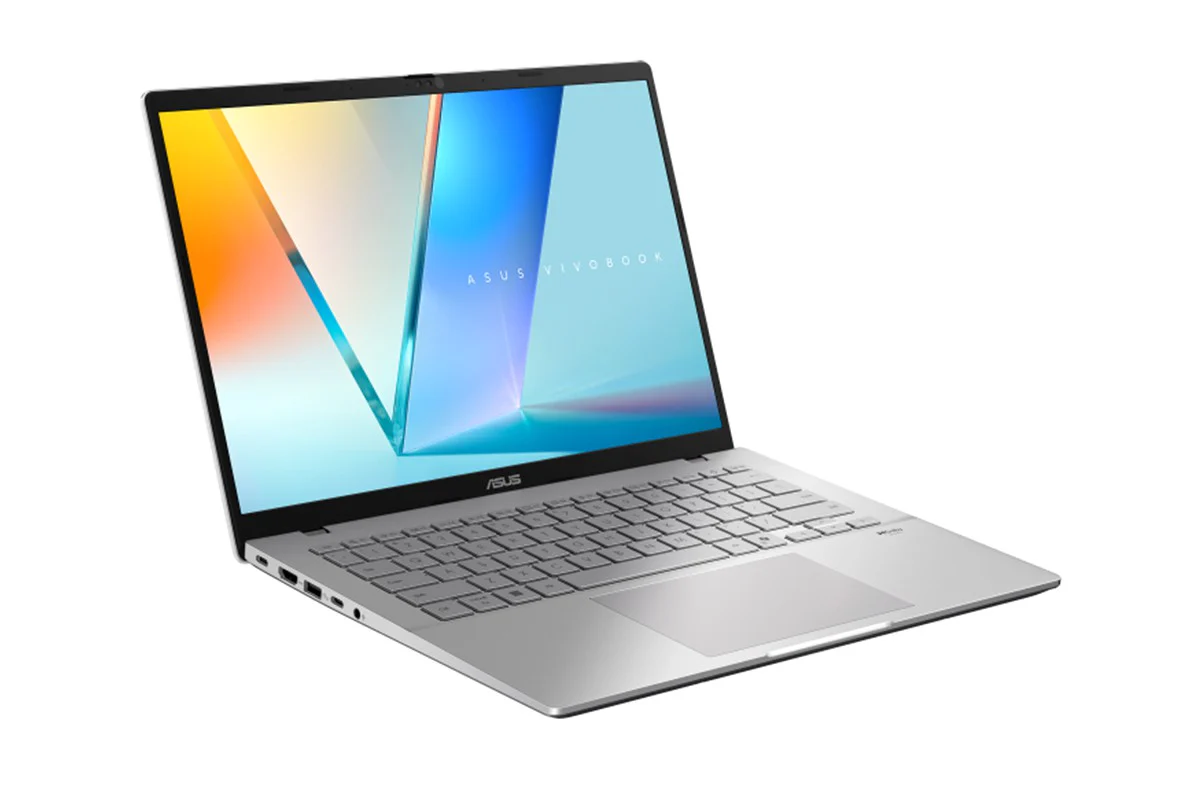
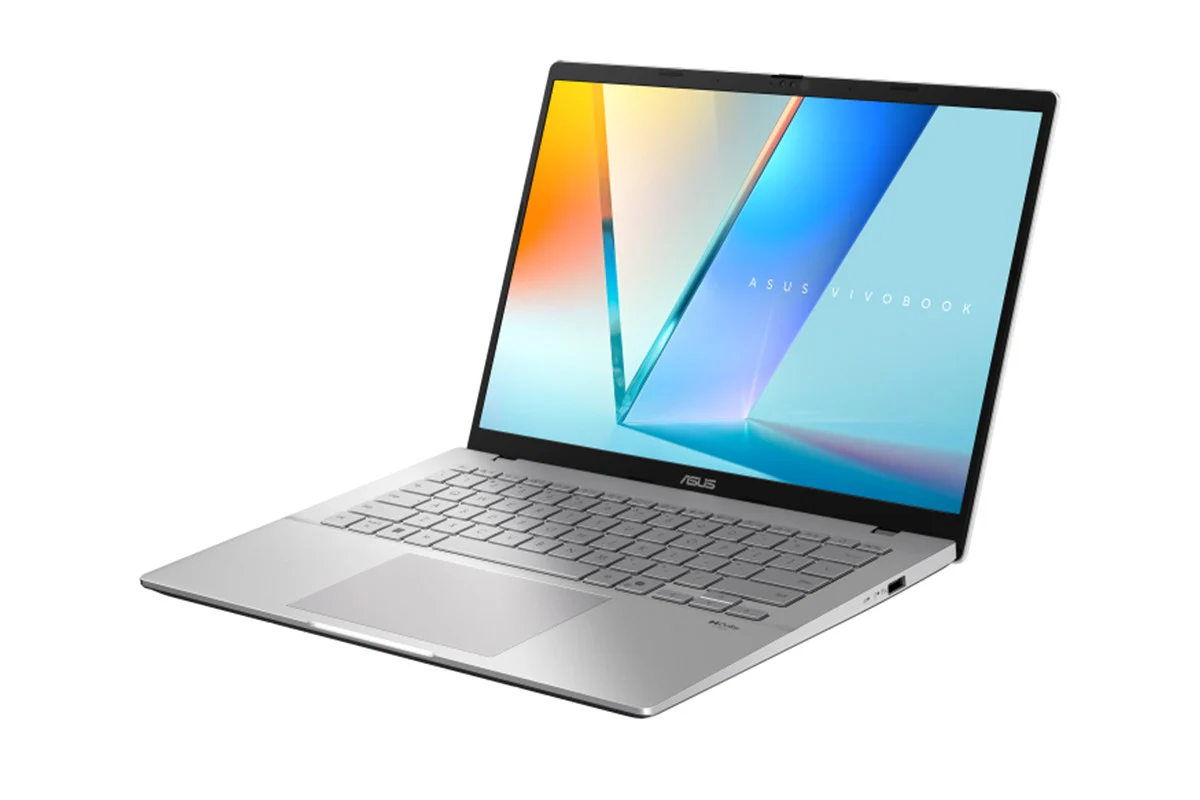
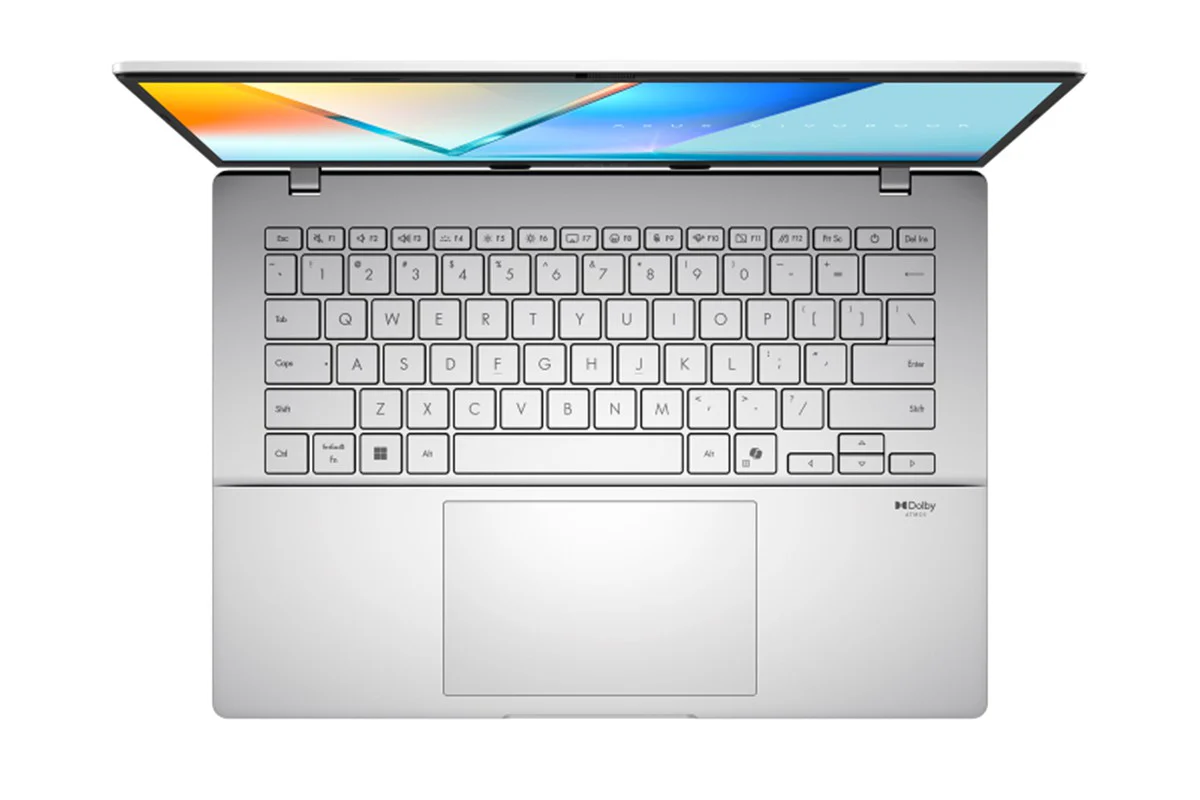
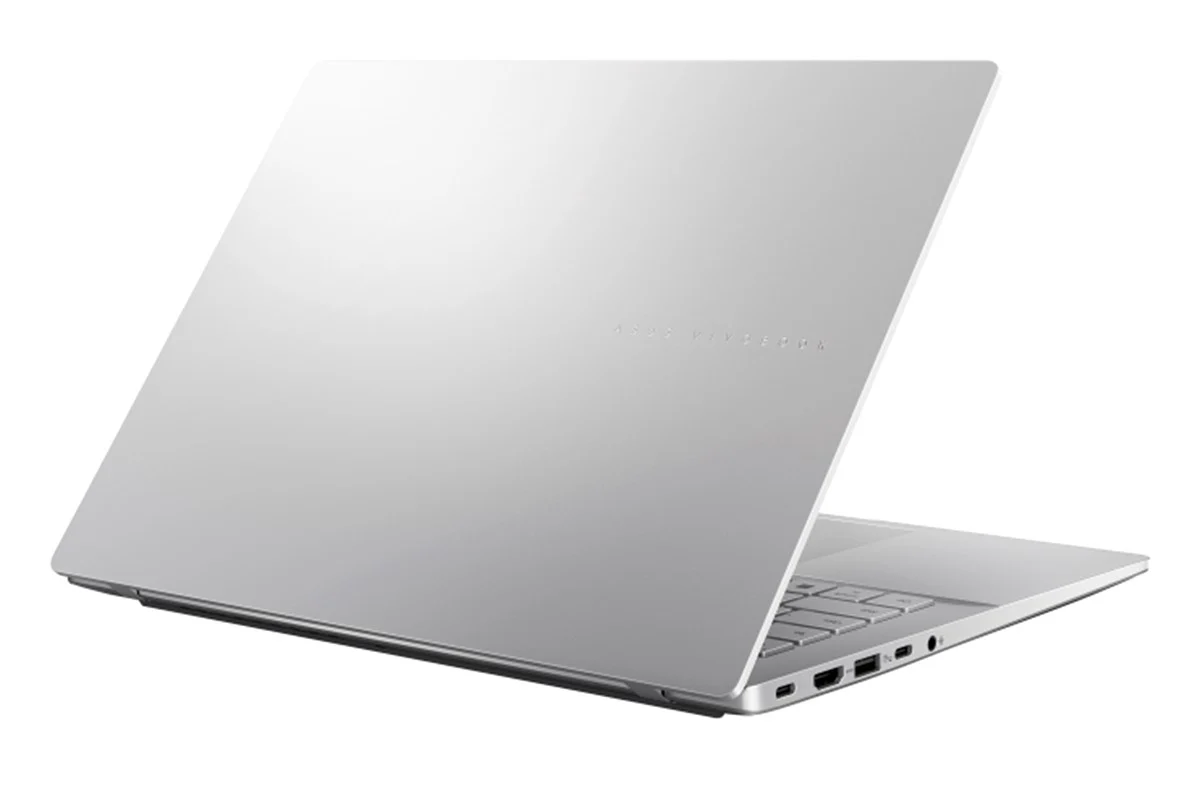
ASUS Vivobook S14 14" AMD Ryzen 5 | 16GB | 512GB | Cool Silver

ASUS Vivobook S14: More Intelligent, More Productive, More Secure
Experience effortless productivity with the ASUS Vivobook S14, your ideal companion for everyday life. Whether for work, study, or play, this ASUS Copilot+ PC helps you power through any task, designed to be more productive, intelligent, and secure. Its sleek metallic design is both practical and stylish, powered by up to AMD Ryzen AI 5 220 processor, with up to 50 NPU TOPs. A 70 Wh of battery[1] delivers all-day productivity for students, young professionals, and digital nomads. Enjoy stunning visuals on the vibrant WUXGA OLED[2] display and immersive sound for better video calls and streaming. Built for a balanced lifestyle, the ASUS Vivobook S14 does more for you, giving you back time to enjoy life’s everyday moments.
Check out the video:

Design: Designed for Life
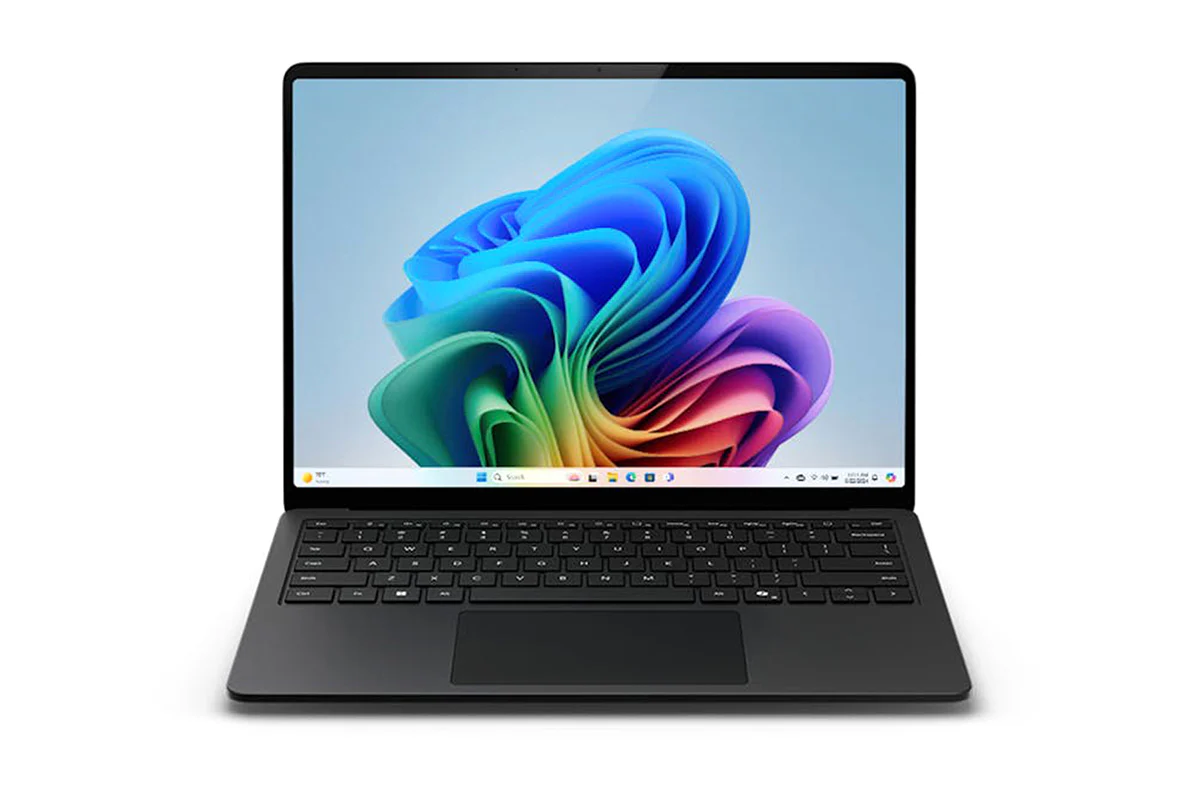
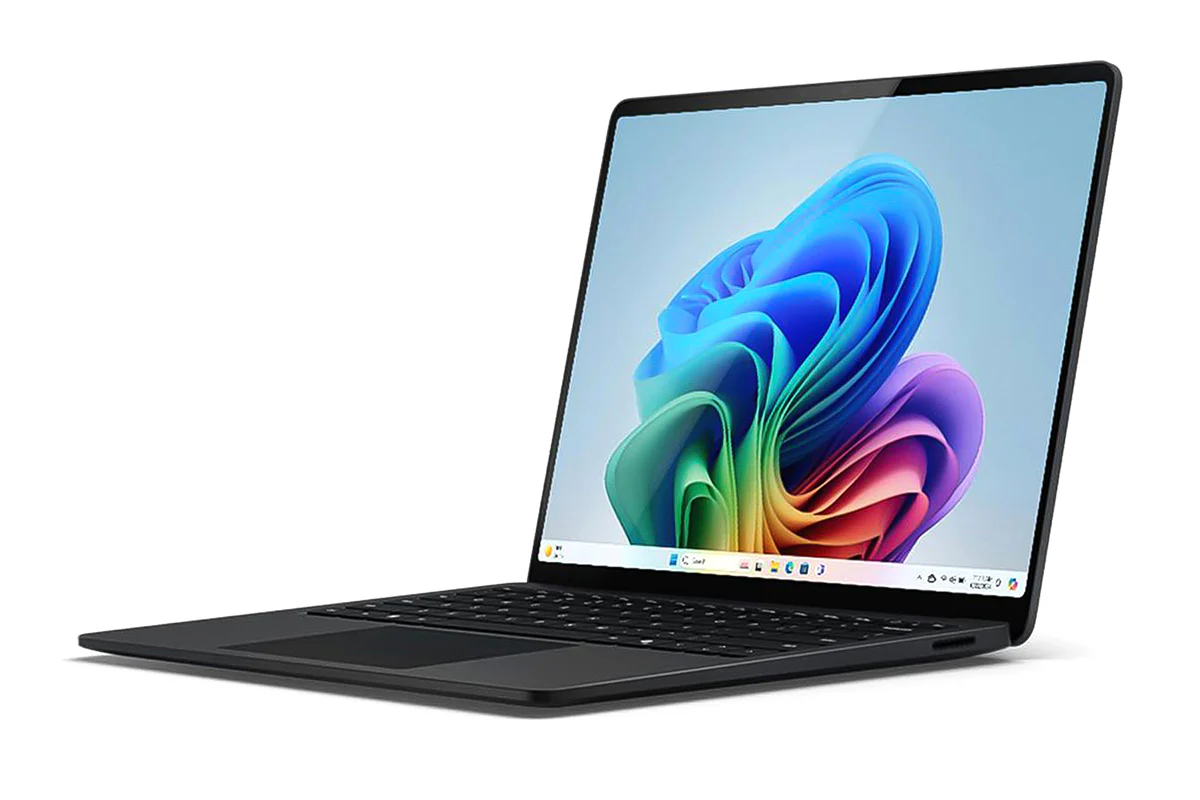
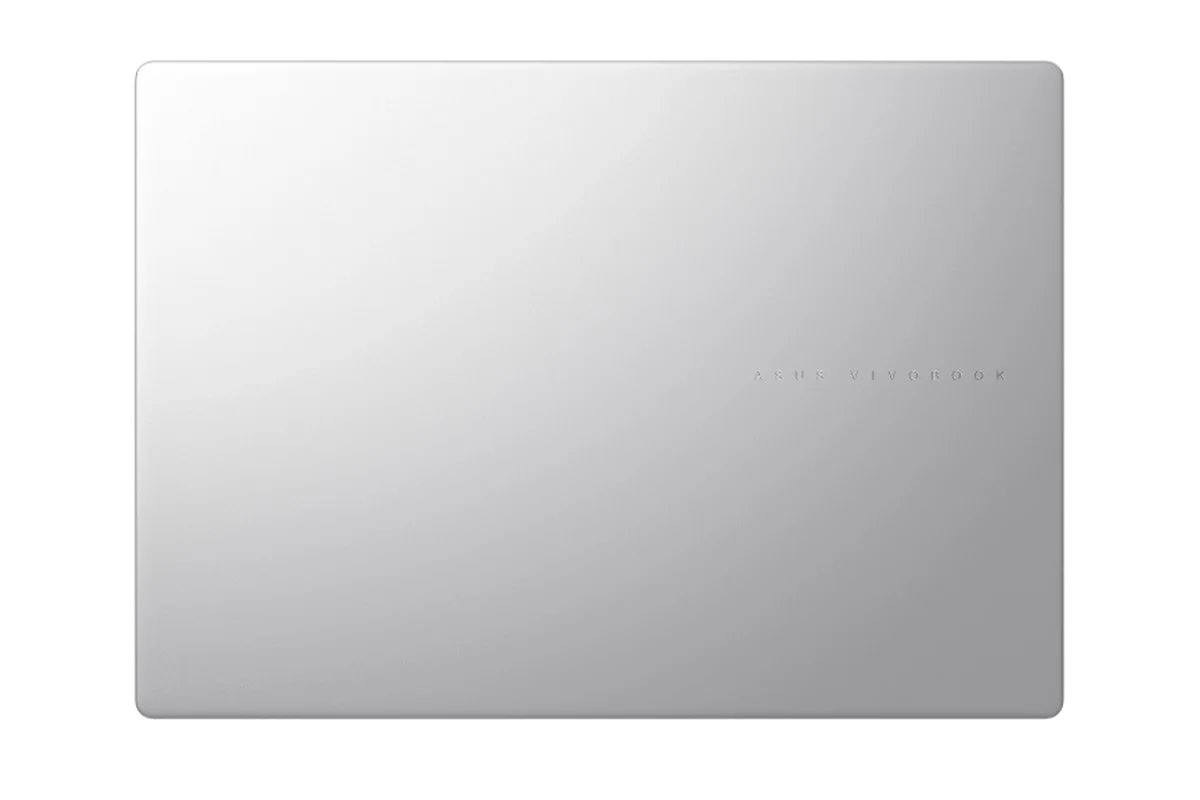
ASUS Vivobook S14 is stylish and modern, with an ultra-slim, lightweight, straight-line design that’s clean and simple outside, but packed with power inside. Its minimalist aesthetics are a perfect fit for any lifestyle, and the premium CNC-engraved logo adds a little touch of glamor. Experience seamless portability and stunning design, all without sacrificing performance.
- Starting at 1.59 cm thin
- 1.40 kg light
Check out the video:
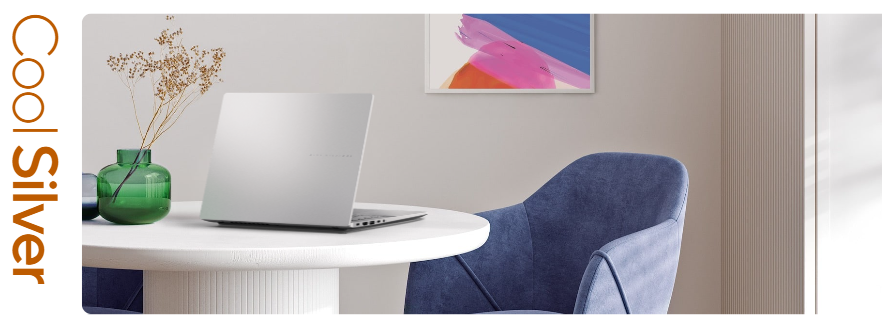
Colors: Inspired by harmony
The harmonious neutral colour palette and metallic finish embody the essence of modern lifestyles. This design is chic but understated, making it a perfect companion for both creative endeavors and leisurely moments.
More Intelligent
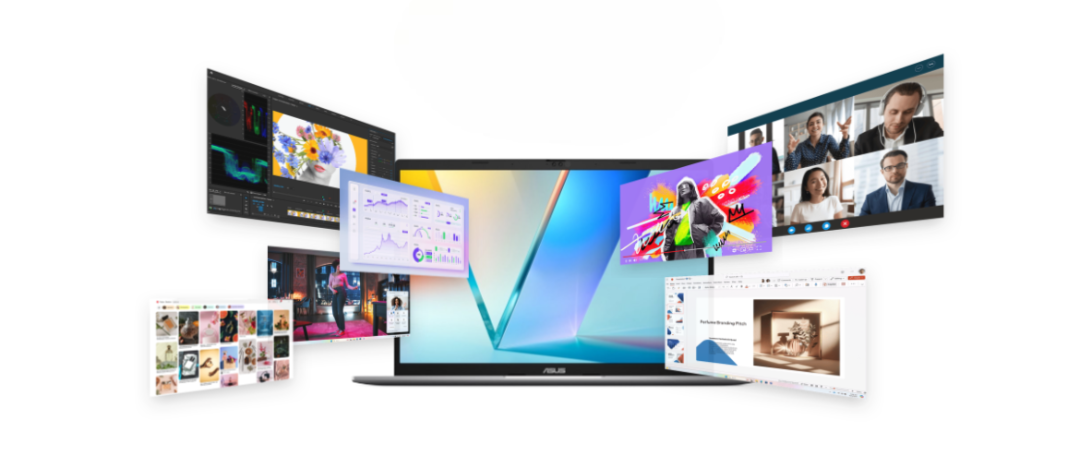
Performance: More Intelligence, Less Limitation
ASUS Vivobook S14 elevates everything with a perfect blend of style and performance. As a Copilot+ PC powered by up to AMD Ryzen AI 5 220 processor with up to 50 NPU TOPs, it offers seamless productivity, content creation, and web browsing. Stay connected and efficient wherever you go, with the added bonus of extended battery life. Whether you’re working, creating, or unwinding, ASUS Vivobook S14 ensures smooth, uninterrupted performance. Experience a laptop that adapts to your needs and transforms the way you work and play.
From Day to Night: More Productive

- 70wh Battery capacity
- Up to 25 hrs battery life
- Up to 1.2x battery lifespan[3]
- 60% in 49 mins Fast Charging technology
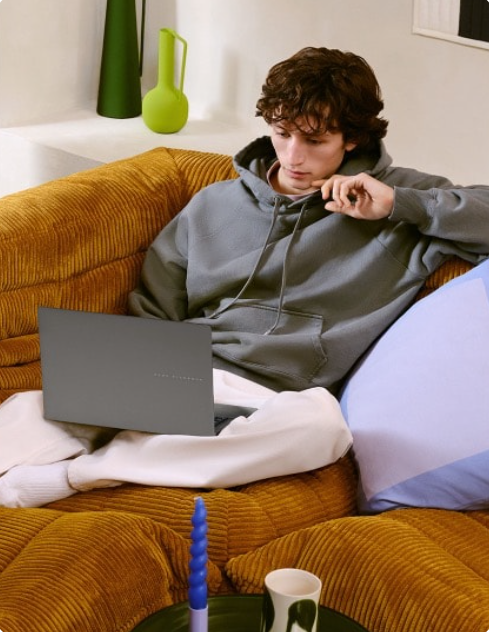
Battery: Power All Day, Every Day
No need to worry about running out of battery with ASUS Vivobook S14! Its high-capacity 70 Wh battery offers all-day stamina for seamless multitasking and entertainment, ensuring your laptop stays energised and ready for anything from dawn to dusk.
Think Smarter, Act Faster with Copilot+ PCs
Assist
Check out the video:
Copilot: Your Everyday AI Companion
Copilot empowers you with AI-driven search, quick summaries, and smart task management — so you can spark ideas, streamline your schedule, and stay focused on what matters most.
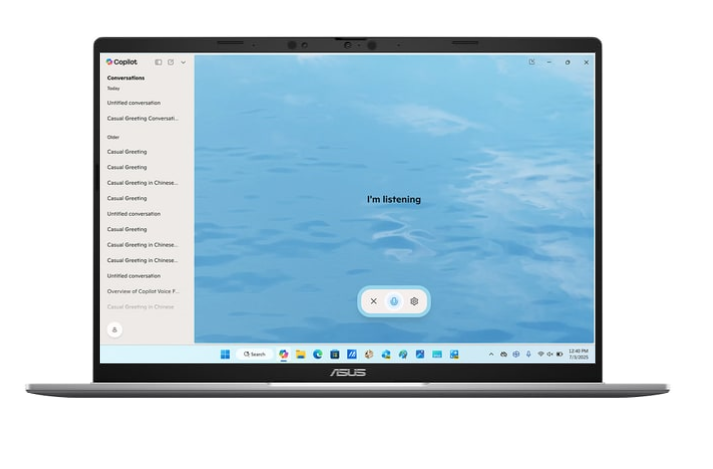
Copilot Voice: Hey Copilot, Your Shortcut to Staying in Flow
Mid-sentence or mid-scroll, Hey Copilot helps you keep moving forward. When you enable Hey Copilot, your voice becomes your shortcut to your thinking partner. Ask questions, bounce ideas, or get guidance from Copilot, whenever you need it.
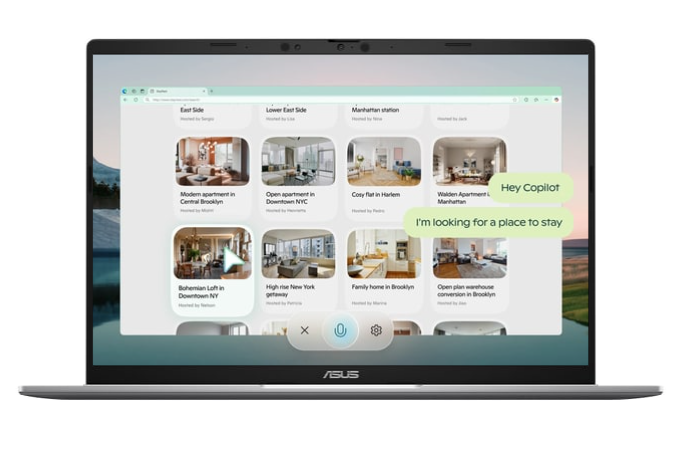
Copilot Vision: Get Help in Real-time with Copilot Vision
Copilot Vision sees what you see and responds in real time, analyzing content, guiding you, and answering questions to keep you flowing - whether you’re browsing, working, or creating. You can even ask Copilot to ‘show me how’, and Copilot will highlight on the screen what to do next.
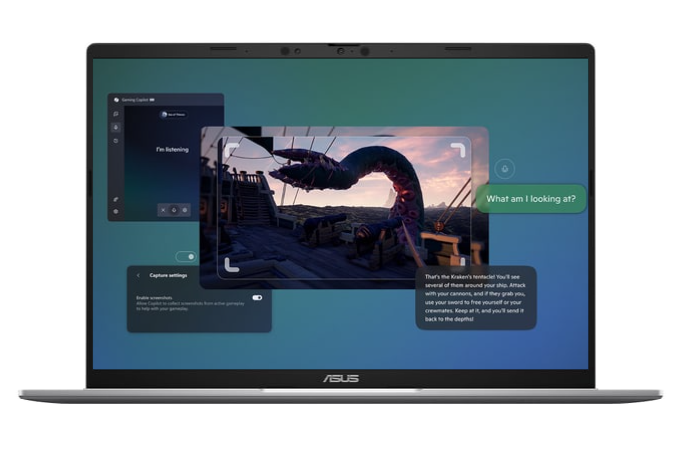
Gaming Copilot (Beta): Your Game-Time Sidekick
Built into Game Bar, Gaming Copilot helps you play smarter with voice commands, screen-aware answers, and personalized tips based on your Xbox activity.
Discover
Check out the video:
Recall (in Preview): Stop Searching. Start Recalling
Looking for a file, email, or webpage? Simply describe how you remember it, and Recall will find it in seconds.
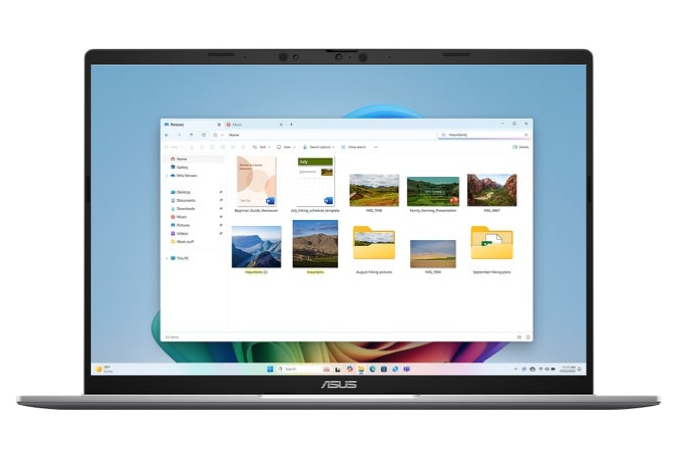
Improved Windows Search: Search Smarter, Not Harder
Use everyday language to find files, settings, or apps in an instant. Just say what you need, and Windows will take care of the rest.
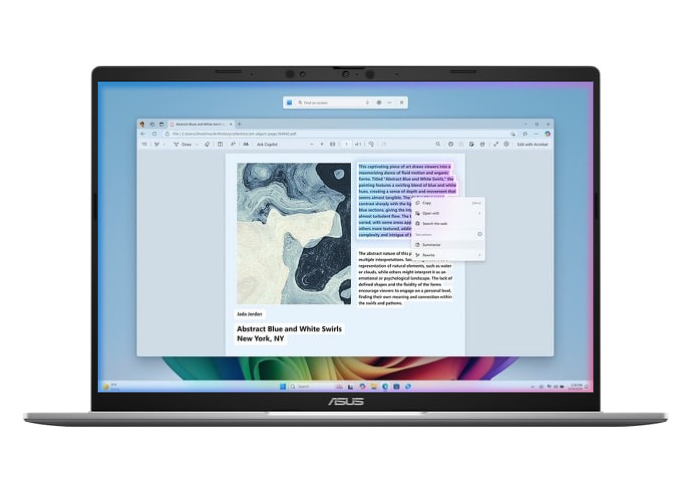
Click to Do (in Preview): Interact Effortlessly, Stay Focused
Launch an interactive overlay that instantly offers context-sensitive actions for text and images, allowing you to summarize, refine, and even perform basic editing tasks, while staying focused.
Create
Check out the video:
Cocreator in Paint: You Sketch It. Cocreator Creates It
Let your inner artist thrive with guidance from Cocreator.
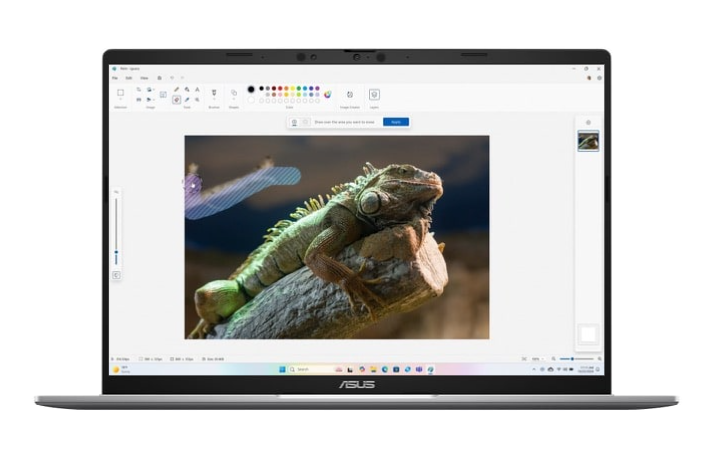
Erase in Paint: Remix Your Art
Use Erase in Paint to instantly take away elements of an image. It’ll be like they were never there.
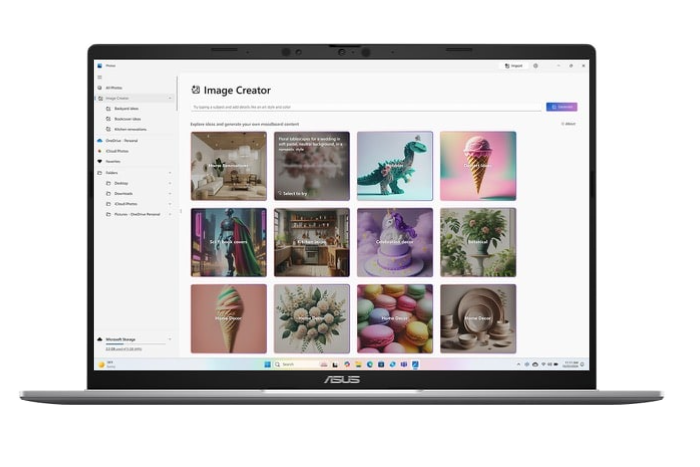
Image Creator in Photos: Ideas, Ideas, Ideas
Explore your ideas further with many interpretations of what inspires you.
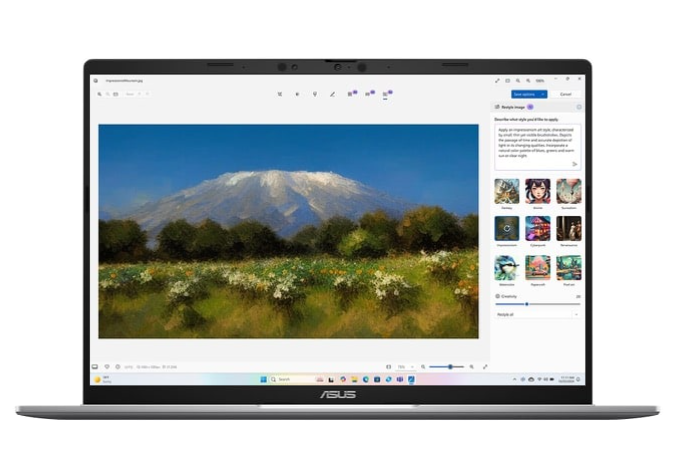
Restyle Image in Photos: It’s All About Style
If you want your art to be more artistic, now you can bring different styles to your images with Restyle Image[4].
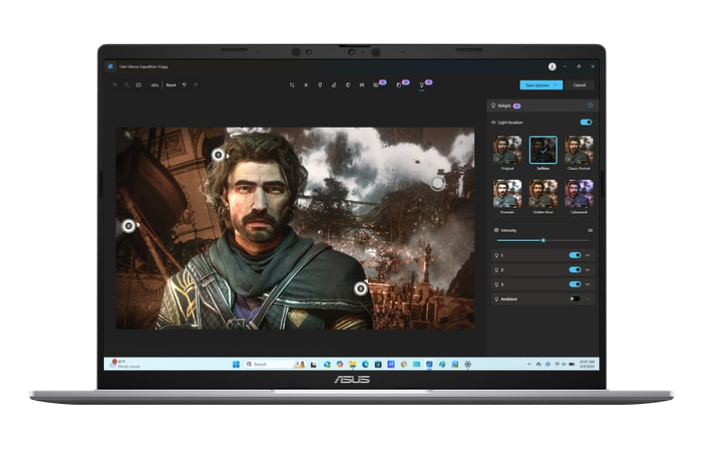
Relight in Photos: Perfect Lighting, Every Time
Position up to three lights, adjust color and focus, or use one-click presets - Relight makes lighting adjustments simple and creative.
Translate
Check out the video:
Live Captions: Translates as You Talk
When you never miss a word, you never miss a beat. Get accurate subtitles in real time with Live Captions.[5]
Enhance
Check out the video:
Windows Studio Effects: Perfect Your Presence
Enhance your video calls with improved lighting, subtle background blur, gaze correction and more, ensuring your presentation stands out when it matters most.
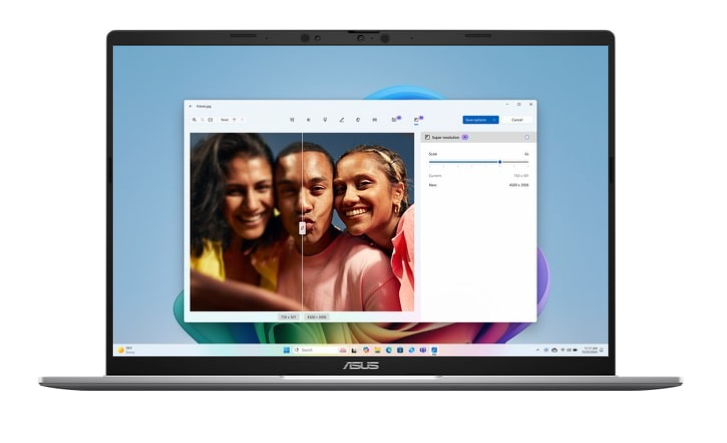
Super Resolution in Photos: Revive Every Detail
Boost low-resolution photos up to 8x with just a few clicks, revealing crisp clarity and vivid details in every memory.
Microsoft 365: Smarter with AI
Check out the video:
Write Smarter, Faster
Generate content effortlessly, refine your writing with AI-powered suggestions, and maintain a polished, professional format with ease.
Check out the video:
Present Like a Pro
Turn ideas into stunning slides instantly. Copilot helps you build presentations from outlines and offers smart design suggestions for a polished look.
Check out the video:
Transform Data into Decisions
Analyze data with ease—Copilot suggests formulas, creates charts, and provides insights, helping you spot trends and make informed decisions faster.
Check out the video:
Email, Simplified
Save time with AI-assisted email drafting and thread summarization, so you can respond quickly and stay on top of important conversations.
AI Experience: More Simplicity, Less Complexity
ASUS AI applications elevate your daily routine with unparalleled convenience. Seamlessly organize your multimedia library with AI-powered categorization, safeguard your privacy with AI assistance, and experience crystal-clear audio with smart noise cancelation. Embrace the future of technology with ASUS, where AI enhances every aspect of your life.
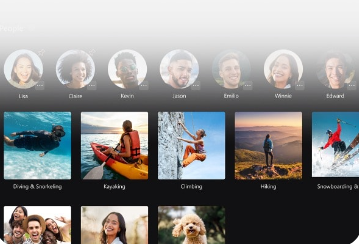
AI for Organizing Multimedia
StoryCube is an AI-powered digital asset-management tool, which can automatically organize your photos and videos.

Best Online Meeting Experience
AI camera makes sure that you always look your best during virtual conferences.
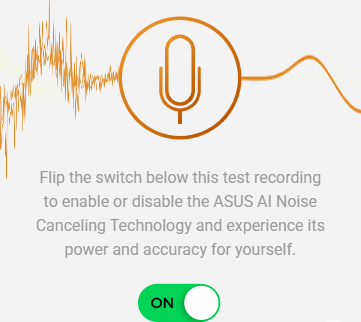
AI for the Clearest Audio
ASUS AI Noise Cancelation leverages a massive deep-learning database to reduce background noise in meetings and calls, for crystal-clear audio.
More Secure
Smart Privacy: More Security, Less Worry
Log in with Windows Hello facial recognition, stay protected by Microsoft Pluton’s hardware-to-cloud defenses, and enjoy smarter interactions with Voice Print Technology[6], which recognizes your unique voice for personalized, precise AI responses, even in a crowd.

Voice Print Technology[6]
Like a fingerprint for your voice, it keeps you secure and helps AI respond with personalized accuracy. By recognizing who’s speaking, even in a group, it delivers the right answer to the right person every time.
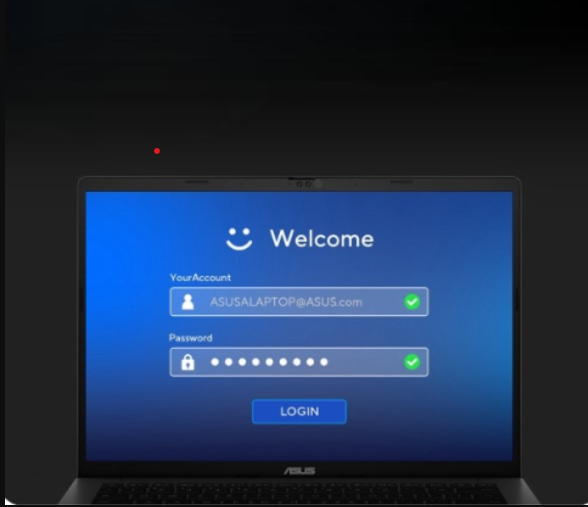
Seamless Secure Access
Secure your password via Windows Hello, making the authentication process fast and secure with facial recognition.

Unlock, Instantly
The Windows Hello infrared (IR) camera allows you to unlock your laptop quickly and securely.
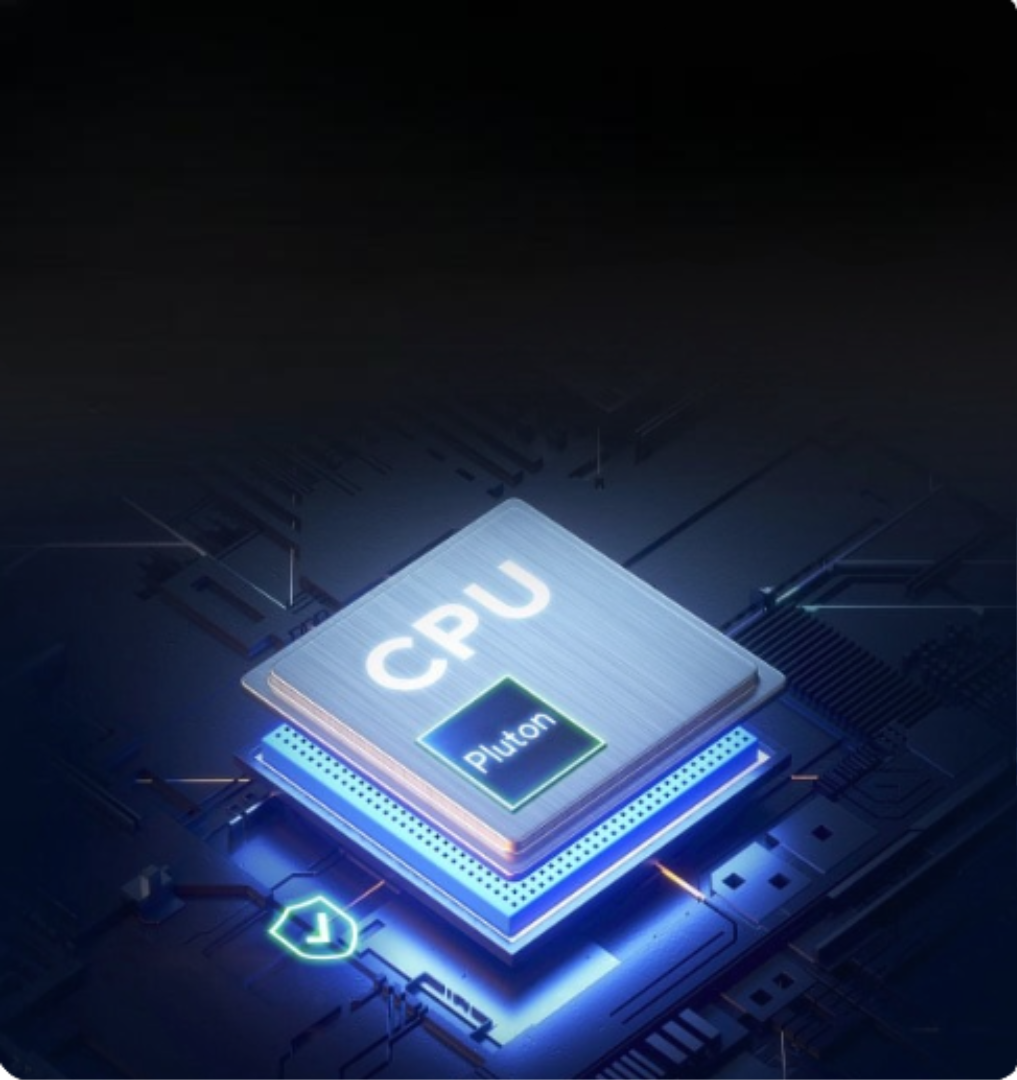
Microsoft Pluton
Passkeys built into the CPU, with sensitive data securely stored on your device.
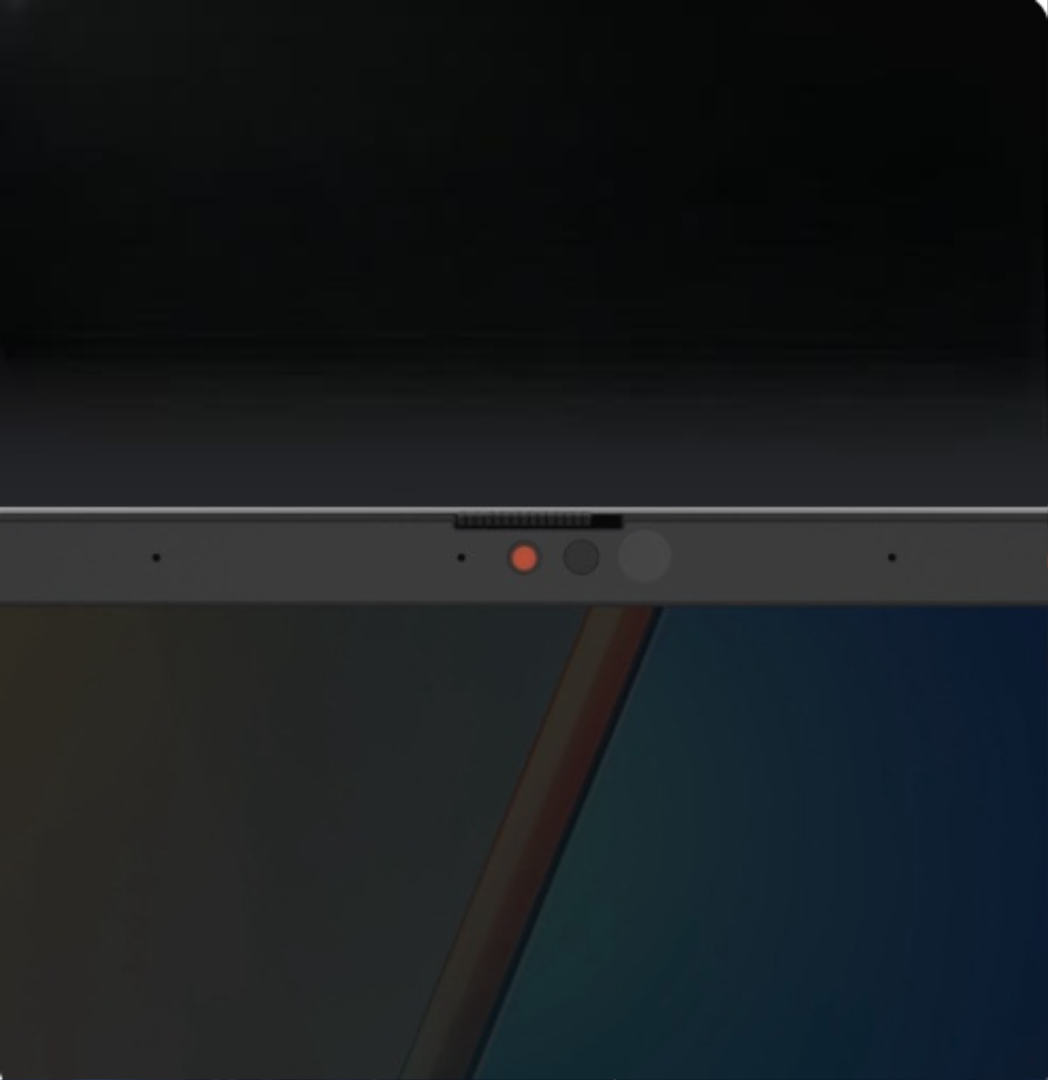
Physical Webcam Privacy Shield
The integrated magnetic physical camera shutter slides over the webcam for instant privacy protection against prying eyes and disturbances.
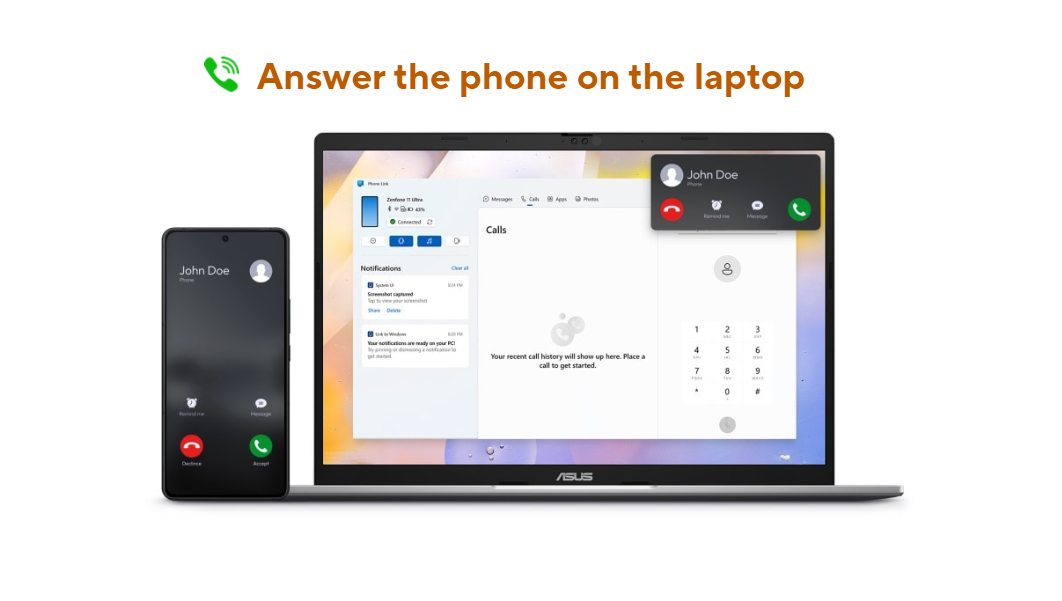
Seamless Experience: Seamless Everywhere
Experience an effortless life with seamless transitions across your laptop and phone for calls, texts, and file access via Microsoft Phone Link. This technology enhances cross-platform collaboration, integrating all your devices and peripherals into one unified system.
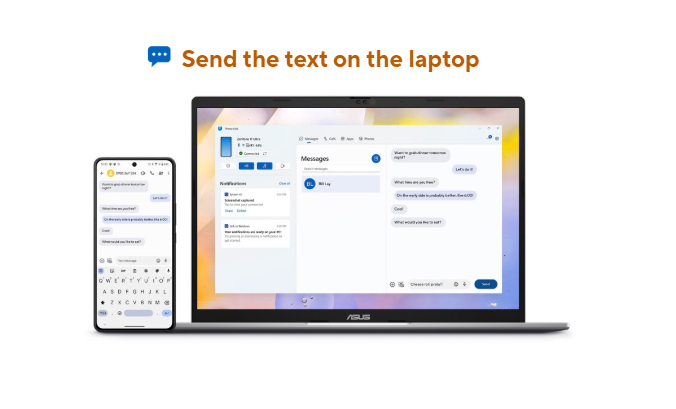
Send the Text on the Laptop
Immersive Experience: Display: More Immersive
ASUS Vivobook S14 features a stunning 16:10 WUXGA OLED display, offering deep blacks, vibrant colors, and smooth motion for a stunning visual experience. Its wider screen enhances productivity, while the vibrant visuals ensure an immersive experience for work, study, and play.
Tune Into the Future, Hear Every Detail
Connectivity: More Connectivity, Less Hassle
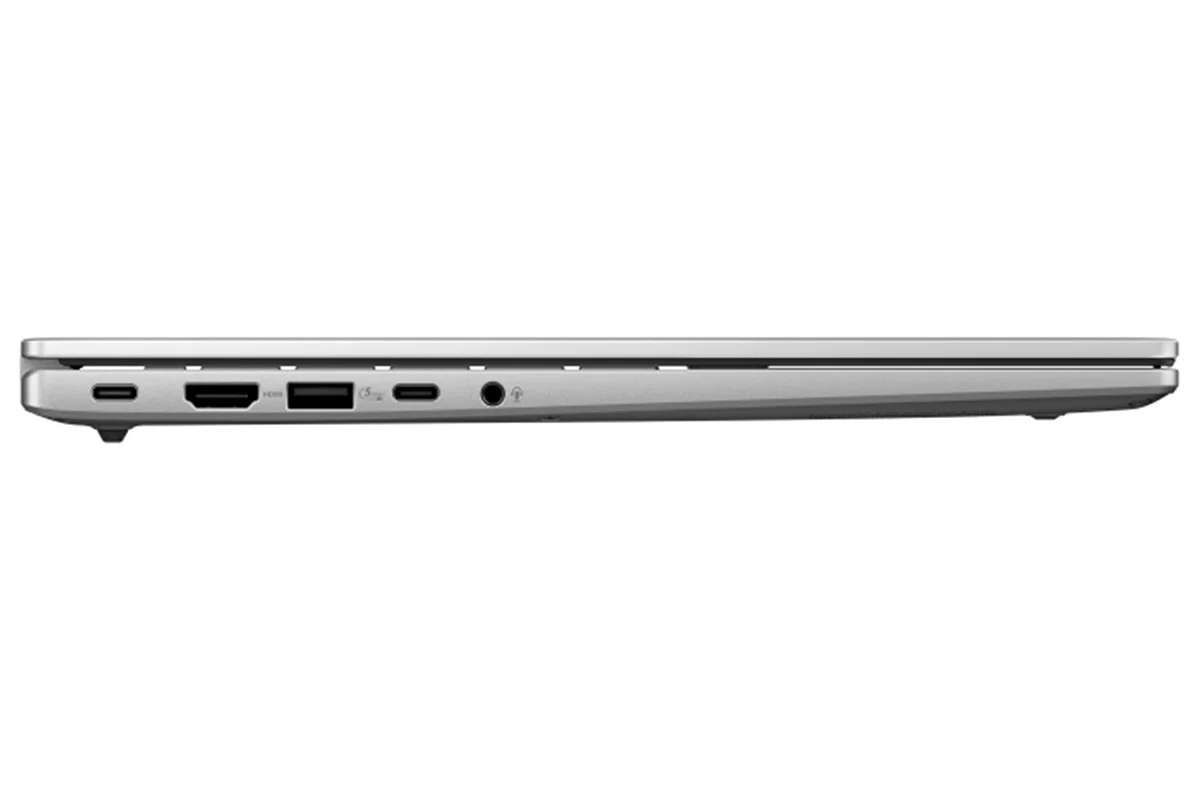
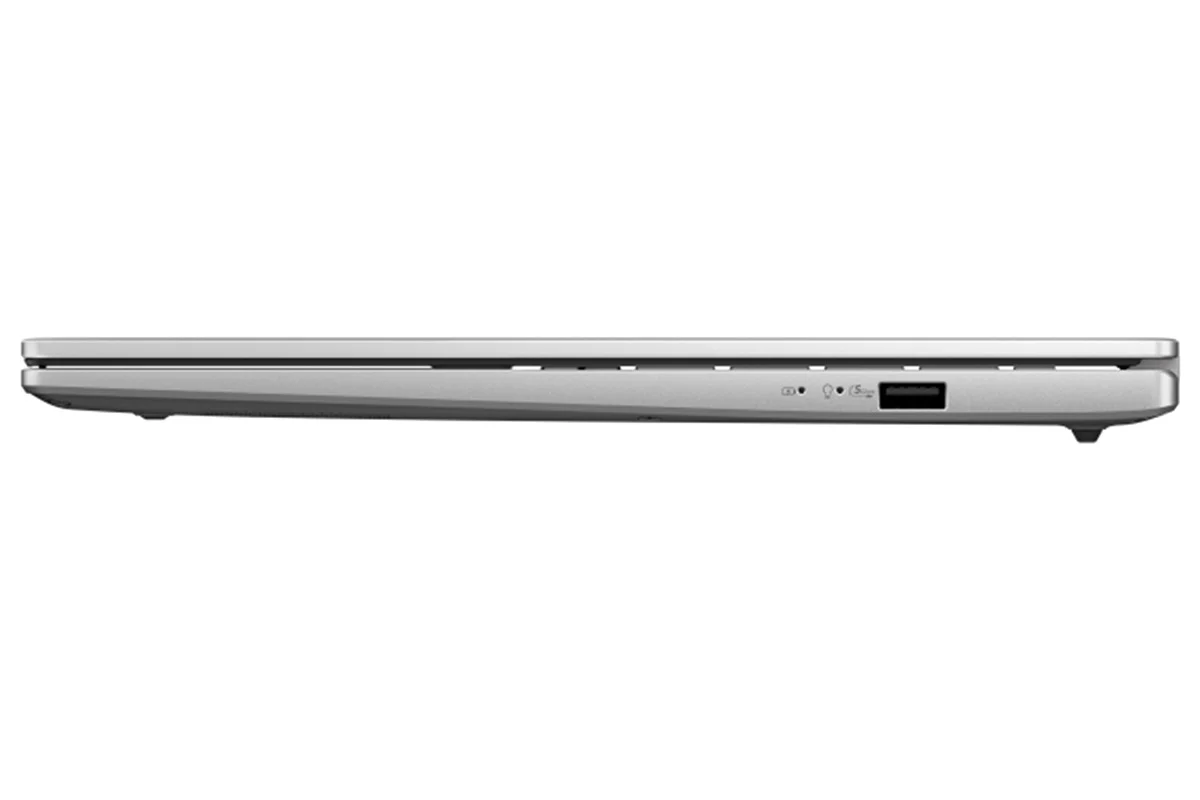
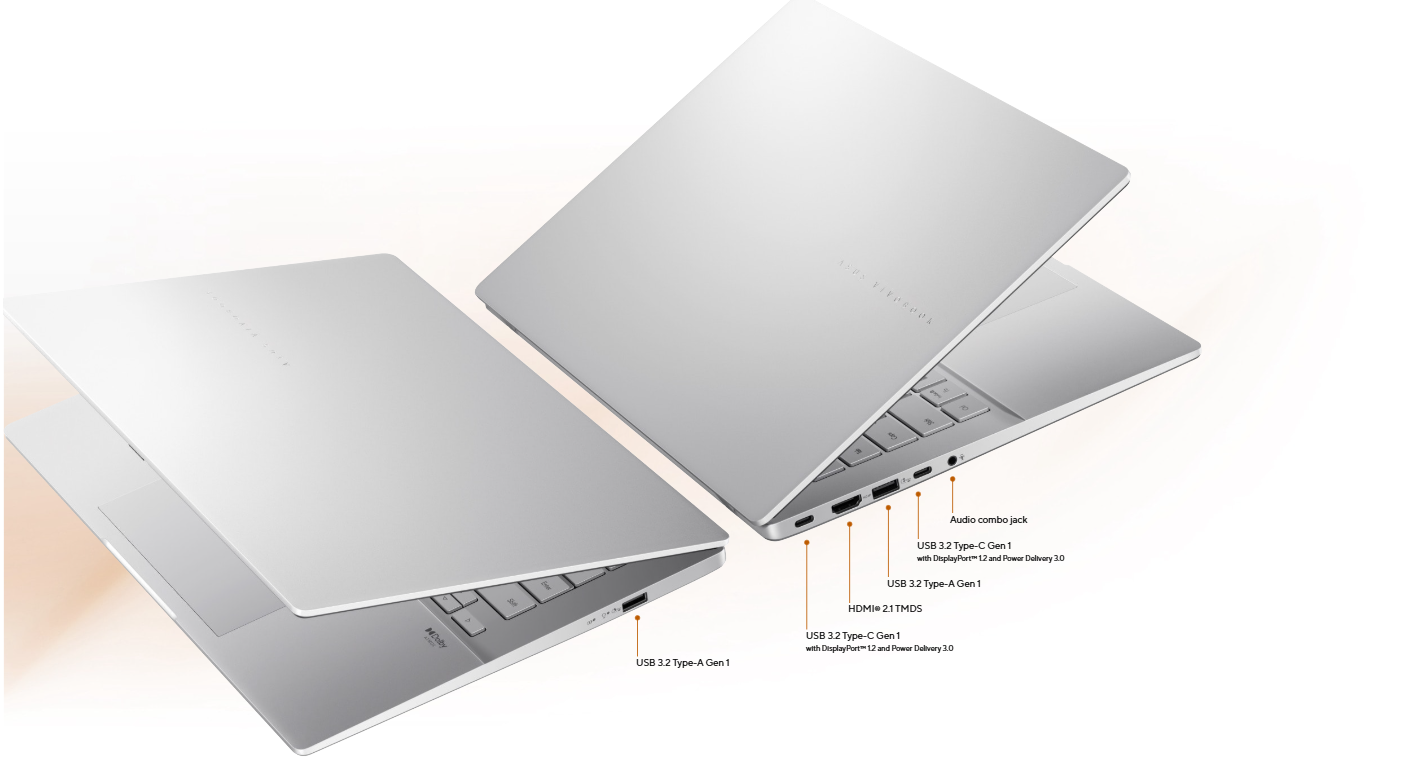
ASUS Vivobook S14 offers effortless connectivity, with all the essential ports you need. Say goodbye to annoying dongles and adapters — connect your devices seamlessly. It’s designed for your on-the-go lifestyle.
Touchpad: More Intuitive, Less Effort
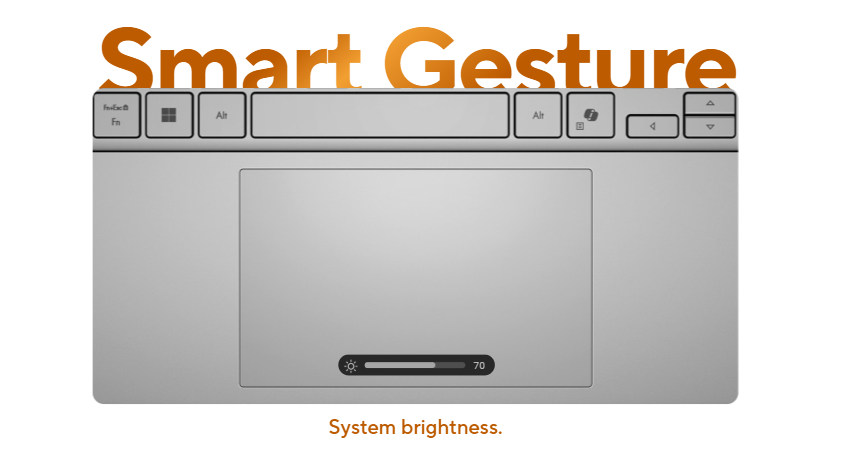
The enlarged touchpad matches the display’s aspect ratio for intuitive control. The extra area increases comfort and makes gestures easier.
Vivobook Gives You More
Military Grade: Built Tough, Built Right
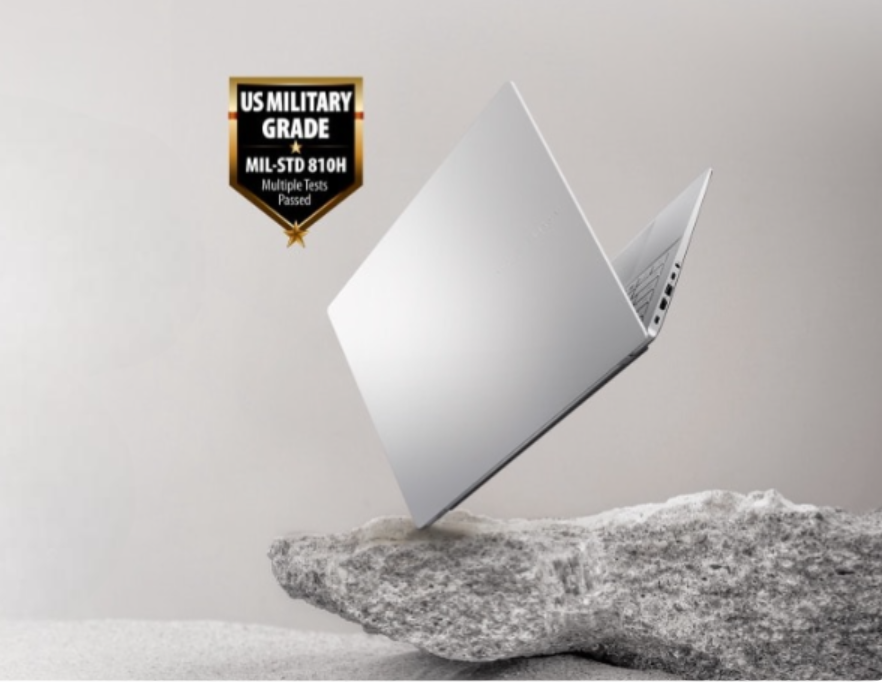
ASUS consumer laptops meet the ultra-demanding MIL-STD 810H military standard15 for reliability and durability, undergoing a punishing test regime that includes extended tests for operation in harsh environments. These factors also help improve the laptops’ longevity and hence their sustainability, so you can work, travel or relax with the confidence that your ASUS laptop is ready for the real world — today, and long into the future.
Software: Truly Personalized Workflow
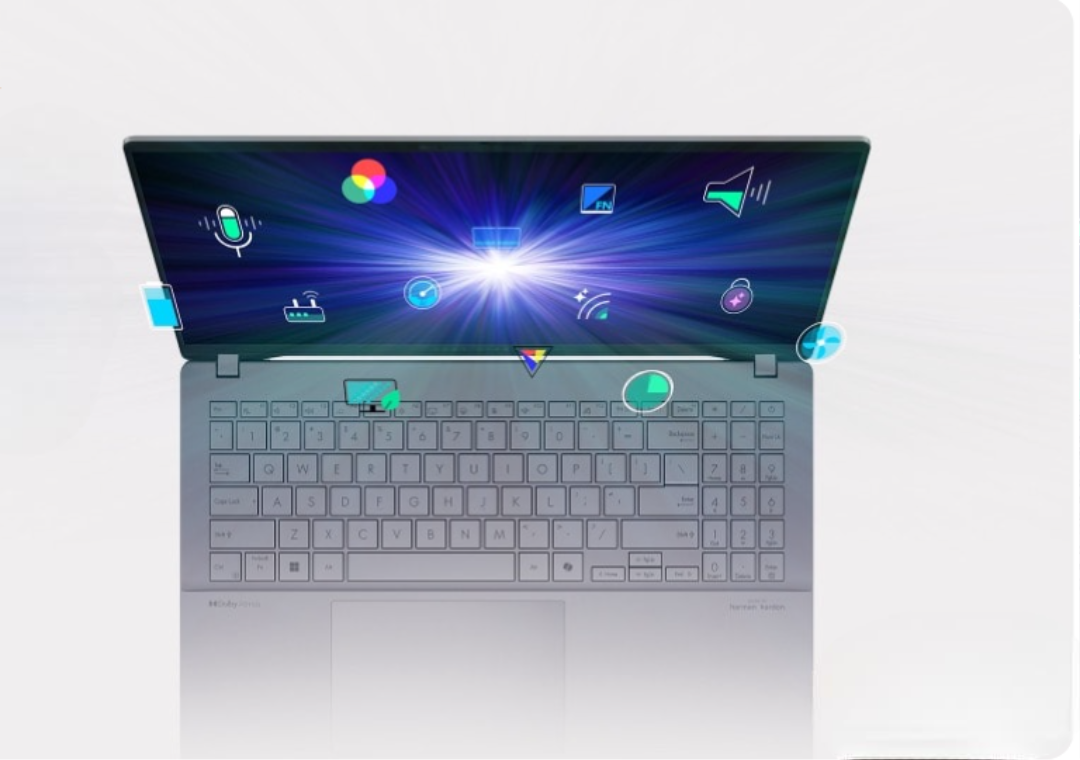
ASUS offers a suite of software designed to take your computing experience up a notch. MyASUS provides a collection of handy apps and tools that help you get more out of your laptop, while ASUS GlideX enables you to get more done by sharing screens across devices. Plus, ScreenXpert helps you manage app windows across all connected displays for a smoother workflow.

Environment: Sustaining an incredible future
ASUS always search for the incredible, and ASUS believe that you, too, share ASUS passion for minimizing ASUS environmental impact on the world. ASUS serious commitment to environment, social, and governance (ESG) issues aims to empower you and everyone else ASUS work with to push forward for a more sustainable future. Let's become sustainable - together.
Notes:
1. Battery tests conducted by ASUS in December, 2025 using the 1080p Video Playback scenario. Test configuration: Vivobook S14, WUXGA OLED panel, AMD Ryzen AI 5 220 processor, 16 GB RAM, 70 Wh battery. Test settings: WiFi disabled, Keyboard backlight disabled, Windows Power Mode set to Balance mode, display brightness set to 150 cd/m2 with headset, default earbud volume. Actual battery life may vary depending on product configuration, usage, operational conditions, and power management settings. Battery life will decrease over the lifetime of the battery.
2. The visual appearance of OLED displays may change over the product’s lifetime. This is expected behavior that can include image persistence or burn-in, where the display shows a faint remnant of an image even after a new image appears on the screen. This tends to occur only in extreme use cases, such as when a static, high-contrast image is continuously displayed for prolonged periods of time. ASUS laptops with an OLED display minimize this risk by setting Windows’s Dark mode as default, as well as shortening the idle time before the screen is turned off — both on mains (AC) and battery (DC) power. This dual approach minimizes the potential for burn-in to maximize the lifespan of your OLED display lifespan, and also reduces unnecessary power draw for optimal battery life. ASUS also recommended adjust the brightness of your OLED display to complement the ambient lighting in your environment, rather than keeping the screen at maximum brightness at all times. You should also ensure that you have an animated, dark-background screensaver enabled in the Windows Settings tool.
3. This data is derived from ASUS laboratory testing, which involves simulating daily charging frequency as the testing standard. The actual lifespan of the battery may differ depending on factors such as product configuration, usage patterns, operational conditions, and power management settings. Over time, the battery’s longevity will naturally decrease.
4. Optimized for English text prompts. Requires Microsoft account and internet connection to access cloud services that help ensure the responsible use of AI.
5. Currently supports translation for video and audio subtitles into English and Chinese from 40+ languages depending on model and specifications.
6. Voice recognition accuracy may vary, as a person’s voice can change with emotion, health, or environment. For best results, register your voiceprint in a quiet environment before use.
Product Features:
- System diagnosis
- Battery health charging
- Fan Profile
- Splendid
- Function key lock
- WiFi SmartConnect
- TaskFirst
- Live update
- ASUS OLED Care
- AI Noise Canceling
Original: $637.32
-65%$637.32
$223.06Product Information
Product Information
Shipping & Returns
Shipping & Returns
Description
ASUS Vivobook S14: More Intelligent, More Productive, More Secure
Experience effortless productivity with the ASUS Vivobook S14, your ideal companion for everyday life. Whether for work, study, or play, this ASUS Copilot+ PC helps you power through any task, designed to be more productive, intelligent, and secure. Its sleek metallic design is both practical and stylish, powered by up to AMD Ryzen AI 5 220 processor, with up to 50 NPU TOPs. A 70 Wh of battery[1] delivers all-day productivity for students, young professionals, and digital nomads. Enjoy stunning visuals on the vibrant WUXGA OLED[2] display and immersive sound for better video calls and streaming. Built for a balanced lifestyle, the ASUS Vivobook S14 does more for you, giving you back time to enjoy life’s everyday moments.
Check out the video:
Design: Designed for Life
ASUS Vivobook S14 is stylish and modern, with an ultra-slim, lightweight, straight-line design that’s clean and simple outside, but packed with power inside. Its minimalist aesthetics are a perfect fit for any lifestyle, and the premium CNC-engraved logo adds a little touch of glamor. Experience seamless portability and stunning design, all without sacrificing performance.
- Starting at 1.59 cm thin
- 1.40 kg light
Check out the video:
Colors: Inspired by harmony
The harmonious neutral colour palette and metallic finish embody the essence of modern lifestyles. This design is chic but understated, making it a perfect companion for both creative endeavors and leisurely moments.
More Intelligent
Performance: More Intelligence, Less Limitation
ASUS Vivobook S14 elevates everything with a perfect blend of style and performance. As a Copilot+ PC powered by up to AMD Ryzen AI 5 220 processor with up to 50 NPU TOPs, it offers seamless productivity, content creation, and web browsing. Stay connected and efficient wherever you go, with the added bonus of extended battery life. Whether you’re working, creating, or unwinding, ASUS Vivobook S14 ensures smooth, uninterrupted performance. Experience a laptop that adapts to your needs and transforms the way you work and play.
From Day to Night: More Productive
- 70wh Battery capacity
- Up to 25 hrs battery life
- Up to 1.2x battery lifespan[3]
- 60% in 49 mins Fast Charging technology
Battery: Power All Day, Every Day
No need to worry about running out of battery with ASUS Vivobook S14! Its high-capacity 70 Wh battery offers all-day stamina for seamless multitasking and entertainment, ensuring your laptop stays energised and ready for anything from dawn to dusk.
Think Smarter, Act Faster with Copilot+ PCs
Assist
Check out the video:
Copilot: Your Everyday AI Companion
Copilot empowers you with AI-driven search, quick summaries, and smart task management — so you can spark ideas, streamline your schedule, and stay focused on what matters most.
Copilot Voice: Hey Copilot, Your Shortcut to Staying in Flow
Mid-sentence or mid-scroll, Hey Copilot helps you keep moving forward. When you enable Hey Copilot, your voice becomes your shortcut to your thinking partner. Ask questions, bounce ideas, or get guidance from Copilot, whenever you need it.
Copilot Vision: Get Help in Real-time with Copilot Vision
Copilot Vision sees what you see and responds in real time, analyzing content, guiding you, and answering questions to keep you flowing - whether you’re browsing, working, or creating. You can even ask Copilot to ‘show me how’, and Copilot will highlight on the screen what to do next.
Gaming Copilot (Beta): Your Game-Time Sidekick
Built into Game Bar, Gaming Copilot helps you play smarter with voice commands, screen-aware answers, and personalized tips based on your Xbox activity.
Discover
Check out the video:
Recall (in Preview): Stop Searching. Start Recalling
Looking for a file, email, or webpage? Simply describe how you remember it, and Recall will find it in seconds.
Improved Windows Search: Search Smarter, Not Harder
Use everyday language to find files, settings, or apps in an instant. Just say what you need, and Windows will take care of the rest.
Click to Do (in Preview): Interact Effortlessly, Stay Focused
Launch an interactive overlay that instantly offers context-sensitive actions for text and images, allowing you to summarize, refine, and even perform basic editing tasks, while staying focused.
Create
Check out the video:
Cocreator in Paint: You Sketch It. Cocreator Creates It
Let your inner artist thrive with guidance from Cocreator.
Erase in Paint: Remix Your Art
Use Erase in Paint to instantly take away elements of an image. It’ll be like they were never there.
Image Creator in Photos: Ideas, Ideas, Ideas
Explore your ideas further with many interpretations of what inspires you.
Restyle Image in Photos: It’s All About Style
If you want your art to be more artistic, now you can bring different styles to your images with Restyle Image[4].
Relight in Photos: Perfect Lighting, Every Time
Position up to three lights, adjust color and focus, or use one-click presets - Relight makes lighting adjustments simple and creative.
Translate
Check out the video:
Live Captions: Translates as You Talk
When you never miss a word, you never miss a beat. Get accurate subtitles in real time with Live Captions.[5]
Enhance
Check out the video:
Windows Studio Effects: Perfect Your Presence
Enhance your video calls with improved lighting, subtle background blur, gaze correction and more, ensuring your presentation stands out when it matters most.
Super Resolution in Photos: Revive Every Detail
Boost low-resolution photos up to 8x with just a few clicks, revealing crisp clarity and vivid details in every memory.
Microsoft 365: Smarter with AI
Check out the video:
Write Smarter, Faster
Generate content effortlessly, refine your writing with AI-powered suggestions, and maintain a polished, professional format with ease.
Check out the video:
Present Like a Pro
Turn ideas into stunning slides instantly. Copilot helps you build presentations from outlines and offers smart design suggestions for a polished look.
Check out the video:
Transform Data into Decisions
Analyze data with ease—Copilot suggests formulas, creates charts, and provides insights, helping you spot trends and make informed decisions faster.
Check out the video:
Email, Simplified
Save time with AI-assisted email drafting and thread summarization, so you can respond quickly and stay on top of important conversations.
AI Experience: More Simplicity, Less Complexity
ASUS AI applications elevate your daily routine with unparalleled convenience. Seamlessly organize your multimedia library with AI-powered categorization, safeguard your privacy with AI assistance, and experience crystal-clear audio with smart noise cancelation. Embrace the future of technology with ASUS, where AI enhances every aspect of your life.
AI for Organizing Multimedia
StoryCube is an AI-powered digital asset-management tool, which can automatically organize your photos and videos.
Best Online Meeting Experience
AI camera makes sure that you always look your best during virtual conferences.
AI for the Clearest Audio
ASUS AI Noise Cancelation leverages a massive deep-learning database to reduce background noise in meetings and calls, for crystal-clear audio.
More Secure
Smart Privacy: More Security, Less Worry
Log in with Windows Hello facial recognition, stay protected by Microsoft Pluton’s hardware-to-cloud defenses, and enjoy smarter interactions with Voice Print Technology[6], which recognizes your unique voice for personalized, precise AI responses, even in a crowd.
Voice Print Technology[6]
Like a fingerprint for your voice, it keeps you secure and helps AI respond with personalized accuracy. By recognizing who’s speaking, even in a group, it delivers the right answer to the right person every time.
Seamless Secure Access
Secure your password via Windows Hello, making the authentication process fast and secure with facial recognition.
Unlock, Instantly
The Windows Hello infrared (IR) camera allows you to unlock your laptop quickly and securely.
Microsoft Pluton
Passkeys built into the CPU, with sensitive data securely stored on your device.
Physical Webcam Privacy Shield
The integrated magnetic physical camera shutter slides over the webcam for instant privacy protection against prying eyes and disturbances.
Seamless Experience: Seamless Everywhere
Experience an effortless life with seamless transitions across your laptop and phone for calls, texts, and file access via Microsoft Phone Link. This technology enhances cross-platform collaboration, integrating all your devices and peripherals into one unified system.
Send the Text on the Laptop
Immersive Experience: Display: More Immersive
ASUS Vivobook S14 features a stunning 16:10 WUXGA OLED display, offering deep blacks, vibrant colors, and smooth motion for a stunning visual experience. Its wider screen enhances productivity, while the vibrant visuals ensure an immersive experience for work, study, and play.
Tune Into the Future, Hear Every Detail
Connectivity: More Connectivity, Less Hassle
ASUS Vivobook S14 offers effortless connectivity, with all the essential ports you need. Say goodbye to annoying dongles and adapters — connect your devices seamlessly. It’s designed for your on-the-go lifestyle.
Touchpad: More Intuitive, Less Effort
The enlarged touchpad matches the display’s aspect ratio for intuitive control. The extra area increases comfort and makes gestures easier.
Vivobook Gives You More
Military Grade: Built Tough, Built Right
ASUS consumer laptops meet the ultra-demanding MIL-STD 810H military standard15 for reliability and durability, undergoing a punishing test regime that includes extended tests for operation in harsh environments. These factors also help improve the laptops’ longevity and hence their sustainability, so you can work, travel or relax with the confidence that your ASUS laptop is ready for the real world — today, and long into the future.
Software: Truly Personalized Workflow
ASUS offers a suite of software designed to take your computing experience up a notch. MyASUS provides a collection of handy apps and tools that help you get more out of your laptop, while ASUS GlideX enables you to get more done by sharing screens across devices. Plus, ScreenXpert helps you manage app windows across all connected displays for a smoother workflow.
Environment: Sustaining an incredible future
ASUS always search for the incredible, and ASUS believe that you, too, share ASUS passion for minimizing ASUS environmental impact on the world. ASUS serious commitment to environment, social, and governance (ESG) issues aims to empower you and everyone else ASUS work with to push forward for a more sustainable future. Let's become sustainable - together.
Notes:
1. Battery tests conducted by ASUS in December, 2025 using the 1080p Video Playback scenario. Test configuration: Vivobook S14, WUXGA OLED panel, AMD Ryzen AI 5 220 processor, 16 GB RAM, 70 Wh battery. Test settings: WiFi disabled, Keyboard backlight disabled, Windows Power Mode set to Balance mode, display brightness set to 150 cd/m2 with headset, default earbud volume. Actual battery life may vary depending on product configuration, usage, operational conditions, and power management settings. Battery life will decrease over the lifetime of the battery.
2. The visual appearance of OLED displays may change over the product’s lifetime. This is expected behavior that can include image persistence or burn-in, where the display shows a faint remnant of an image even after a new image appears on the screen. This tends to occur only in extreme use cases, such as when a static, high-contrast image is continuously displayed for prolonged periods of time. ASUS laptops with an OLED display minimize this risk by setting Windows’s Dark mode as default, as well as shortening the idle time before the screen is turned off — both on mains (AC) and battery (DC) power. This dual approach minimizes the potential for burn-in to maximize the lifespan of your OLED display lifespan, and also reduces unnecessary power draw for optimal battery life. ASUS also recommended adjust the brightness of your OLED display to complement the ambient lighting in your environment, rather than keeping the screen at maximum brightness at all times. You should also ensure that you have an animated, dark-background screensaver enabled in the Windows Settings tool.
3. This data is derived from ASUS laboratory testing, which involves simulating daily charging frequency as the testing standard. The actual lifespan of the battery may differ depending on factors such as product configuration, usage patterns, operational conditions, and power management settings. Over time, the battery’s longevity will naturally decrease.
4. Optimized for English text prompts. Requires Microsoft account and internet connection to access cloud services that help ensure the responsible use of AI.
5. Currently supports translation for video and audio subtitles into English and Chinese from 40+ languages depending on model and specifications.
6. Voice recognition accuracy may vary, as a person’s voice can change with emotion, health, or environment. For best results, register your voiceprint in a quiet environment before use.
Product Features:
- System diagnosis
- Battery health charging
- Fan Profile
- Splendid
- Function key lock
- WiFi SmartConnect
- TaskFirst
- Live update
- ASUS OLED Care
- AI Noise Canceling